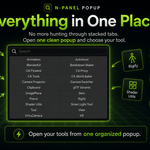
CA Sidebar Launcher works with Blender 5.0+.
Download the .zip file after purchase, then open Blender and go to:
Edit → Preferences → Add-ons
Click the small dropdown arrow in the top-right of the Add-ons window, then choose:
Install from Disk...
Select the downloaded ca_sidebar_launcher-1.0.0.zip file, install it, then enable the add-on by checking the box next to CA Sidebar Launcher.
Once enabled, go into the 3D Viewport and press:
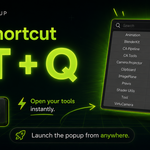
Alt + Q
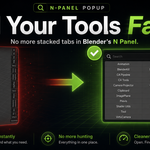
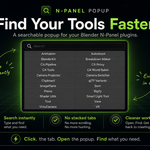
This opens the searchable popup launcher for your Blender N-panel tabs.
You can also use:
Alt + Shift + Q
This opens the keyboard-focused search popup.
--
Make sure the add-on is enabled in Edit → Preferences → Add-ons.
Also make sure your mouse is over the 3D Viewport, since the shortcut is designed for the viewport area. If another add-on or Blender shortcut is already using Alt + Q, you may need to change one of the shortcuts in Blender’s keymap settings.
Yes. Inside the zip is the add-on file:
CA_SidebarLauncher.py
You can install the zip directly, or install the Python file manually through Blender’s add-on installer. The easiest method is installing the zip from Install from Disk....
Have questions about this product?
Login to message
| Blender Extension Compatible | Yes |
| Published | 5 months ago |
| Blender Version | 5.0 - 5.1 |
| Extension Type | Add-on |
| Render Engine Used | Blender-Internal |
| License | GPL |