 blenderustad


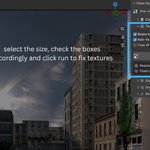
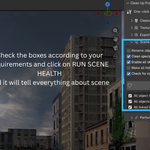
Clean Up Pro - The Scene-Ready Toolkit Every Blender Artist Needs
Every professional 3D workflow hits the same wall before delivery: a bloated .blend file riddled with orphaned meshes, Wood.001 through Wood.047 duplicate materials, broken texture paths, wrong colorspaces, and a render subdivision stack that would choke a workstation. You built something great, you should not spend hours cleaning it up by hand.
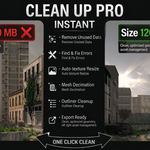
Clean Up Pro eliminates that entire phase in one click.
Packed into a clean, collapsible sidebar panel (N > Clean Up Pro), five purpose-built modules handle every "get this scene ready" task automatically and give you a clear results log every time so you always know exactly what changed.
What's Inside
Cleanup - Purge, Fix and Consolidate
The engine room of the addon. One button triggers a full sweep:
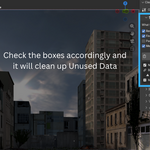
- Purge unused data - removes zero-user images, materials, meshes, node groups, textures, actions, worlds, curves, and armatures. Frees real RAM and shrinks file size, reported in MB.
- Fix broken texture links - scans every image path in the scene, then walks your project directory to auto-relink files that have moved. What cannot be auto-fixed is flagged by name so you know exactly what still needs attention.
- Pack external textures - embeds all found textures directly into the .blend for a truly portable, self-contained file, critical before sending assets to a client or collaborator.
- Merge duplicate materials - collapses Wood.001, Wood.002, Wood.047 back into Wood across every mesh slot and removes the dead duplicates. Clean material libraries. Every time.
Textures - Downscale, Colorspace and Collect
Texture chaos is one of the most common performance killers in complex Blender scenes. This module fixes it automatically:
- Downscale oversized images - caps any image exceeding your chosen max resolution (e.g. 2K, 4K), preventing accidental 8K textures from tanking viewport and render performance.
- Auto-fix colorspaces - traces node graph connections to determine whether each texture should be sRGB or Non-Color, then corrects it. No more washed-out normals or blown-out roughness maps from a wrong colorspace setting.
- Collect textures - gathers all external textures into a single organized /textures folder so your asset directory is always clean and portable.
Export Ready - Validate, Checklist and Batch Export
Built for artists delivering assets to Unity, Unreal Engine, or Godot. This is where the real production value lives:
- Apply transforms - applies location, rotation, and scale to all selected objects before export. A step that breaks game engine rigs when skipped.
- Fix geometry - removes double vertices, recalculates normals, and catches zero-area faces that silently corrupt meshes in downstream tools.
- 9-point export checklist - automatically validates your scene against nine critical export conditions. The FBX export button stays locked until every check passes, no more shipping broken assets by accident.
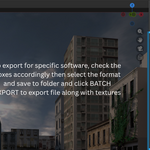
- Batch export to FBX / OBJ / glTF - exports with correct axis presets per engine (Unity, Unreal, Godot), each object written to its own Name/Name.ext folder structure.
- Three texture-handling modes - embed textures inside the file (self-contained .fbx/.glb), copy to a textures/ subfolder, or export geometry only.
Scene Health - Names, Visibility and Libraries
Clean scenes are maintainable scenes:
- Batch rename - find/replace across all object names, or add a prefix/suffix in one action. Rename 200 objects in seconds.
- Strip special characters - sanitizes names that contain symbols breaking game engines, export scripts, or pipeline tools.
- Enable all for render / unhide all - instantly restore visibility on objects accidentally hidden mid-session.
- Check missing linked libraries - surfaces broken .blend library links before they cause missing geometry in renders.
Performance - Subdivision, Scene Weight and File Size
For artists working with complex, high-poly scenes:
- Cap excessive subdivision - camera-distance aware: automatically reduces render subdivision levels when they exceed safe thresholds, scaled by how far an object is from the active camera. Objects far from camera do not need render-level 6.
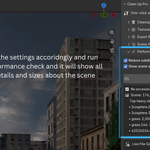
- Scene weight report - ranks the top 5 heaviest objects by polygon count, texture memory, and modifier stack. Know exactly where your scene budget is going.
- Live file size estimate - get a real-time estimate of final export size before you commit to the operation.
Why Clean Up Pro Beats Doing It Manually
| Task | Manual Time | With Clean Up Pro |
|---|---|---|
| Purge all unused data | 5-15 min | 1 click |
| Fix broken texture paths | 20-60 min | Automatic |
| Merge duplicate materials | 10-30 min | 1 click |
| Fix colorspaces on 40 textures | 30-60 min | 1 click |
| Pre-export checklist and axis setup | 15-30 min | Auto-locked checklist |
| Batch export 30 objects with textures | 30-90 min | 1 click |
Compatibility
- Blender 2.83 through 5.x, works across all modern and legacy releases
- Blender 4.2+ Extension system, installs as a native extension
- Blender 2.83-4.1, installs as a classic add-on
- Version-sensitive exporter calls degrade gracefully, no errors on older builds
- Uses the modern OBJ exporter on Blender 3.3+, with automatic fallback on older versions
Who Is This For?
- Freelance 3D artists delivering clean assets to clients
- Game-ready asset creators targeting Unity, Unreal Engine, or Godot
- Environment and character artists managing large, complex Blender scenes
- Blender educators and studios maintaining consistent, production-quality pipelines
- Marketplace sellers who need submission-ready, optimized assets fast
Installation
- Download clean_up_pro.zip
- Blender 4.2+: Edit > Preferences > Get Extensions > Install from Disk
- Blender 2.83-4.1: Edit > Preferences > Add-ons > Install
- Press N in the 3D Viewport and switch to the Clean Up Pro tab
No configuration required. Every feature works out of the box.
