Clean Up Pro - One-Click Scene Cleanup, Texture Fix & Game Engine Export
 blenderustad


Documentation
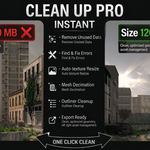
Clean Up Pro is a Blender addon that handles all your scene preparation tasks from a single sidebar panel. Open the panel by pressing N in the 3D Viewport and clicking the Clean Up Pro tab. You will find five sections, each collapsible and independent.
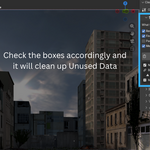
Cleanup - Tick the tasks you want to run (purge unused data, fix broken textures, pack textures, merge duplicate materials) then click Run Cleanup. A results log appears below the button showing exactly what was changed and how much memory was freed.
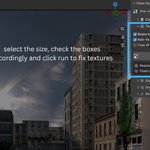
Textures - Set your maximum texture resolution, then run the module to downscale oversized images, auto-correct colorspaces by reading your node graph, and collect all external textures into a clean /textures folder.
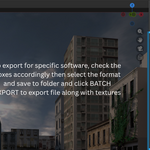
Export Ready - Check the 9-point export checklist to validate your scene. Apply transforms and fix geometry first, then choose your engine preset (Unity, Unreal, Godot), pick your texture handling mode, and batch export to FBX, OBJ, or glTF. The export button stays locked until all checklist items pass.
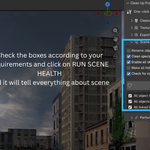
Scene Health - Use find/replace or prefix/suffix to batch rename objects, strip special characters from names, unhide all objects, enable all for render, and check for missing linked libraries.
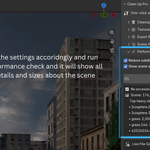
Performance - Run the performance check to cap excessive subdivision levels based on camera distance, view a ranked report of your heaviest objects by polygon count and texture memory, and get a live estimate of final file size.
FAQs
1. Will Clean Up Pro delete anything I still need? No. The purge system only removes data with zero users and no fake user flag set. Materials, meshes, images, and other data blocks actively used by any object in your scene are never touched. You also receive a confirmation prompt before any cleanup runs, and the results log tells you exactly what was removed.
2. My FBX export button is greyed out. What do I do? The export button is intentionally locked until all 9 checklist items pass. Open the Export Ready panel and check which items are flagged. The most common causes are unapplied transforms, double vertices, or flipped normals. Use the Apply Transforms and Fix Geometry buttons first, then re-check the list. Once all items are green the export button unlocks automatically.
3. Does it work with my version of Blender? Clean Up Pro supports Blender 2.83 through 5.x. On Blender 4.2 and newer it installs as a native Extension. On Blender 2.83 through 4.1 it installs as a classic add-on. All exporter calls are version-aware, so features that are not available in older Blender builds are skipped gracefully instead of throwing errors.
Have questions about this product?
Login to message
| Blender Extension Compatible | Yes |
| Published | 4 months ago |
| Blender Version | 3.0 - 5.2 |
| Extension Type | Add-on |
| Render Engine Used | Blender-Internal, Blender-Game-Engine, Cycles, Eevee |
| License | Mit |

Discover more products like this
purge unused data addon Blender cleanup merge duplicate materials addon blender scene cleanup addon