Click Motion
 pl_workshop



ClickMotion v1.2.0
Overview
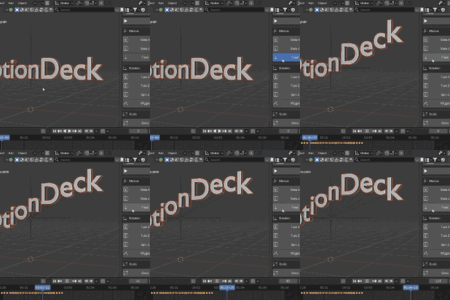
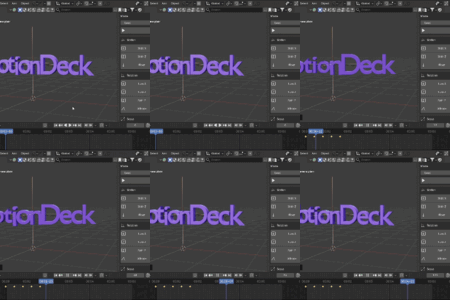
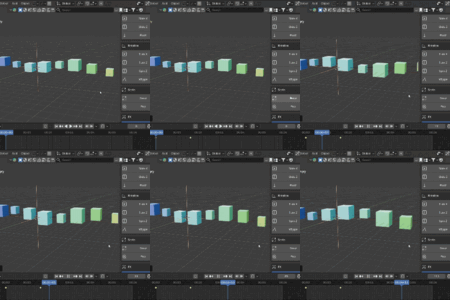
ClickMotion is a Blender add-on for quickly applying versatile object animation presets.
It is built for fast motion design workflows: select objects, choose a preset, and get clean keyframed motion with sensible easing and timing.
What it includes
- Motion presets: Slide X, Slide Y, Slide Z, Bounce, Float, Shake
- Rotation presets: Turn X, Turn Y, Turn Z, Spin, Sway, Wiggle
- Scale presets: Grow, Pulse, Pop
- FX presets: Blink, Strobe FX
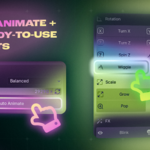
- Auto Animate modes: Balanced, Chaos, Cinematic
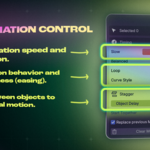
- Precise speed slider for fine timing control
- Strength / Amplitude control for motion, rotation, and scale intensity
- Standard Amplitude range from 0.01 to 10.00
- Optional Custom Amplitude for values outside the standard range
- FX Speed control for Blink and Strobe frequency
- Delay in frames for clearer multi-object timing
- Loop modes for repeating or ping-pong motion
- Seed control with repeatable Auto Animate variation
- Friendlier panel hints that explain speed, delay, and seed directly in the UI
- Safe behavior that skips channels already animated by the user
Installation
Blender 4.2+ (Extension)
1. Open Edit > Preferences > Get Extensions.
2. Open the menu and choose Install from Disk.
3. Select ClickMotion V1.2.0.zip.
4. Enable ClickMotion if Blender does not enable it automatically.
Blender 3.6+ (Legacy Add-on)
1. Open Edit > Preferences > Add-ons.
2. Click Install from Disk.
3. Select ClickMotion V1.2.0 (Legacy).zip.
4. Enable ClickMotion.
Where to find it
View3D > Sidebar (N-Panel) > ClickMotion
Recommended workflow
1. Select one or more objects.
2. Move the timeline to the frame where the animation should begin.
3. Choose Animation Speed, Strength, Loop, Curve Style, Object Delay, and Variation Seed.
4. Enable Custom under Strength if you need an Amplitude below or above the standard range.
5. Adjust FX Speed when using Blink or Strobe FX.
6. Use a single preset or press Auto Animate.
7. Use Clear ClickMotion Animation if you want to remove curves created by the add-on.
Safety notes
- The add-on only clears curves that it created itself.
- If a selected object already has keyframes on the channels required by a preset, that object is skipped.
- This keeps the add-on safer for production scenes and reduces the chance of overwriting hand-made animation.
Compatibility
- Blender 4.2+ as a Blender Extension
- Blender 3.6+ as a Legacy Add-on
Author
- pl.workshop
Overview
ClickMotion is a Blender add-on for quickly applying versatile object animation presets.
It is built for fast motion design workflows: select objects, choose a preset, and get clean keyframed motion with sensible easing and timing.
What it includes
- Motion presets: Slide X, Slide Y, Slide Z, Bounce, Float, Shake
- Rotation presets: Turn X, Turn Y, Turn Z, Spin, Sway, Wiggle
- Scale presets: Grow, Pulse, Pop
- FX presets: Blink, Strobe FX
- Auto Animate modes: Balanced, Chaos, Cinematic
- Precise speed slider for fine timing control
- Strength / Amplitude control for motion, rotation, and scale intensity
- Standard Amplitude range from 0.01 to 10.00
- Optional Custom Amplitude for values outside the standard range
- FX Speed control for Blink and Strobe frequency
- Delay in frames for clearer multi-object timing
- Loop modes for repeating or ping-pong motion
- Seed control with repeatable Auto Animate variation
- Friendlier panel hints that explain speed, delay, and seed directly in the UI
- Safe behavior that skips channels already animated by the user
Installation
Blender 4.2+ (Extension)
1. Open Edit > Preferences > Get Extensions.
2. Open the menu and choose Install from Disk.
3. Select ClickMotion V1.2.0.zip.
4. Enable ClickMotion if Blender does not enable it automatically.
Blender 3.6+ (Legacy Add-on)
1. Open Edit > Preferences > Add-ons.
2. Click Install from Disk.
3. Select ClickMotion V1.2.0 (Legacy).zip.
4. Enable ClickMotion.
Where to find it
View3D > Sidebar (N-Panel) > ClickMotion
Recommended workflow
1. Select one or more objects.
2. Move the timeline to the frame where the animation should begin.
3. Choose Animation Speed, Strength, Loop, Curve Style, Object Delay, and Variation Seed.
4. Enable Custom under Strength if you need an Amplitude below or above the standard range.
5. Adjust FX Speed when using Blink or Strobe FX.
6. Use a single preset or press Auto Animate.
7. Use Clear ClickMotion Animation if you want to remove curves created by the add-on.
Safety notes
- The add-on only clears curves that it created itself.
- If a selected object already has keyframes on the channels required by a preset, that object is skipped.
- This keeps the add-on safer for production scenes and reduces the chance of overwriting hand-made animation.
Compatibility
- Blender 4.2+ as a Blender Extension
- Blender 3.6+ as a Legacy Add-on
Author
- pl.workshop
$12.99
Have questions about this product?
Login to message
| Blender Extension Compatible | Yes |
| Sales | 30+ |
| Dev Fund Contributor | |
| Published | 5 months ago |
| Blender Version | 3.6 - 5.2 |
| Extension Type | Add-on |
| Render Engine Used | Cycles, Eevee |
| License | GPL |
Discover more products like this
animation motion AnimationPresets Workflow presets animate-faster keyframe Motion design animation preset