 Cobox
Cobox



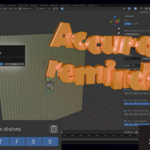
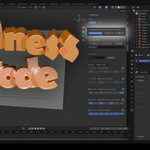
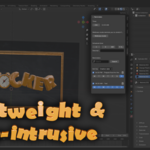
Thank you for choosing Clocker! This Blender add-on is designed to help you manage your time y control your healt and boost productivity during long creative sessions. Below, you'll find everything you need to install, configure, and make the most out of Clocker.
Installation
- Download the ZIP file of the add-on from your account.
- Open Blender and navigate to Edit > Preferences > Add-ons.
- Click Install and select the downloaded ZIP file.
- Activate the add-on by checking the box next to "Clocker"
- Save your preferences by clicking Save Preferences so the add-on loads automatically in future sessions.
Key Features
- Time-Based Reminders: Set alarms for specific hours. Ideal for staying on track with tasks or deadlines.
- Customizable Wellness Mode: Optionally activate periodic stretch or rest reminders to reduce eye strain and improve you healt.
- 12h / 24h Format Toggle: Choose your preferred time display format.
- Reminder Sorting: Organize reminders by creation time or by scheduled hour.
- Persistent Settings: All your preferences and reminders are saved between sessions automatically.
- Snooze Functionality: Delay a reminder for 5 more minutes with a single click.
How to Use Clocker
- Open the side panel (shortcut: N) and navigate to the Clocker tab.
- Explore the following options.
- Set your preferred time format (12h/24h).
- Add reminders using the intuitive interface, choosing the time and description that do you want.
- Enable the exercise mode to receive healthy (optional).
Useful Tips
- Use Clocker to control your time for modeling, animating, rendering, or even meetings.
- Activating Exercise Mode during long sessions can help reduce fatigue and improve focus.
- You can manage multiple reminders and sort them for better clarity.
- Enable the exercise mode to receive healthy (optional).
Preference file
Windows: C:\Users\<Your user>\Documents\clocker_prefs.json
macOS: /Users/<Your user>/Documents\clocker_prefs.json
Linux: /home/<Your user>/Documents\clocker_prefs.json
Compatibility
- Compatible with Blender 2.9 and later versions.
- Works on Windows, macOS, and Linux.
Support
If you have any questions, technical issues, or suggestions, feel free to contact us. We provide support through:
-
Email: [email protected]
-
$1
-
$1
Have questions about this product?
Login to message
Discover more products like this
healt clock reminder reminder system time manager Workflow welness productivity timer time time-management task manager