 MarkoPetrush




Clothify
Your complete toolkit for cinched cloth simulation in Blender.
What is Clothify?
Clothify is a powerful Blender addon designed to automate and simplify the entire process of creating cinched cloth simulations, such as packaging a product in a bag, bread, candy, gift bags, sacks, or pouches.
- ✔ One-Click Simulation Setup: Automatically creates all necessary modifiers (Cloth, Hooks, Collision, Solidify, Subsurf) on your objects.
- ✔ Preset Management: Save and load your favorite cloth physics settings. Comes with built-in presets like silk, leather, cotton, and more.
- ✔ Automatic Animation: Generate a full cinching animation with controls for duration, twist, and scaling.
- ✔ Conversion to Shape Key: Convert your simulation into a static mesh with a single click, preserving the final look without heavy simulation data.
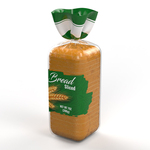
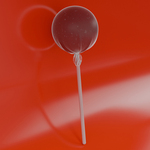
Here are a few examples of what you can create with Clothify.
Double-Twist Candy

Lollipop Wrap

Start by assigning your main objects. This is the foundation of every Clothify simulation.
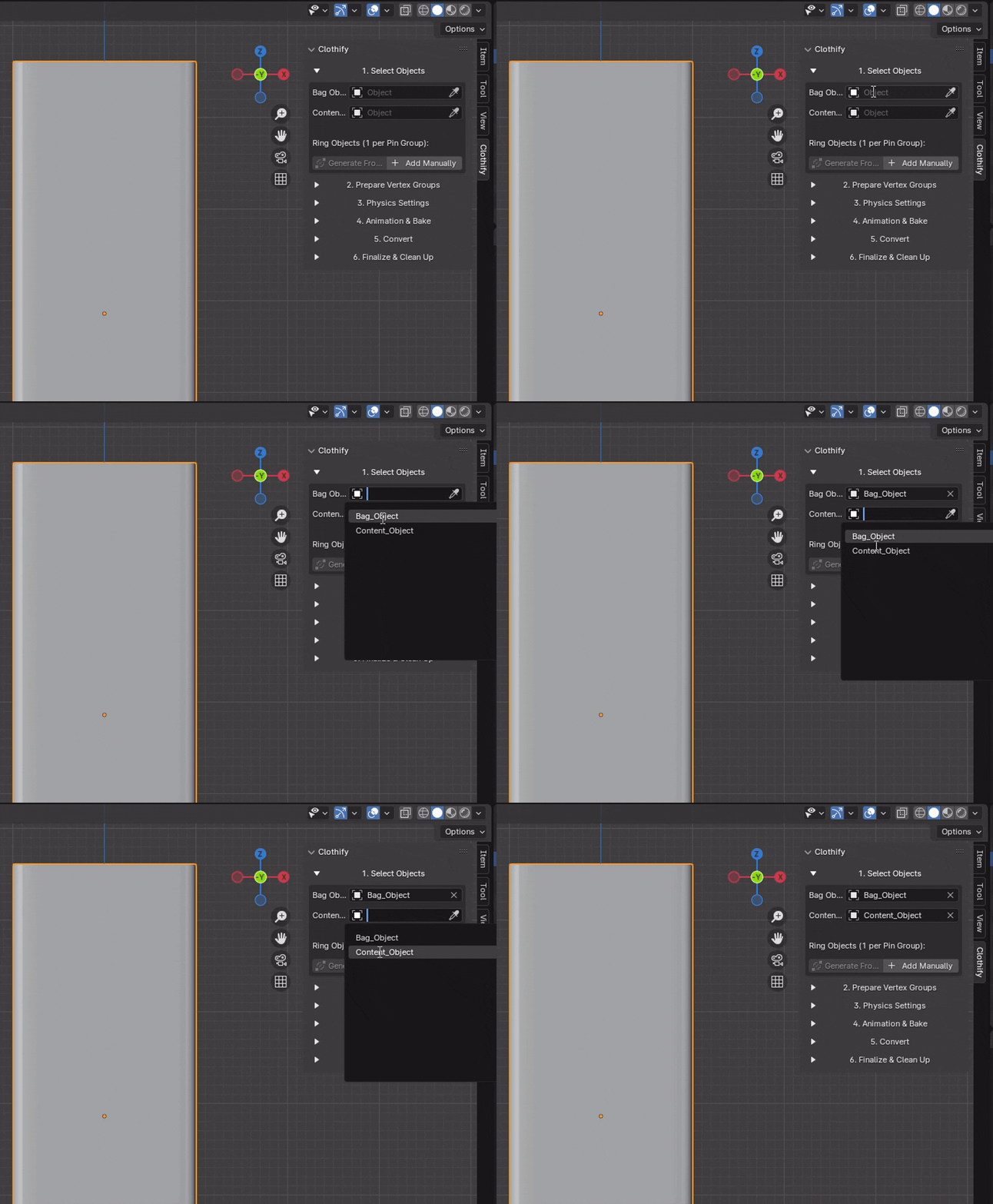
- Bag Object: This is the object (the cloth) that will be simulated. It must be a mesh.
- Content Object: This is the object inside the cloth. It will serve as the collision object.
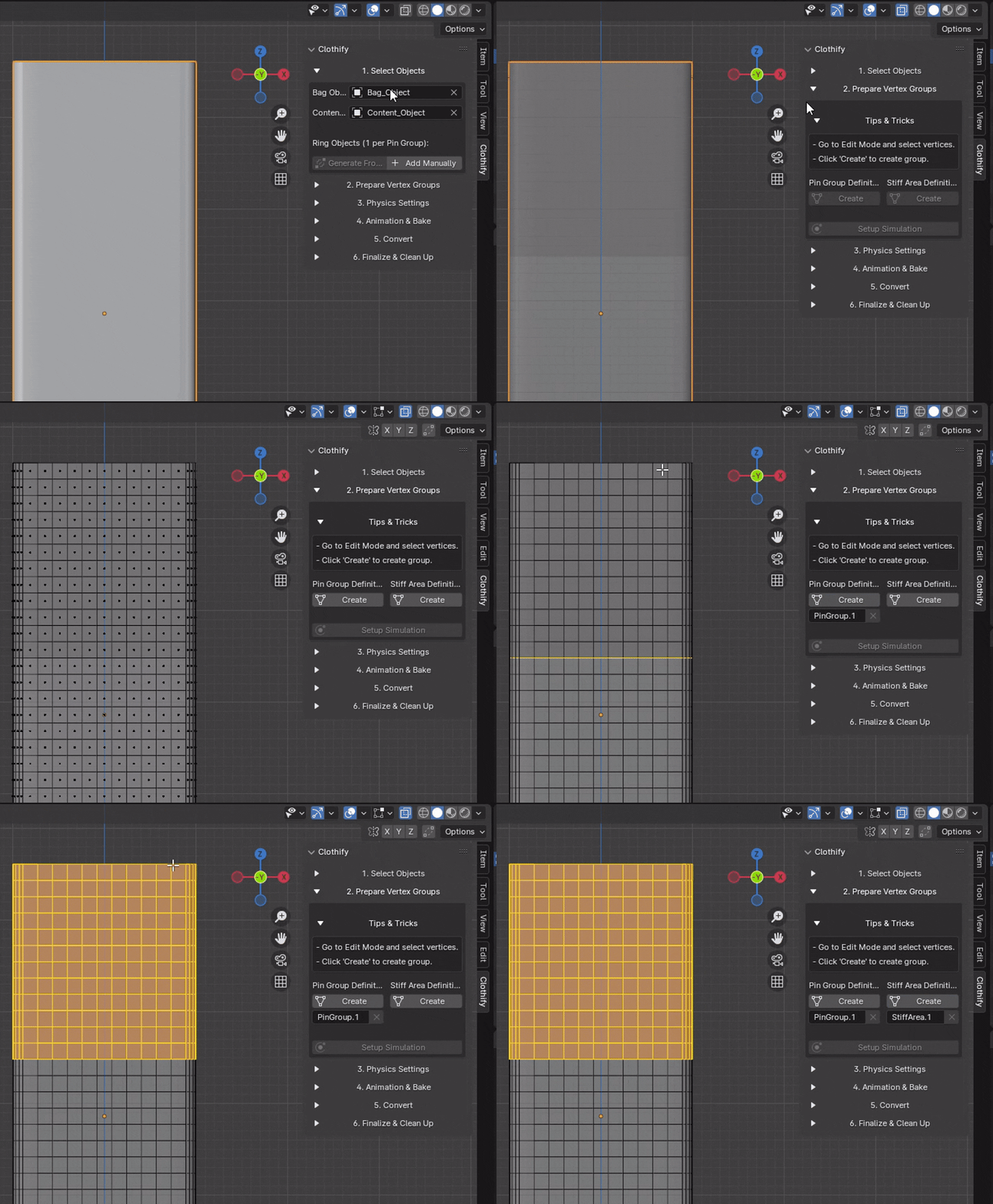
This is the heart of Clothify. Instead of manually selecting vertices, you use intuitive methods to tell Blender where to pin and stiffen the cloth.
Pin Groups and Stiff Areas
Pin Groups determine which parts of the cloth will be 'hooked' to the Ring objects. Stiff Areas define where the cloth should be stiffer and bend less. Both group types can be created from a vertex selection.
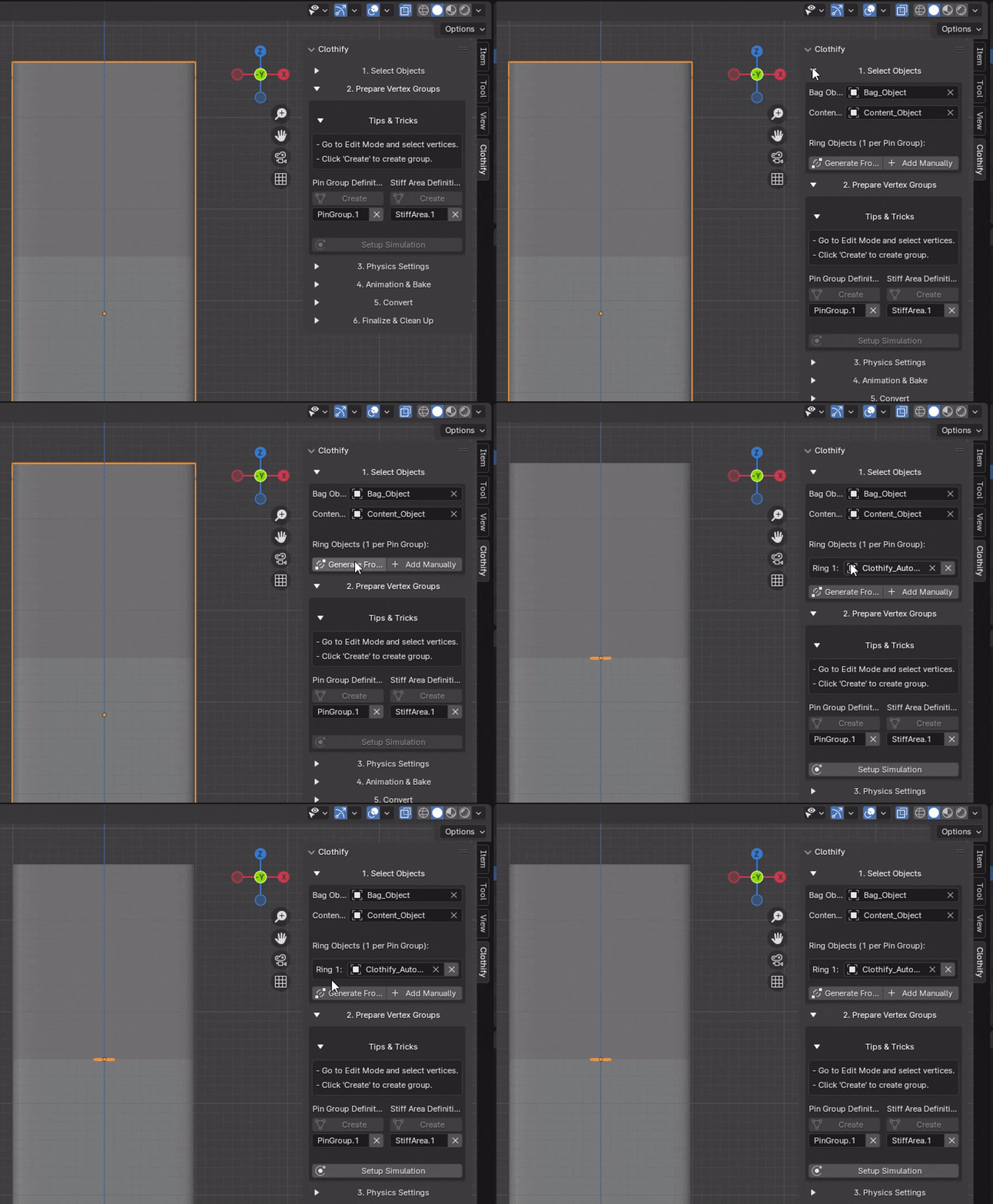
- 'From Selection' Mode: In Edit Mode, select the vertices you want and click 'From Selection' to instantly create a group from them.
- Ring Generation: Rings can be generated automatically based on the Pin Groups you've set up, or you can add and assign them manually for full control.
Rings can be created automatically from Pin Groups or added manually.
With one click, set up the entire simulation. Then, get the perfect cloth look with detailed controls and a powerful preset system.
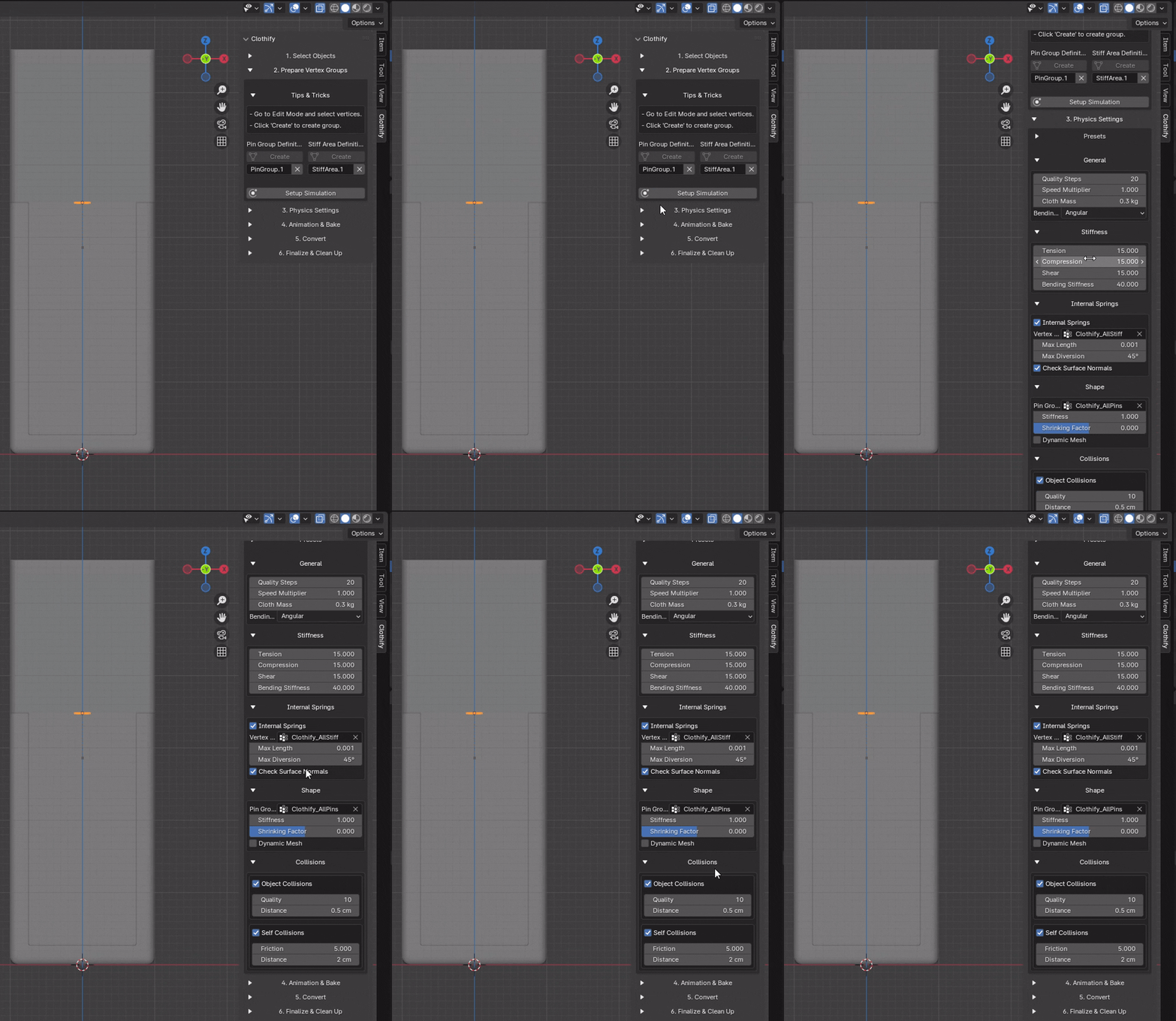
Pressing "Setup Simulation" automatically adds and configures Hooks, Cloth, Collision, Solidify, and Subdivision modifiers.
- Full Control: Adjust all important Cloth simulation parameters like Quality, Mass, Stiffness (Tension, Compression, Shear, Bending), Damping, and Collisions.
- Save Your Settings: Found the perfect setting for denim? Save it as a preset with your own name.
- Load Presets: Quickly switch between different fabric types by loading the built-in or your own custom presets.
- Built-in Presets: Get started immediately with presets for Silk, Leather, Denim, Cotton, and Velvet.
Bring the simulation to life by automatically animating the cinching process.
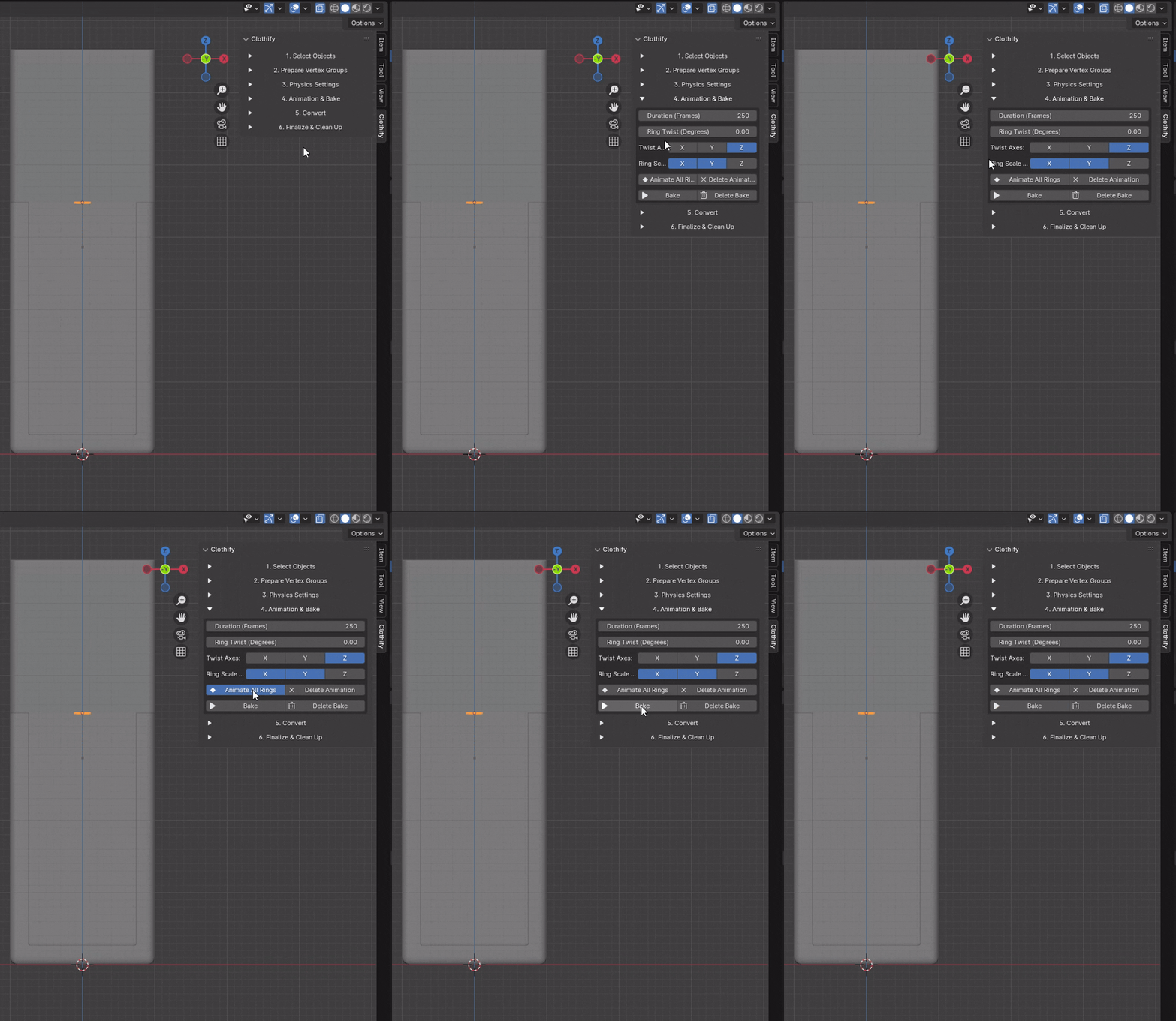
With a click on "Animate All Rings", Clothify will generate keyframes for all your Ring objects. You can control:
- Duration: The length of the animation in frames.
- Twist Amount: How many degrees the rings will twist while cinching, with control over the X, Y, and Z axes.
- Scale Axes: Which axes the rings will scale down on to tighten the cloth.
Once you are satisfied, use the built-in Bake and Delete Bake buttons to cache the simulation for final performance.
When the simulation is done, Clothify offers tools to turn the result into a lightweight, usable mesh.

- Convert to Shape Key: This powerful feature 'freezes' the simulation result at the current frame into a Shape Key. All heavy simulation modifiers (Cloth, Hooks) are removed, leaving you with a lightweight object that retains the final look.
- Apply Shape Keys: Makes the Shape Key's deformation permanent, applying it to the base mesh.
Quickly revert your objects to their original state or reset the entire panel.
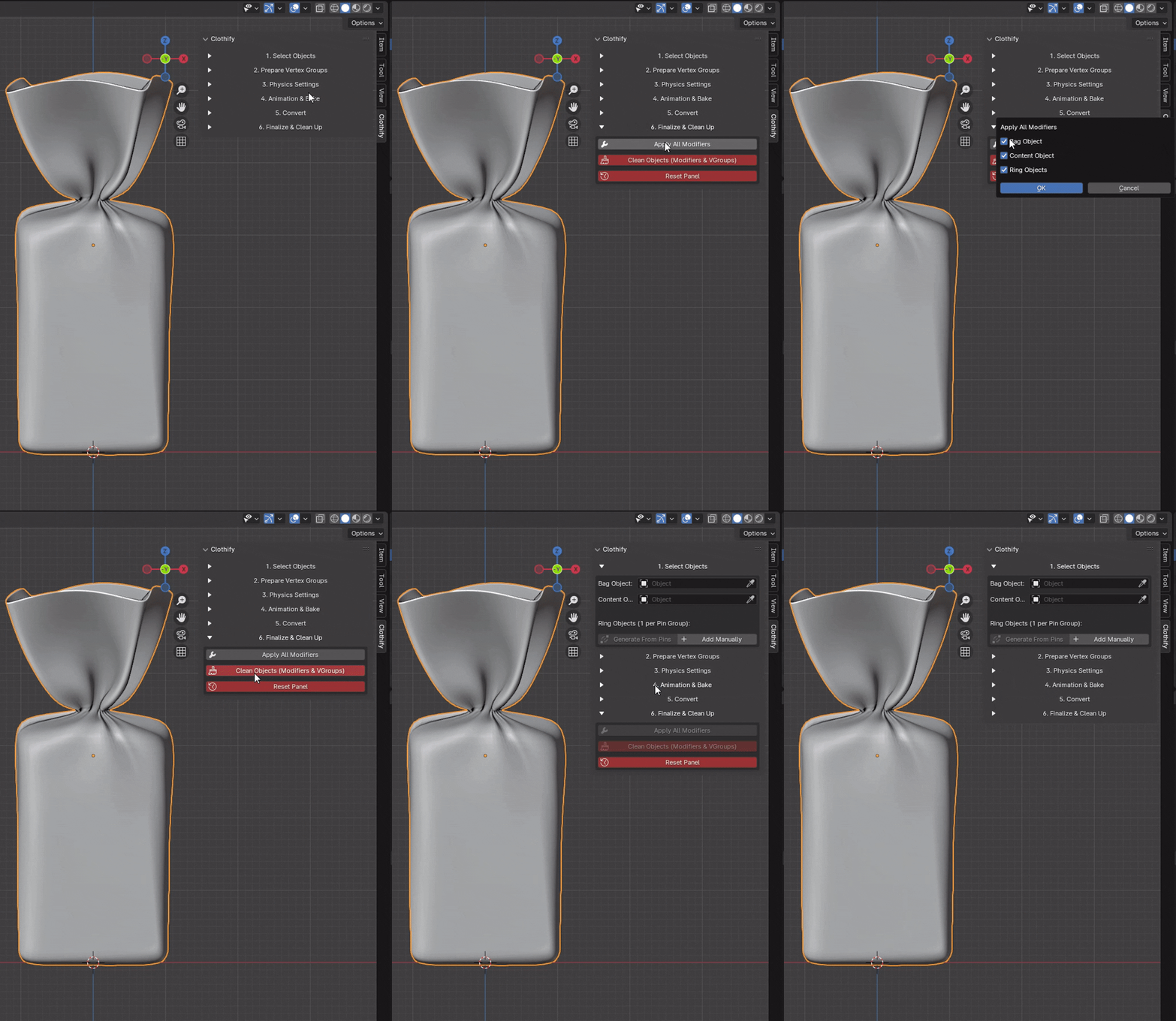
- Apply All Modifiers: Applies all modifiers on the selected object types (Bag, Content, Rings).
- Clean Objects: Deletes all modifiers and vertex groups from the Bag and Content objects.
- Reset Panel: Completely resets all settings in the Clothify panel and deletes all generated data (guides, auto-rings, vertex groups).