Cloud Painter
 studio toericht




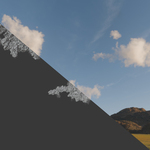

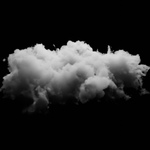
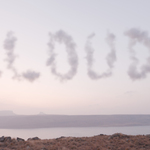

Cloud Painter - User Documentation
Overview
Cloud Painter is a Blender tool that allows you to draw clouds using Geometry Nodes. It provides an intuitive workflow to create and manipulate volumetric clouds with customizable settings for detail, shape, and animation. This document serves as an overview of the tool's features and instructions on how to use it effectively.
Video Overview: https://youtu.be/H2hyU0MJvPs
Installation & Setup
Cloud Painter can be accessed in two ways:
1. Through the Asset Browser: Import Cloud Painter directly into your Blender scene.
2. By Opening the Provided Blender File: This file includes a pre-configured setup ready for use. If you open the file, the render settings are already optimized for faster volume rendering. However, if you import it using the Asset Browser, these settings do not apply automatically.
Upon opening the Blender file, you will find:
● A curve object: Used to draw cloud shapes.
● A volume empty object: Converts the curve-based mesh into a volumetric cloud using modifiers.
Rendering Preview
Cloud Painter supports Cycles and Eevee render engines. While Eevee can be used, Cycles is preferred for better volumetric detail. To preview the cloud rendering:
1. Open a second 3D editor.
2. Set it to Render Preview Mode.
3. Observe how your cloud appears in the scene.
Volume Settings
The Volume Empty object uses a Mesh to Volume modifier to convert the mesh into a volumetric cloud. Key settings include:
1. Resolution (Voxel Amount)
● Defines the cloud's overall detail.
● Higher values = more detail but slower rendering.
● Lower values = faster performance but less detail.
2. Displacement Modifiers
● These add depth and variation to the cloud.
● First Modifier: Creates broad deformations (large-scale displacement).
● Second Modifier: Adds fine details (small-scale noise).
● Both are controlled by noise textures found in the texture properties panel.
● Adjust the Strength values to modify the effect.
Drawing Clouds with Curves
Cloud Painter allows users to draw volumetric clouds using a curve system built with Geometry Nodes. To start:
1. Select the Curve Object.
2. Enter Edit Mode.
3. Delete existing curves (A to select all → X to delete).
4. Use either: ○ Draw Tool to sketch freehand.
○ Curve Pen Tool to create structured shapes.
5. Set the Mode to Surface (top left) to draw on existing clouds.
Geometry Node Settings
The curve system has adjustable parameters in the Modifier Properties panel:
1. Resolution
● Controls how detailed the generated mesh is.
● Lower values = more detail, slower performance.
● Higher values = less detail, faster performance.
2. Radius
● Defines the thickness of the cloud.
● Increase for large, puffy clouds.
● Decrease for wispy, thin clouds.
3. Displacement Settings
● Displacement 1: Adds broad, smooth deformations.
● Displacement 2: Introduces finer, secondary details.
● These are noise-based and scale with resolution.
4. Blur
● Adjusts the smoothness of the cloud shape.
● Can be used for more artistic control over softness.
5. Animation Controls
● Start & End Sliders: Animate cloud formation along a path.
● Workaround for Complete Disappearance: Animate the Radius alongside Start & End to fully hide the cloud at the beginning.
Animating Clouds
To create an animation where clouds form over time:
1. Use the Start/End sliders: ○ These map how clouds appear along their curves.
○ Animate from 0 to 1 over time.
2. Fixing leftover geometry: ○ If clouds don't fully disappear at 0, animate the Radius.
○ Set Radius = 0 at the start of the animation.
○ Gradually increase it alongside the Start/End sliders.
Material Settings
The material system in Cloud Painter is straightforward and can be modified in the Shader Editor.
Key Controls:
1. Density: Controls cloud thickness.
○ Higher values = thick, dense clouds.
○ Lower values = wispy, light clouds.
2. Color: Customize cloud tint for artistic effects.
3. Anisotropy: Adjusts light scattering behavior (useful for fine-tuning realism).
Final Notes
● Cloud Painter is an evolving tool. Future updates will be provided for free to all buyers.
● Feedback is welcome! If you encounter issues or have suggestions, feel free to reach out.
Thank you for using Cloud Painter! Happy cloud painting!
Have questions about this product?
Login to message
| Sales | 20+ |
| Published | over 1 year ago |
| Blender Version | 4.3 |
| License | GPL |

Discover more products like this
blender clouds cycles clouds blender 3d volumetric clouds cloud painter clouds 3d clouds fast cloud volumetric-clouds instant clouds