Clutter Zones
 Renegade Software



Clutter Zones for Blender
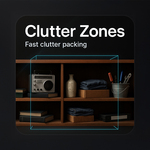
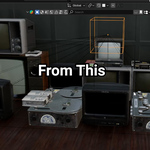
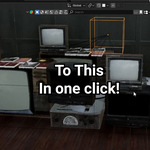
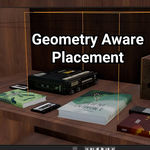
Fill shelves and spaces with convincing clutter in seconds. Clutter Zones packs your assets inside a resizable box, respects real bounds to avoid overlaps, and can stack items across multiple levels. It turns a tedious, error-prone task into a few clicks.
Why artists love it
-
Speed – go from empty shelf to believable mess in under a minute
-
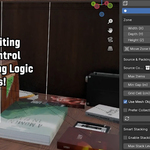
Control – dial in density, gaps, rotation, and stacking levels
-
Clean results – no interpenetrating geometry
-
Non-destructive – instances keep your file light and materials intact
-
Interactive – Live Update shows changes as you resize and tweak
What it does
-
Packs non-overlapping items from a collection into a user-defined zone
-
Treats child collections as intact sets for grouped props
-
Optional multi-level stacking with adjustable vertical gap
-
Always-visible, non-rendering bounds gizmo for intuitive editing
-
Deterministic layouts with a Random Seed
-
Performance tuning via grid cell size and minimum gap
Perfect for
-
Prop dressing shelves, counters, bookshelves, and storage rooms
-
Set dressing for archviz, gamedev retail, and warehouse scenes
-
Fast environment kitbashing and look-development
How to use
-
Add a Clutter Zone from the N-panel.
-
Pick your Source Collection of props.
-
Set Max Items and Min Gap. Enable Stacking if needed.
-
Toggle Live Update to see results while you resize or tweak.
-
Click Pack Zone for a final layout. Change the Seed for variations.
Requirements
-
Blender 3.0 or newer
-
Any asset collection you want to populate
Notes
-
The bounds gizmo is always visible and never renders.
-
Physics simulation is not required. Clutter Zones focuses on fast object packing.
Have questions about this product?
Login to message
| Blender Extension Compatible | Yes |
| Dev Fund Contributor | |
| Published | about 1 year ago |
| Blender Version | 3.0 - 5.2 |
| Extension Type | Add-on |
| Render Engine Used | Cycles, Eevee |
| License | GPL |
Discover more products like this
productivity shelves ArchViz set dressing instancing gamedev environment blender addon non-overlapping layout tool props asset placement