Collection Grid Array Pro
 Renegade Software


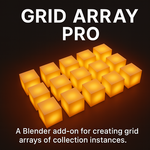
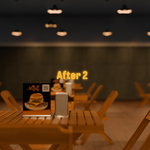
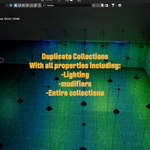
Collection Grid Array Pro
A flexible grid instancing tool for Blender
Overview
Collection Grid Array Pro lets you quickly duplicate any collection in Blender into a grid pattern with full control over rows, columns, spacing, and live updates. It’s designed for set builders, kitbashers, environment artists, and anyone who needs to populate scenes fast.
Unlike Blender’s standard Array modifier, Collection Grid Array Pro works directly with entire collections (not just single objects), making it perfect for duplicating props, fixtures, or complex prefabs.
🛠 Features
Live Grid Instancing - Adjust rows, columns, and spacing interactively.
Auto Update Toggle - Grids refresh as you tweak sliders.
Multiple Grids - Add and manage multiple independent arrays in one scene.
Clear / Refresh Controls - Rebuild grids with one click.
Bake to Real Objects - Convert grids into editable objects/collections.
Variant Creation - Generate new variants of your source collection (unique materials, lights, and settings per grid).
Installation
Download the
.zipfile from your purchase.In Blender, go to Edit → Preferences → Add-ons → Install...
Select the zip file and enable Collection Grid Array Pro.
The panel appears in the N-panel → Collection Grid Array Pro tab.
Usage
-
Select a Source Collection
Choose any collection in your file (e.g., a lamp prefab, furniture set, prop).
-
Generate a Grid
Set Rows and Columns.
Adjust X/Y Spacing to control distance between instances.
Toggle Auto Update to see changes in real time.
-
Manage Grids
Each grid can be renamed and enabled/disabled independently.
Use Refresh to rebuild the grid.
Use Clear to remove the grid.
-
Create Variants (Optional)
Click Create Variant From Source to duplicate your source collection.
Each variant has unique materials/lights, allowing different looks per grid.
-
Bake to Objects
Click Bake Grid to convert instances into editable objects.
Once baked, you can apply modifiers, edit meshes, or delete instances individually.
⚡ Example Workflow
Build a lamp fixture prefab collection with a bulb + emission.
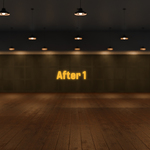
Use Collection Grid Array Pro to populate your ceiling with dozens of lights in seconds.
Create a variant and tint the bulbs differently for stylistic lighting.
Bake when you’re happy with the layout, then render.
Limitations
Grids currently duplicate collections uniformly. All instances share the same transform/materials unless baked or variant-created.
Very large grids (hundreds of rows/columns) may impact performance.
Tips & Best Practices
Keep your prefab collection at origin (0,0,0) for predictable alignment.
Use variants to quickly create material or light differences between grids.
Bake only when you’re sure you don’t need live adjustment.
Works great with kitbash assets, modular environment pieces, furniture, lighting setups and anything you can think of!
License
This add-on is released under the GNU GPL v3.
You are free to use, modify, and redistribute the source under the same license.
Author
Brandon Payan
Renegade Pictures
Have questions about this product?
Login to message
| Blender Extension Compatible | Yes |
| Dev Fund Contributor | |
| Published | about 1 year ago |
| Blender Version | 4.0 - 5.2 |
| Extension Type | Add-on |
| Render Engine Used | Arnold, Cycles, Eevee, Freestyle, Luxrender, Mental-Ray, Octane, Vray, Yafaray |
| License | GPL |
Discover more products like this
array collections modelling addon 3DModelling 2025addon duplicate 3D arch design grid