Collection Sort Treedrew
 treedrewlife


📁 Sort Collection — Official Documentation
Version: 1.0
Author: Treedrew
Compatibility: Blender 2.80+ (tested up to 3.6)
License: GPL v3 (required by Blender addons)
📌 Description
Sort Collection is an addon for Blender that automates the organization of collections in your scene. It allows you to sort, group, apply colors, and move unnecessary collections to a “Trash” collection, saving time and improving navigation in the Outliner.
Ideal for artists, modelers, and teams working with complex scenes who need a clear and clean structure.
🧩 Key Features
✅ Auto Organization
-
Sort collections by name or number of objects.
-
Support for automatic colors (Rainbow, Warm, Cool) or custom color sequence.
📁 Prefix Grouping
-
Automatically groups collections with the same prefix:
-
Example:
house_01,house_02→house(parent)
-
🗑 Trash Management
-
Creates and moves empty or marked collections to a collection called Trash.
-
Options:
-
Mark as important (protected from Trash).
-
Automatic trash clearing.
-
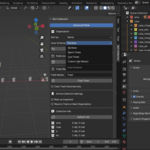
🎨 Color Support
-
Apply colors to the Outliner by order or group.
-
Create your own custom color sequence.
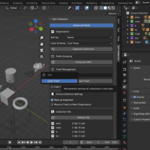
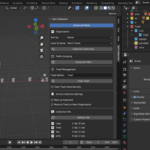
🧭 Interface
Location in Blender:
-
Sidebar (N) in the 3D Viewport → “Organize” Tab → “Collection Manager” Panel
Available elements:
-
Organize collections
-
Group by prefix
-
Set trash collection
-
Apply color schemes
-
Enable advanced mode
⚙️ How to Use
-
Install the addon (
Edit > Preferences > Add-ons > Install). -
Enable Sort Collection.
-
Go to the Organize Tab in the Viewport.
-
Use the buttons to:
-
Organize collections
-
Apply color schemes
-
Group by prefix
-
Clear trash
-
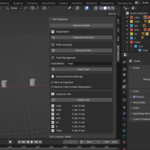
🧪 Usage Examples
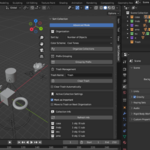
🛠 Advanced Settings
Enable Advanced Mode to:
-
Choose between sorting by name or object count.
-
Select the color scheme.
-
Type in a custom color sequence.
-
Enable automatic trash clearing.
📦 Installation
-
Go to
Edit > Preferences > Add-ons. -
Click on “Install”.
-
Select the
.zipaddon file. -
Enable the addon from the list.
-
Access the panel at
3D View > N > Organize.
🧾 License
This addon is licensed under the GPL v3, as required by Blender’s license. This guarantees freedom of use, modification, and distribution, as long as the code remains open.
📧 Support
Author: Treedrew
For inquiries, feedback, or future updates, visit the product page on Blender Market.
Discover more products like this
Blender collection manager Scene organization Blender Blender outliner addon Blender productivity addon Group collections by prefix Sort collections Blender Blender scene cleanup Blender workflow tools Manage collections Blender Blender color tags Addon Organizer Organize collections Blender