Compositor Style Toolkit For Blender
 Mica
Mica



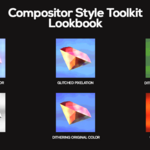
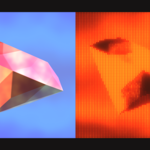
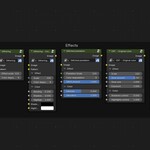
Using the Compositor Style Toolkit is pretty straightforward, as many node groups have similar variables to work with.
There are six effects in CST v1.0: Halftone, CRT - Original color, CRT - Two color, Glitched pixelation, Dithering - Original color, and Dithering - Two colors.
Halftone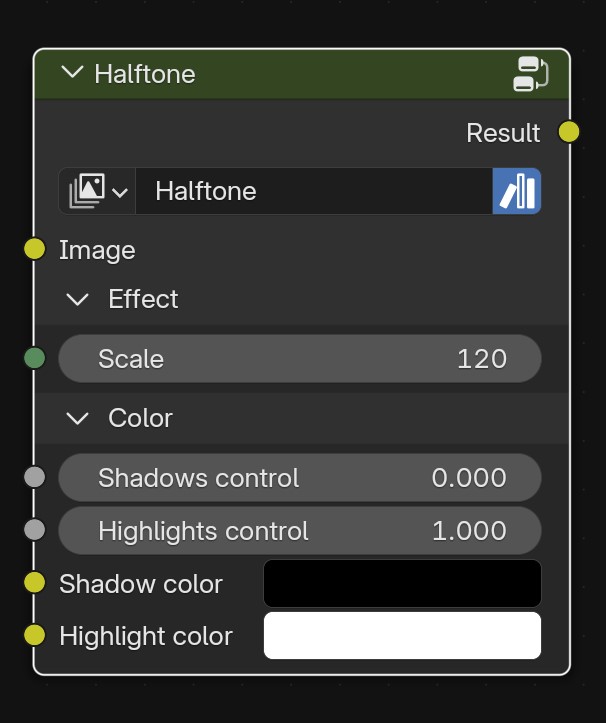
Inputs
Image input
Effect
- Effect scale: Determines the scale of the dots. Bigger values mean smaller dots.
Color: Behaves like a Color Ramp. The closer the values, the more contrast.
- Shadows control: Controls the shadow values.
- Highlights control: Controls the highlight values.
- Shadow color: Color of the shadows.
- Highlight color: Color of the highlights.
Dithering - Original color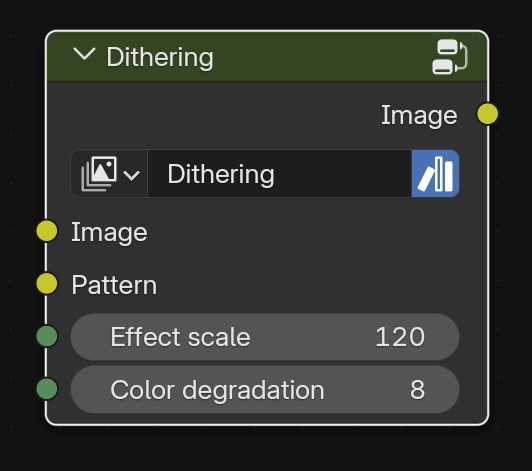
Inputs
Image input
Pattern: Dithering pattern to be applied. (only 4.5)
Effect
- Effect scale: Determines the scale of the pixels. Bigger values mean smaller pixels.
- Color degradation: The number of color levels is preserved. Bigger values mean less degradation.
Dithering - Two colors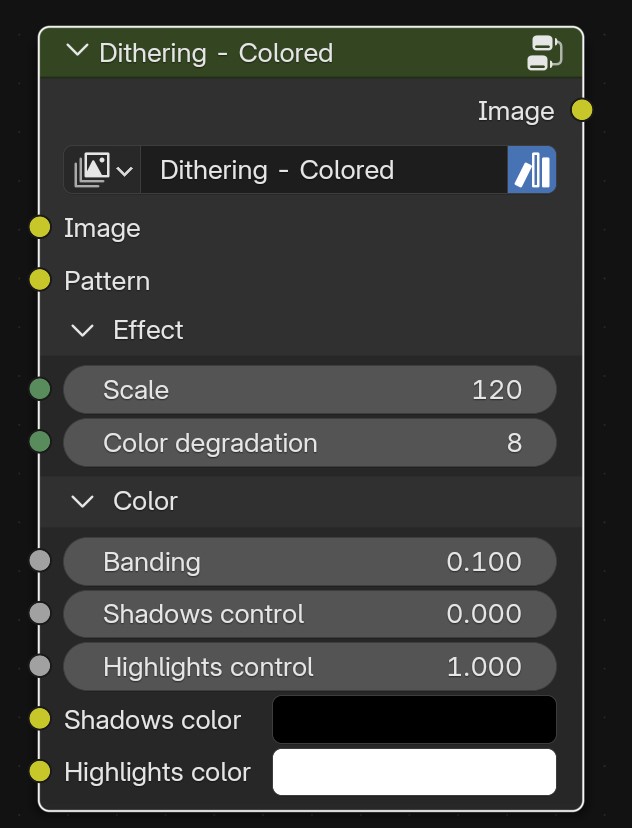
Inputs
Image input
Pattern: Dithering pattern to be applied. (only 4.5)
Effect
- Effect scale: Determines the scale of the pixels. Bigger values mean smaller pixels.
- Color degradation: The number of color levels is preserved. Bigger values mean less degradation.
Color: Behaves like a Color Ramp. The closer the values, the more contrast.
-
Color banding: Determines how much banding the color has.
-
Shadows control: Controls the shadow values.
-
Highlights control: Controls the highlight values.
-
Shadow color: Color of the shadows.
-
Highlight color: Color of the highlights.
Glitched pixelation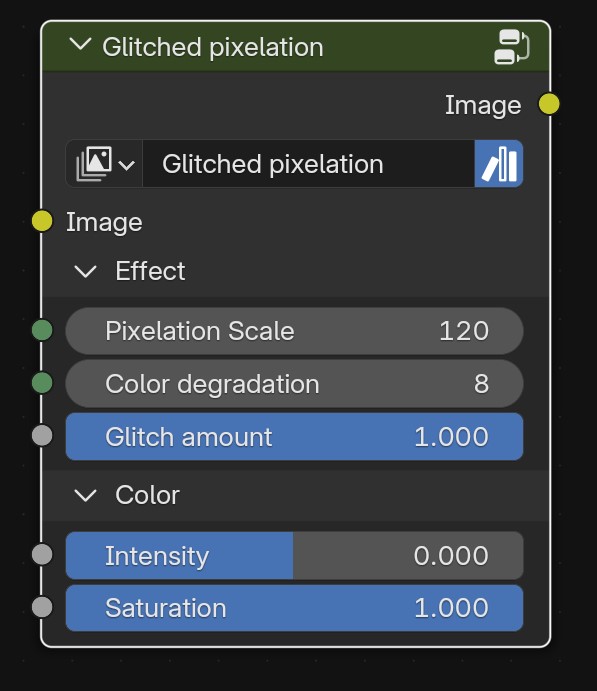
Inputs
Image input
Effect
- Pixelation scale: Determines the scale of the pixels. Bigger values mean smaller pixels.
- Color degradation: The number of color levels is preserved. Bigger values mean less degradation.
- Glitch amount: The amount of glitch effect to be applied.
Color
- Color intensity: Accentuates the contrast between shadows and highlights.
- Color saturation: The amount of saturation in the image. A value of 0 means a black and white image.
CRT - Original color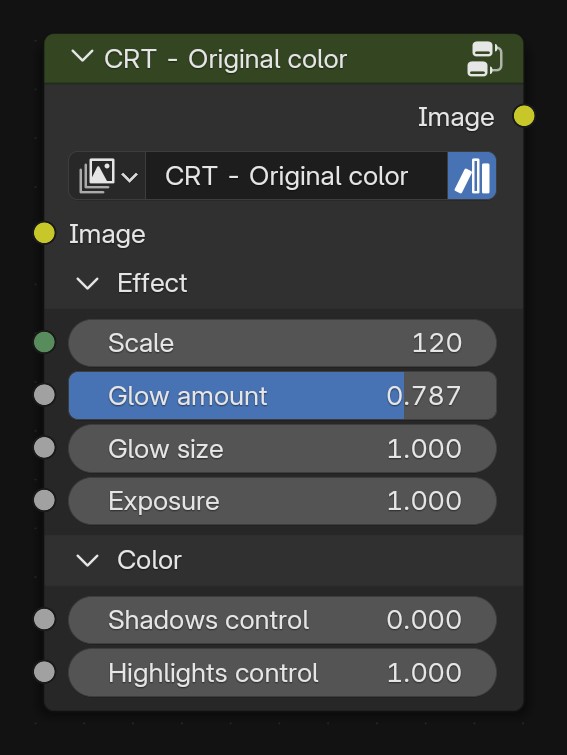
Inputs
Image input
Effect
- Effect scale: Determines the scale of the dots. Bigger values mean smaller dots.
- Glow amount: Applies a hazy glow, especially around brighter areas.
- Glow size: Extension of the glow.
- Exposure: Overall image exposure.
Color: Behaves like a Color Ramp. The closer the values, the more contrast.
- Shadows control: Controls the shadow values.
- Highlights control: Controls the highlight values.
CRT - Two colors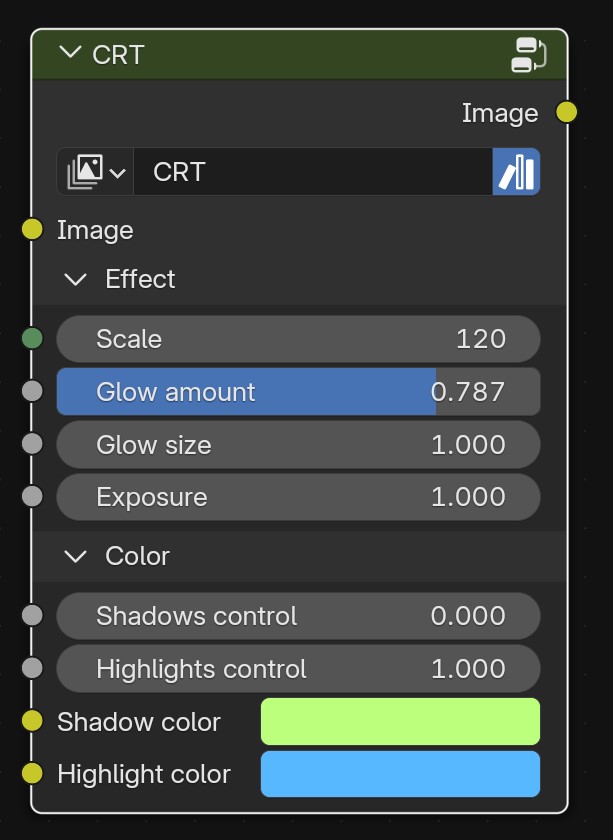
Inputs
Image input
Effect
- Effect scale: Determines the scale of the dots. Bigger values mean smaller dots.
- Glow amount: Applies a hazy glow, especially around brighter areas.
- Glow size: Extension of the glow.
- Exposure: Overall image exposure.
Color: Behaves like a Color Ramp. The closer the values, the more contrast.
- Shadows control: Controls the shadow values.
- Highlights control: Controls the highlight values.
- Shadow color: Color of the shadows.
- Highlight color: Color of the highlights.
Note: for Blender 4.3 and 4.2, each node has two more input values for the X and Y resolution of your rendered image. That behavior was necessary to make the nodes work properly in those versions.
Please note that, with recent Blender updates regarding the Compositor, the idea is to continue working on this project, focusing on Blender 4.5 and future updates, so, as time goes on, updates and support for 4.3 and 4.2 will be deprecated.
Have questions about this product?
Login to message
| Sales | 20+ |
| Published | about 1 year ago |
| Blender Version | 4.2 - 4.5 |
| Render Engine Used | Cycles, Eevee |
| License | Royalty Free |
Discover more products like this
3d effect postprocessing Blender pixelation retro Blender_Compositing CRT halftone Dithering Artistic Compositing