 Yatima


No, and this is the most important thing to know before buying.
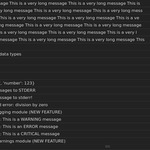
Console Viewer captures Python output: print() statements, the logging module, warnings, and error tracebacks. That covers everything scripts and add-ons written in Python produce.
It does not capture messages produced by Blender itself. Blender's core is written in C and C++, and those messages travel a different route that Python never sees. Startup and graphics driver messages, render progress from Cycles or EEVEE, and errors raised by Blender's built-in tools fall into this category.
In short: output from Python code appears in Console Viewer. Everything else still requires Blender's system console.
Two things, and the second one is easy to overlook.
Writing and debugging Python. Scripts, add-ons, and anything driven by Blender's Python API. That is where print() and tracebacks come from, and where having the output inside Blender saves the most time.
Reading what other add-ons report. Plenty of add-ons print genuinely useful information to the console as they work: what a process is doing, how long a step took, what was cached or reused, which settings were applied, and why something was skipped. Sound Reaktor Pro, for instance, reports the details of its audio analysis, animation generation and caching that way.
That information is written for the person using the add-on, not just for its developer, but on a Blender launched by double-clicking an icon it usually goes unseen, because nobody keeps a console open just in case. Console Viewer makes it visible without changing how Blender is started.
Since this output comes from add-ons written in Python, Console Viewer captures it in full.
This is where the addon does the most work.
Toggle System Console is a Windows-only feature. On Linux and macOS, a Blender launched from a desktop shortcut, the Finder or the Dock has no console attached, and its Python output is discarded by the system. Not hidden somewhere, but gone. The usual workaround is to quit Blender and relaunch it from a terminal.
Console Viewer captures the output regardless of how Blender was started, so the panel works the same whether Blender was launched from a terminal or by clicking an icon.
Blender 4.2 and newer. It installs as a modern extension, using the extension system introduced in 4.2.
Earlier versions are not supported.
Not noticeably under normal use.
Capturing output is cheap. The part that costs something is drawing it on screen, and two preferences control that: how often the panel refreshes (default: every 0.15 seconds) and how many lines it keeps visible (default: 2000).
For scripts that produce enormous volumes of output, raising the refresh interval or lowering the line count reduces the cost further. Pausing capture or closing the panel removes it entirely.
No. Capture runs independently of whether any panel is visible.
Output produced while the panel is closed is still recorded and will be there when the panel is opened again.
Most often, capture hasn't been switched on yet. It is disabled by default, and the panel shows an Open Add-on Preferences button instead of a list until it is enabled. Nothing gets captured before that point.
The other common causes are that capture is paused, that an active filter is hiding the messages in question, or that the output in question isn't Python output at all (see question 1).
Assuming capture is enabled and unpaused, the usual explanation is that the message isn't Python output (see question 1, which covers this in full).
Two other possibilities: a filter is active and hiding that message type, or the line is older than the display limit and has scrolled out of the visible list. In that second case the message still exists in memory, and the Copy button exports it along with everything else.
No, and it can't be fixed from inside an add-on.
Blender's interface only updates when its main thread is free. While a script or another add-on is doing uninterrupted work, the whole interface is frozen: panels, buttons and Console Viewer alike. Nothing is lost. Every captured message appears as soon as the operation completes.
This is the one situation where the system console still has an advantage, since it keeps printing while Blender's interface is unresponsive.
Clicking any line turns Follow off, deliberately.
Reading a line while the list scrolls away from it doesn't work, so selecting a line makes the view hold still. Pressing End, or the Follow button, resumes automatic scrolling and jumps to the newest output.
The panel displays up to 2000 lines by default, adjustable between 200 and 5000. Behind it, a buffer holds up to 5000 messages, which is why Copy can export more than what the panel currently shows.
Beyond that, the oldest messages are discarded to keep memory use bounded. For permanent records, copy the output to a text file before it rolls over.
It shouldn't. Console Viewer is designed to sit alongside other add-ons that capture output, passing everything through rather than intercepting it exclusively, and to remove itself cleanly when disabled.
Blender allows any add-on to redirect Python's output, so conflicts are theoretically possible if another add-on does so without the same care. Nothing of the sort has been observed in testing, and any such case reported will be investigated.
Everything returns to normal. Python's output goes back to the system console exactly as before, and captured messages are discarded. They live in memory only and are never written to disk or saved into .blend files.
Capture can also be switched off from the preferences without uninstalling anything.
Have questions about this product?
Login to message
| Blender Extension Compatible | Yes |
| Dev Fund Contributor | |
| Published | about 2 months ago |
| Blender Version | 4.2 - 5.2 |
| Extension Type | Add-on |
| Render Engine Used | Cycles, Eevee |
| License | GPL |