 Kito Studio




Blender addon
Cool Addons Menu
Stop browsing the vertical tabs of the N-panel. Open one menu, find any addon, and jump straight to its panel or its preferences.
Works with every addon that has a panel in the N-panel.
Version 2.0
What's new in 2.0
Collapsible addons list
Fold the full addons list away when you do not need it.
Enter to search
Type a name in the Addons Finder and press Enter to filter the list.
Ctrl+K shortcut
Press Ctrl + K to show the addons menu.
Switch between your last 2 addons
Press Shift + Alt + K to jump between the last two addons you used.
No more "Error Activating Addon"
Activating an addon from the menu no longer throws this error.
What it does
Every addon in one sortable list
Cool Addons Menu detects your addons by itself and gives you direct access to their panel and preferences page. It keeps your last five used addons close and adds a simple search.
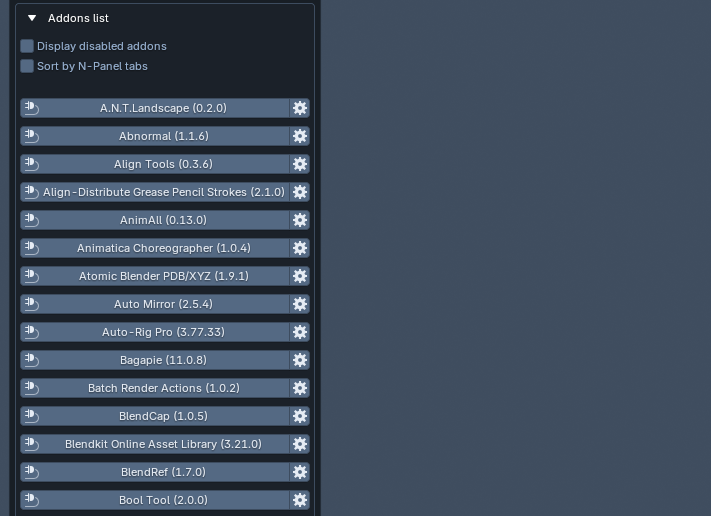
Addons list
The list detects and shows your addons that have a panel in the N-panel. Tick Display disabled addons to include the disabled ones.
- Always up to date. Install, uninstall, enable or disable an addon and the lists update by themselves.
- Alphabetical, with the current version of each addon beside its name.
- Sort by N-Panel tabs. Tick the checkbox to group addons by the tab they live in. Tabs are alphabetical, and the number after a tab name is how many addons it holds. Click a tab to see its addons.
Open the addon panel
Click the addon you want to use and its panel opens.
- Leave the Cool Addons Menu window open, or close it with Ok, Cancel or by clicking outside it.
- To bring the list back, click the Cool Addons Menu button again.
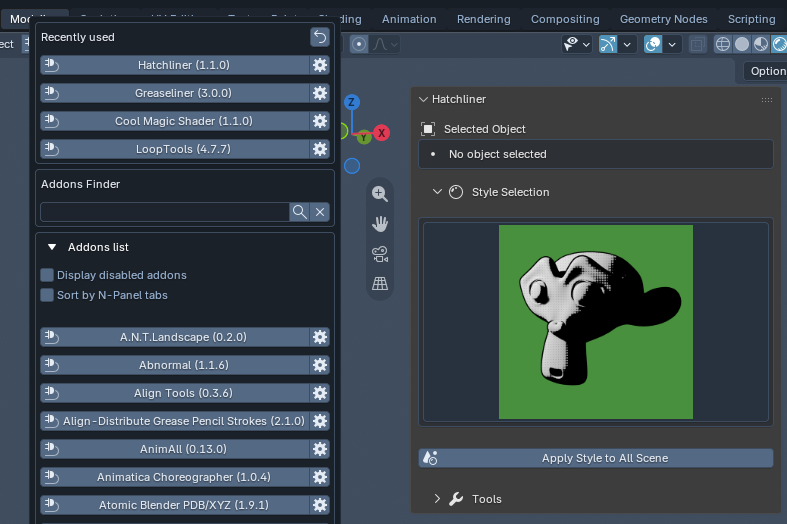
Open addon preferences
Click the gear button next to an addon to open its preferences page directly.
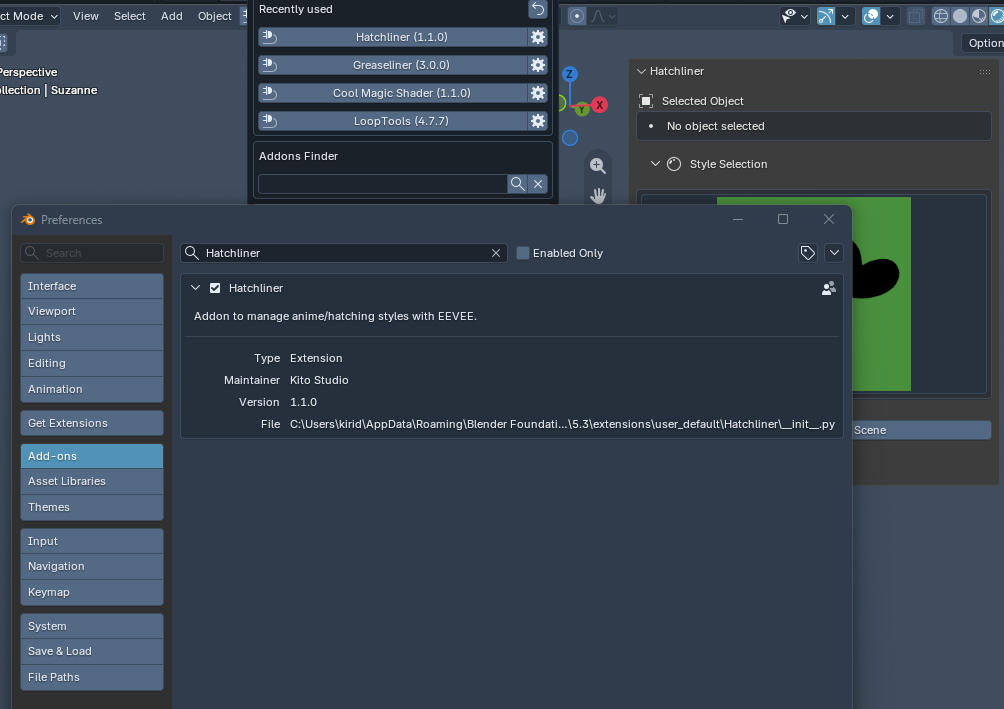
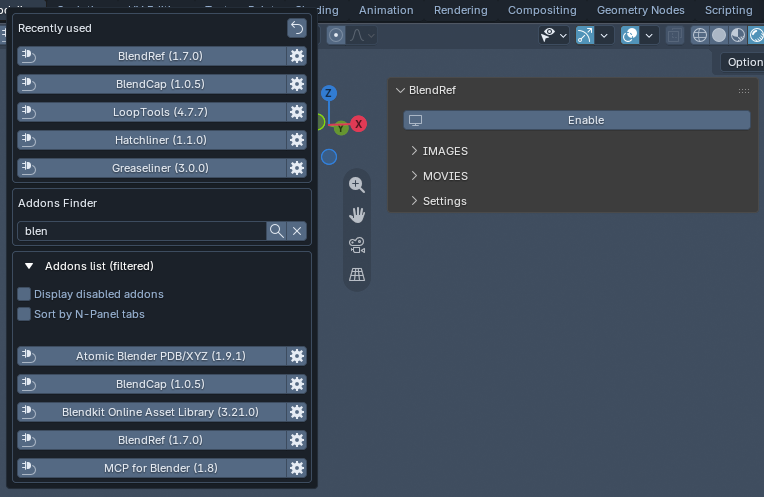
Addons Finder
Type any string and press Enter or the find button. The list keeps only the addons whose name contains it. Click the x button to clear the filter.
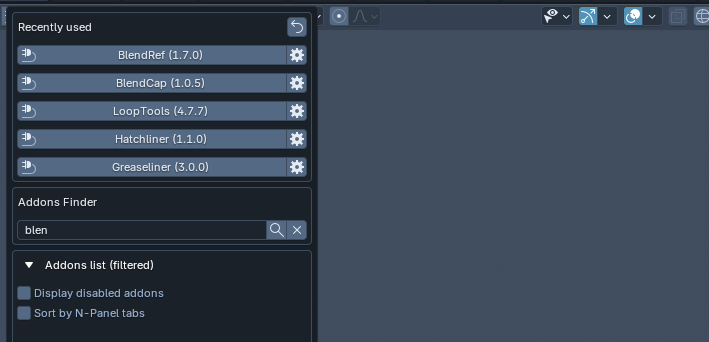
Recently used
This area stays hidden until you pick your first addon. After that, the last 5 addons you reached from Cool Addons Menu appear here. Open their panel or preferences exactly like in the main list.
Questions
Which addons are listed?
Addons that have a panel in the N-panel. Disabled addons are hidden by default. Tick "Display disabled addons" to see them.
What happens when I install or disable an addon?
Cool Addons Menu updates its lists dynamically, so you do not need to refresh anything.
Why is there no Recently used section yet?
It appears after you select your first addon from the menu. It then keeps the last 5.
Tired of browsing the N-panel tabs?
Add Cool Addons Menu to Blender and reach any addon in two clicks.
Cool Addons Menu by Kito Studio 3D. Made for Blender.