Coplax | Smart Color Palette Toolkit
 Semangat Pagi Studio


Full Documentation click here |
1. Overview
COPLAX is a color-management and gradient-generation (studio version) add-on for Blender.
It allows you to:
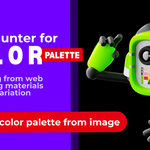
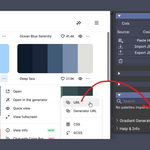
Import color palettes directly from popular websites such as Coolors, ColorHunt, and Huemint.
Generate color harmonies from any base color.
Extract palettes from images using K-Means clustering.
Create realistic gradient materials via a procedural shader node system.
Apply and randomize materials on selected 3D objects.
The add-on brings web-based color design into the 3D workspace, bridging design and visualization pipelines.
2. Installation Guide
Step-by-Step
-
Download the Add-on
Obtain the folder or ZIP package containing these files:
__init__.py,palette_core.py,palette_ui.py,palette_ops.py,palette_import.py,palette_export.py,gradientbase.py.
-
Install in Blender
Open Blender → Edit → Preferences → Add-ons.
Click Install… and select the COPLAX ZIP file or the folder containing
__init__.py.Enable the checkbox beside ☲ COPLAX ☲ to activate it.
-
Access the Panel
Open the 3D Viewport → Sidebar (N key) → ☲ COPLAX tab.
All main features are organized into collapsible panels.
3. Interface Overview
Main Sections
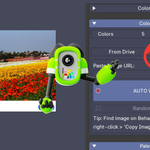
Color Hunter
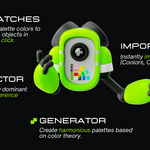
Color Generator
Color Extractor
Palette Library
Gradient Generator ( Studio Pro only)
Help & Info
Each section can be expanded or collapsed with a triangle button.
4. Feature Breakdown
4.1 Color Hunter
Import palettes from online tools or clipboard text.
Supported Sources
Coolors.coColorHunt.coHuemint.comGeneric HEX strings (any 6-digit hex values)
Main Actions
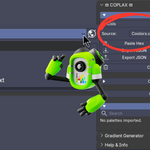
Paste — reads clipboard content and imports color palettes automatically.
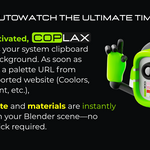
Start Auto-Watch — continuously monitors the clipboard for color links and imports them automatically.
Import / Export JSON — save or load palettes locally.
Clear All Palettes — removes all previously imported color cubes.
Each imported color becomes a small cube in the 3D Viewport, linked with its own material.
4.2 Color Generator
Create harmonized color sets from a single base color.
Steps
Choose a Base Color or use the Eyedropper to pick one from the viewport.
Select a Harmony Type (Complementary, Triad, Analogous, etc.).
Click Generate Palette — COPLAX creates matching color cubes automatically.
Useful for branding, product design, or scene color planning.
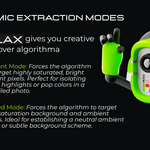
4.3 Color Extractor
Extract dominant colors from any image.
Settings
Colors — number of colors to extract (2–16).
-
Mode — choose how the algorithm filters colors:
Balanced – good overall representation.
Vibrant – focuses on bright, saturated colors.
Muted – selects soft, background tones.
Full Spectrum – analyzes all pixels.
Action
Click Import Palette from Image and choose an image file.
COPLAX uses K-Means clustering to find the most prominent hues.
Perfect for product references, photography, or concept art.
4.4 Palettes Library
View and manage all imported or generated palettes.
Each color swatch includes:
A material preview button to apply it to the active object.
[A] and [B] buttons to assign colors to the Gradient Generator.
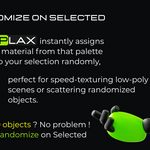
Randomize on Selected — applies random colors from a palette to all selected objects.
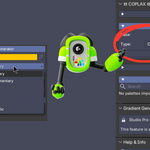
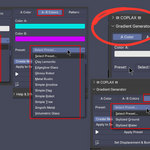
4.5 Gradient Generator
This is the powerhouse of Studio Pro.
1. Select a Mode
* **A Color**: Single color procedural setups.
* **A-B Colors**: Dual-color gradients.
* **Pattern**: Complex procedural patterns.
2. Pick Colors: Use the color pickers for A and B.
3. Select Preset: Choose a script from the dropdown (e.g., "Linear Gradient", "Anodized", "Noise").
4. Apply Preset: Generates a node tree instantly.
5. Displacement Tools: Click "Set Displacement & Bump" to enable Cycles displacement settings on selected objects.
4.7 Help & Info
Quick access to:
Official documentation
Video tutorials
Palette websites (Coolors, ColorHunt, etc.)
5. Real-World Applications
| Industry | How COPLAX Helps |
|---|---|
| Product Visualization | Build consistent brand color libraries and apply them to 3D mockups. |
| Motion Graphics | Use imported palettes to keep color harmony across animation scenes. |
| Architectural Visualization | Extract palettes from reference photos for realistic mood boards. |
| Game Design | Prototype level color schemes and material consistency quickly. |
| Education & Design Training | Teach color theory interactively in Blender using harmony and gradient generation. |
6. Tips & Best Practices
Keep palette cube sizes small (1.0 default) for easy layout visualization.
When importing multiple palettes, adjust the Columns setting to control layout density.
Use the Auto-Watch mode when researching online color inspiration.
The gradient materials are fully procedural — you can further edit them in the Shader Editor.
Combine COPLAX gradients with lighting tests to simulate product finishes (metal, plastic, glass).
7. Troubleshooting
| Issue | Solution |
|---|---|
| Add-on fails to enable | Ensure all sub-modules (palette_core.py, palette_ui.py, etc.) are in the same folder. |
_RestrictData error |
Occurs only if node groups are created before Blender finishes loading; restart Blender. |
| Colors not applied | Check that the active object supports materials (e.g., meshes, not empties). |
| No palettes detected | Verify that your clipboard contains valid Coolors/ColorHunt/Huemint URLs or hex codes. |
8. Uninstallation
Go to Edit → Preferences → Add-ons.
Search for COPLAX, disable it, then click Remove.
© Semangat Pagi Studio — All Rights Reserved.
Efficient color workflow for 3D artists, designers, and educators.
Have questions about this product?
Login to message
| Blender Extension Compatible | Yes |
| Dev Fund Contributor | |
| Published | 12 months ago |
| Blender Version | 4.2 - 5.0 |
| Extension Type | Add-on |
| Render Engine Used | Blender-Internal, Cycles, Eevee |
| License | GPL |