Coplax | Smart Color Palette Toolkit
 Semangat Pagi Studio


Can COPLAX help in product design?
Yes. Use palettes from brand guides to build accurate material libraries and visualize product variations instantly.
Does it work for game prototyping?
Yes. You can generate multiple harmonies and test scene readability and visual contrast quickly.
How do I create a gradient material?
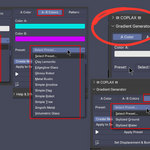
Open the Gradient Generator panel, set Color A and Color B, choose Create New Cube or Apply to Selected, then click Create Custom Gradient.
Are COPLAX materials editable?
Absolutely — all materials are procedural and can be modified inside the Shader Editor.
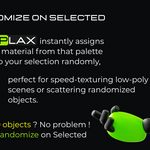
How do I randomize materials on multiple objects?
Select multiple objects, then click Randomize on Selected in the Imported Palettes section.
Why is my gradient rotated oddly?
Rotation Y is fixed to 0 radians for neutral orientation — edit the Mapping node inside the shader if you need custom rotation.
What are the [A] and [B] buttons under each color?
They quickly assign any swatch as the gradient’s Color A or Color B, making color mixing seamless.
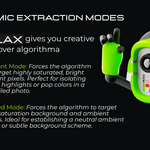
What are the color extraction modes?
Balanced: General-purpose, natural results.
Vibrant: Focuses on bright tones.
Muted: Selects subtle background tones.
Full Spectrum: Includes all colors, including neutrals.
How do I extract colors from an image?
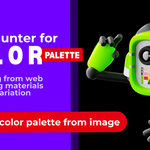
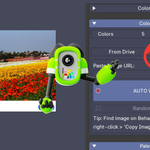
Use Image Palette Extractor → Import Palette from Image, select your image, and COPLAX will create color cubes from the most dominant hues.
How can I generate harmonious colors?
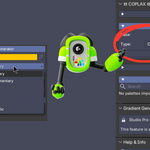
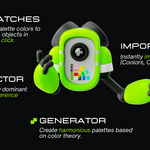
In Palette Generator, select a Base Color, choose a Harmony Type (e.g., Complementary, Triad), then click Generate Palette.
What is Auto-Watch mode?
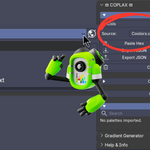
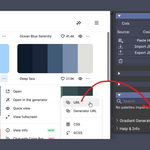
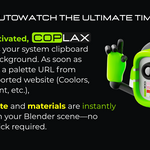
When enabled, COPLAX automatically imports palettes from the clipboard every time a new link or color list is copied.
What palette sources does COPLAX support?
It supports:
Coolors.co
ColorHunt.co
Huemint.com
Any generic list of 6-digit HEX codes.
What Blender version does COPLAX require?
It’s built for Blender 4.2+ and may not work on older versions due to new API structures.
Where can I find the panel after installation?
Open the 3D Viewport → Sidebar (N), then click on the ☲ COPLAX tab.
Have questions about this product?
Login to message
| Blender Extension Compatible | Yes |
| Dev Fund Contributor | |
| Published | 12 months ago |
| Blender Version | 4.2 - 5.0 |
| Extension Type | Add-on |
| Render Engine Used | Blender-Internal, Cycles, Eevee |
| License | GPL |