Simulate Real-World Physics in Blender (5.2 LTS)

CG Cookie in Video Tutorials


CORE Fundamentals
Course 08 of 11Created for 5.2 LTS58 lessons, 6h 50m
Physics, with Kenny Phases
Define the rules. Let Blender calculate.

58 lessons on rigid bodies, soft bodies, cloth, fluid, smoke, fire, particles, dynamic paint, and force fields. All the motion and destruction you'd never want to keyframe by hand, rebuilt for Blender 5.2 LTS.

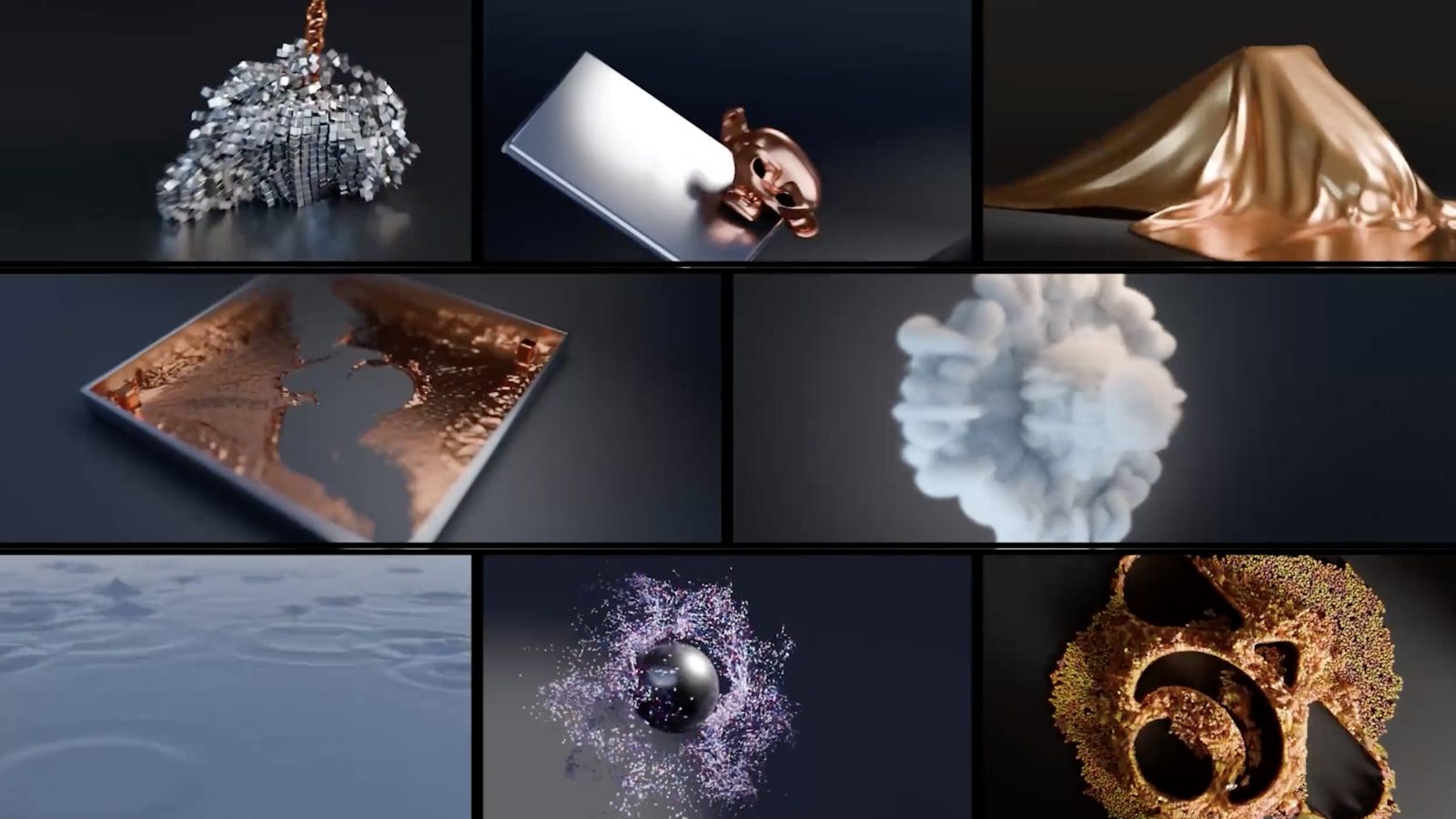
A grid of physics simulations built in the course: rigid bodies, cloth, fluid, smoke, and particles
You animated a fall.
It looked like a fall pretending.

Keyframing a bounce takes ages and never quite looks right, because you're guessing at forces a computer could just work out. A stack of crates tipping over, cloth catching the wind, water finding its level: none of it moves the way your hand thinks it should.

Blender's physics is really eight related systems that all work the same way underneath. You set the rules (mass, friction, collision shape) and Blender does the math. Learn that pattern on rigid bodies and it carries straight into cloth, fluid, and smoke.

That's why Kenny spends chapter one on rigid bodies. They're the easiest system to reason about, and every harder system later in the course borrows their logic.

So the first two hours go to building that mental model. Everything after it gets easier.

What you'll build
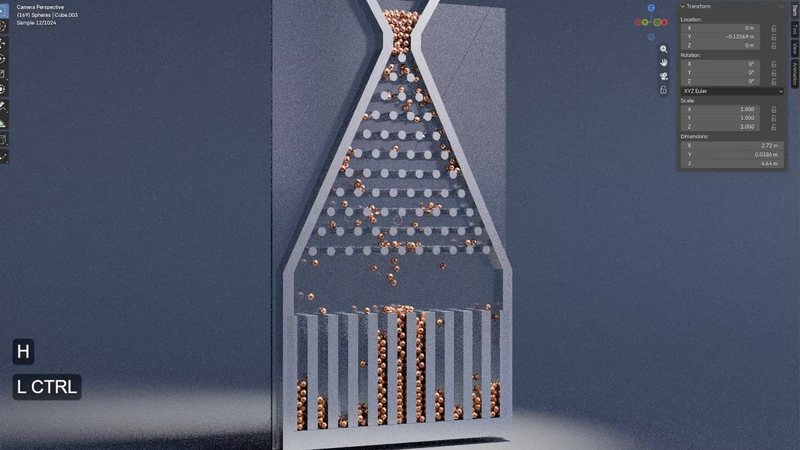
The Galton board rigid body simulation with spheres falling through pegs
01 / GALTON BOARD
Hundreds of rigid body spheres dropping through pegs and piling into a bell curve.
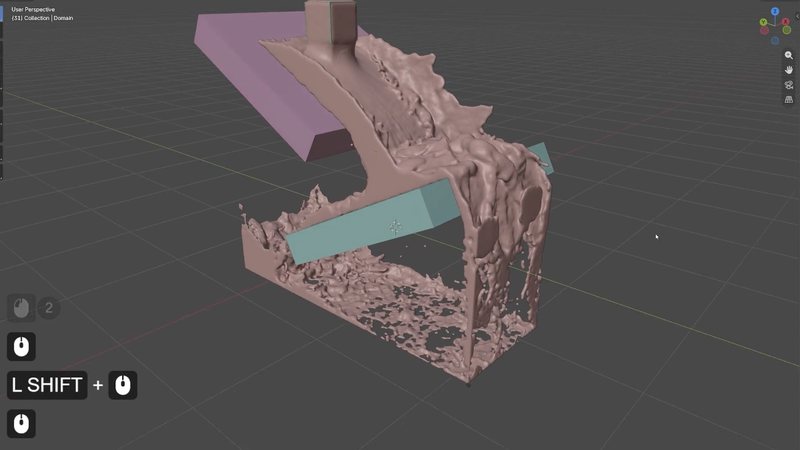
A product reveal built from a cloth simulation pulling back to unveil an object
02 / PRODUCT REVEAL, CLOTH
Fabric that pulls back on cue to reveal the product underneath.
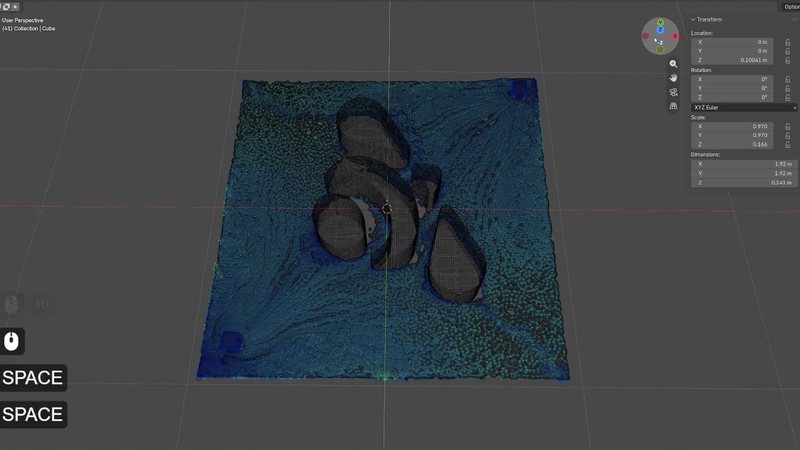
A logo revealed through a fluid simulation settling into place
03 / FLUID LOGO REVEAL
A logo that forms as a fluid simulation settles into shape.
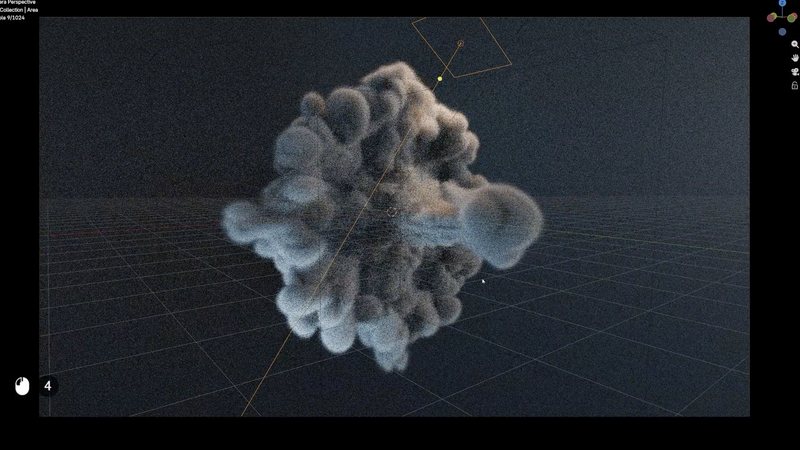
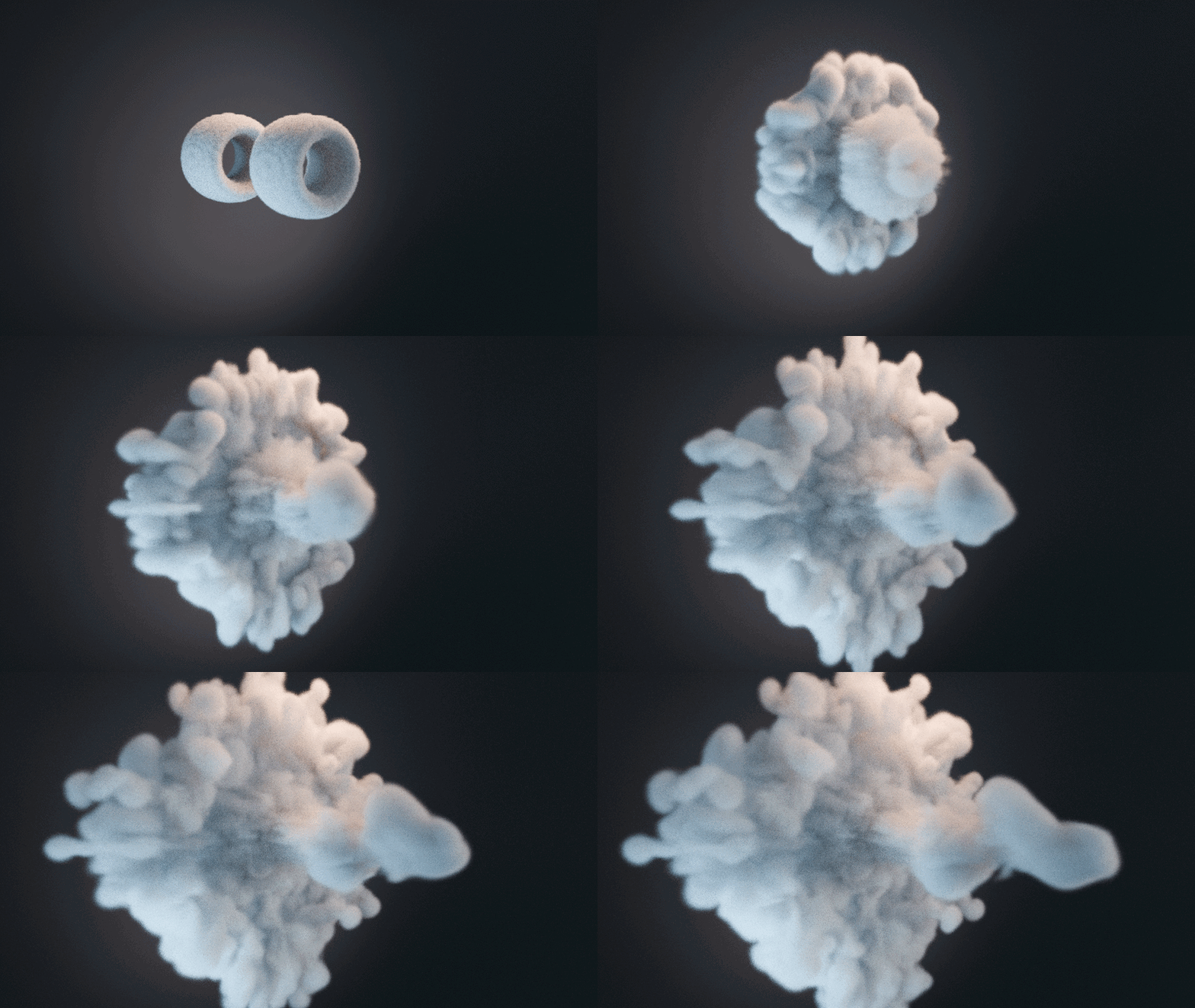
Smoke simulation being shaped by a force field, lit with a point light
04 / FORCE FIELD PROJECT
A force field sculpting smoke into a cloud you'd struggle to animate by hand.

Plus a wrecking ball demolition, soft body strings, an inflation project, a smoke cannon, particle boids, and a dynamic paint rain scene.

Every rigid body constraint gets its own short demo before the wrecking ball puts several of them to work together.

See it in motion
A wrecking ball demolition rigid body simulation playing back
Wrecking Ball
A chained wrecking ball taking apart a stack of rigid bodies, with constraints, mass, and collision margins all pulling their weight.
Smoke shaped by an animated force field
Force Field Project
Smoke shaped by a field instead of keyframes, with fall-off, flow, and an animated field strength doing the sculpting.
What you'll learn
Rigid body dynamics, properly. Collision shapes, margins, mass, friction, bounciness, and the difference between active, passive, and animated, put to work on a Galton board and a full wrecking ball demolition.
Every rigid body constraint. Fixed, point, hinge, slider, piston, generic, spring, and motor, each shown on its own before the final project combines them.
Soft body simulation. Setup, settings, and a strings project, for objects that squash and wobble under their own physics.
Cloth, pinned and inflated. Setup, key settings, pinning fabric in place, and inflation, built into a product reveal where the cloth pulls back on cue.
Fluid, smoke, and fire. Domain and flow setup for liquid, gas, and combustion, including the NanoVDB volume workflow Blender 5.0 introduced for smoke and fire.
Particle systems and boids. Emission, physics settings, and flocking behavior, built up into a full particle project.
Dynamic paint. Waves, displacement, weight, and paint canvases, used in a rain project where the drops actually disturb the surface.
Force fields, and how to fix any of it. Every force field type, then a whole troubleshooting chapter for when a simulation explodes, falls through the floor, or just won't bake.
Curriculum

58 lessons across 8 chapters.

01
RIGID BODY DYNAMICS
19 lessons
Collision shapes, margins, mass and friction, active versus animated, scene properties, every rigid body constraint, and two builds: the Galton board and the wrecking ball demolition.
02
SOFT BODY PHYSICS
5 lessons
Setup and settings, then a soft body strings project that puts them to use.
03
CLOTH SIMULATION
7 lessons
Setup, settings, pinning, and inflation, built into a product reveal where cloth pulls back to unveil the object underneath.
04
FLUID, SMOKE & FIRE
8 lessons
Fluid setup and settings, a fluid logo reveal, then smoke and fire, including a smoke cannon project and the NanoVDB fire shading workflow.
05
PARTICLE SYSTEMS
5 lessons
Emission and physics settings, boid flocking, and a full particle project.
06
DYNAMIC PAINT
6 lessons
Waves, displacement, weight, and paint canvases, finishing on a dynamic paint rain project.
07
FORCE FIELDS
4 lessons
Every force field type, fall-off and flow, and a project that animates field strength and position to shape a simulation.
08
TROUBLESHOOTING & TOOLS
4 lessons
Why simulations explode or fall through the floor, how baking and caching really work, and the physics tools worth knowing before you wrap up.
Watch Scene Properties free

Six minutes on the settings that control every rigid body in the scene at once, gravity included. Change one number and everything that falls responds. It's the lesson that makes the rest of chapter one click. No signup needed.

Watch the lesson free
Kenny Phases
Your instructor
KENNY PHASES

Kenny teaches the Physics course in CORE, and he's the one the other CORE instructors send students to whenever a project needs a simulation.

He gives troubleshooting a chapter of its own. Simulations tend to fail in a handful of predictable ways, and knowing them ahead of time saves you hours.

What's included
Blender version 5.2 LTS
Lessons 58 videos, 6h 50m
Quality 1080p, stream or download
Captions English and Spanish
Project files A start file for every project and constraint demo
Render engine Cycles throughout, with the NanoVDB volume workflow for smoke and fire
Platforms Windows, macOS, Linux
Access Yours to keep, no subscription
Also available in The CORE bundle, all 11 courses

It's the second longest course in CORE. Each of the eight physics systems needs its own setup before the projects, and none of them have a clean shortcut.

Questions
Do I need to take the other CORE courses first?
No. Every project starts from a supplied file, so nothing here depends on your own modeling or rigging.
Which physics system will I spend the most time on?
Rigid bodies. Chapter one runs nineteen lessons because it teaches the pattern every later system reuses: set the rules, let Blender calculate. The wrecking ball project alone is close to twenty minutes.
Do old physics cache files still work?
Not directly. Blender 5.2 changed the simulation cache compression format, so caches baked in 4.2 or earlier need rebaking. New simulations you bake in 5.2 are fine.
Is Flip Fluids required?
No. Flip Fluids comes up as an optional Extensions Platform add-on for more advanced fluid work, but every fluid lesson uses Blender's built-in Mantaflow system.
Will this work in Blender 4.2 LTS?
Mostly. The fire shading lesson uses the NanoVDB volume workflow that changed in Blender 5.0, so that shader setup won't match 4.2. Rigid bodies, soft bodies, cloth, particles, dynamic paint, and force fields all work the same.
Is this the same as the version I already own?
No. It's rebuilt for 5.2 LTS with new recordings, the current cache format, and current volume rendering. If you own the CORE 4.2 bundle, check your loyalty pricing.
I want more than one course. Is there a bundle?
Yes. CORE is all 11 courses as a single one-time purchase. Up to four courses, buying individually comes out cheaper. Past that, the bundle wins, and buying all eleven one at a time costs more than twice the bundle price. CORE is also included with an annual CG Cookie membership if you'd rather stream than own.
What if I get stuck?
Chapter eight covers the most common ways a simulation goes wrong. Past that, post in the CG Cookie community and the instructors will help.
Course 08 of 11
Let it fall.

Physics is course eight of eleven in CORE: modeling, sculpting, lighting, materials, texturing, animation, rigging, physics, compositing, grease pencil, and geometry nodes. Take them one at a time, or grab the whole set.

Past four courses, the bundle is the cheaper buy. One purchase, and you keep it.

CG Cookie
Teaching Blender since 2008. We're old and stuff.

$39.99

Have questions about this product?
Login to message

Details
Published 3 months ago
Blender Version 5.2
Render Engine Used Cycles, Eevee
License Royalty Free