 Inlet
Inlet

Location
Panel
Properties ‣ Sidepanel
Actions
Crack! (split)
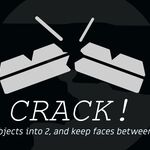
With a loop selected (a single and complete line of vertices that form one single ‘loop’ with no branches or breaks in between), clicking Crack! will split the model along that line into two, with the addition of then creating a new face in between, on both new pieces.
Split mode will split the model in two. They will be different pieces of ‘mesh’ in the same ‘object.
Crack! (separate)
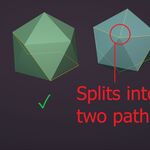
Will do the same as above, except it will be made into 2 different objects, both with a new face generated along the line of the split. This means if your object was “solid” (without holes) before, it will be similarly solid after.
Panel
Properties ‣ Sidepanel
Actions
Crack! (split)
With a loop selected (a single and complete line of vertices that form one single ‘loop’ with no branches or breaks in between), clicking Crack! will split the model along that line into two, with the addition of then creating a new face in between, on both new pieces.
Split mode will split the model in two. They will be different pieces of ‘mesh’ in the same ‘object.
Crack! (separate)
Will do the same as above, except it will be made into 2 different objects, both with a new face generated along the line of the split. This means if your object was “solid” (without holes) before, it will be similarly solid after.
$9.21
Have questions about this product?
Login to message
| Published | 11 months ago |
| Blender Version | 3.6 - 5.0 |
| Extension Type | N/A |
| Render Engine Used | Blender-Game-Engine, Cycles, Eevee |
| License | GPL |
