 NoiseBee


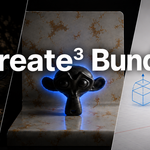
Create³ Bundle
3 Tools. One Workflow.
Create³ Bundle brings together three Blender tools designed to speed up different parts of your creative workflow — from cinematic lighting and professional scene presentation to fast and intuitive mesh creation.
What's Included
GoboCaster 2
Create procedural gobo lighting effects directly inside Blender.
Quickly project foliage, windows, abstract shapes, patterns and cinematic shadows onto your scenes with easy controls for projection, light direction, atmosphere and intensity.
- Procedural gobo lighting
- Cinematic shadow projection
- Fast light setup
- Atmosphere and projection controls
- Ideal for environments, interiors and product renders
Backdrop Studio
Create clean and professional studio backdrops for product visualization, advertising renders and presentation scenes.
Build customizable studio environments without manually creating every backdrop setup from scratch.
- Fast studio backdrop creation
- Clean product visualization setups
- Customizable shapes and dimensions
- Useful for commercial and portfolio renders
GestureMesh
Create and manipulate geometry using an intuitive gesture-based workflow.
GestureMesh is designed to make mesh creation faster and more direct, allowing you to focus on shapes and ideas instead of repetitive modeling operations.
- Gesture-based mesh creation
- Fast and intuitive workflow
- Quick shape exploration
- Designed to reduce repetitive modeling steps
Why Create³ Bundle?
Create³ Bundle combines three different parts of the Blender workflow into one package:
- Create geometry with GestureMesh
- Present your scene with Backdrop Studio
- Light your renders with GoboCaster 2
Each add-on works independently, but together they provide a faster workflow from modeling to final presentation.
Installation
- Download the included add-ons from your Superhive account.
- Open Blender.
- Go to Edit → Preferences → Add-ons.
- Click Install from Disk.
- Select the downloaded
.zipfile. - Enable the add-on.
Repeat the process for each add-on included in the bundle.
Getting Started
After installation, each tool can be accessed from its respective Blender interface panel.
The included products work independently, so you can use only the tools you need or combine them inside the same project.
Included Products
- GoboCaster 2 — Procedural and cinematic gobo lighting
- Backdrop Studio — Fast studio backdrop creation
- GestureMesh — Gesture-based mesh creation
Updates & Upcoming Features
All upcoming updates for the included add-ons are included with your purchase.
GoboCaster 2, Backdrop Studio and GestureMesh are actively being developed, with new updates, improvements and features planned for the near future.
When these updates are released, Create³ Bundle owners will be able to access the updated versions of the included products through their Superhive account at no additional cost.
Buy once and keep receiving the upcoming improvements to all three tools.
Support
If you experience an issue, please include the following information when contacting support:
- Blender version
- Add-on version
- Operating system
- Description of the issue
- Screenshot or video when possible
Providing this information helps identify and resolve issues more quickly.
 Included
Includes 12 months of
- Support from NoiseBee
- Product updates
Extend this product’s Support Period +12 months: 50% of product price
Have questions before purchasing?
Login to message
| Blender Extension Compatible | Yes |
| Published | about 2 months ago |
| Blender Version | 4.2 - 5.2 |
| Extension Type | Add-on |
| Render Engine Used | Cycles, Eevee |
| License | GPL |
Discover more products like this
procedural modeling gesture control eevee addon blender mesh bundle Cycles gobo lighting 3d backdrop Lighting