 Titanum


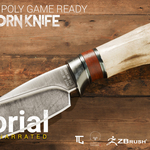
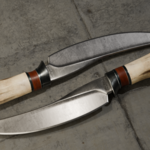
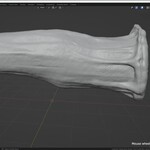
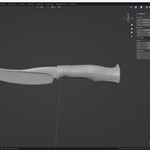
Creating Low Poly Game Ready Deer Horn Knife in Zbrush,Blender and Substance3D Painter
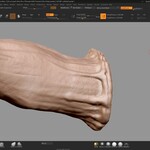
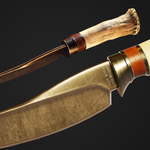
If you have ever wondered how to produce a high-quality "Low Poly Game Ready" in high-end games like "DEAD ISLAND 2 ", During in this 7 hour Unnarated in depth course you will learn how to build a Low Poly Game Ready Deer Horn Knife from scratch in ZBRUSH and Blender,Texturing with Substance 3D Painter and render it in Marmoset Toolbag 4 also you will learn how to advance Retopology with TopoGun 3
In general if you want to have a nice job in future in AAA game studios you need to learn industry standard 3D and texture packages like Zbrush and Substance 3D Painter and you need to learn how to model from scratch to texture and render
If you are a beginner you may find this tutorial hard to follow so I strongly suggest you to take some introduction courses to substance painter and Zbrush with that said you may have no issue to follow Marmoset Toolbag section or rendering there is everything clear and marmoset is a uncomplicated software
"This is a creation Process from Modeling to Render with no narration "
-----------------------------------------------------------
"Please read all the information before buy" I have provided all the necessary information along with the preview video, also "please give honest rate to the course" this course is meant to be for those who are familiar with Maya and Substance 3D Painter, already , Thank you
----------------------------------------------------------
General Covered Steps:
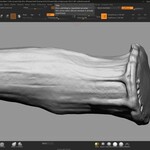
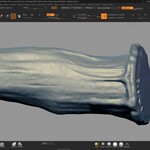
- Modeling inside ZBRUSH
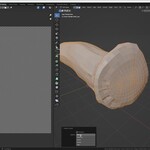
- Modeling inside Blender
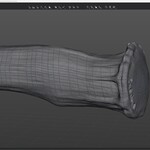
- Retopology inside TOPOGUN 3
- UV unwrapping inside Blender
- Preparing Model for Texturing Process and Exporting to Painter
- Creating Material Like the reference inside Substance 3D Painter
- Making lighting and Material inside Marmoset Toolbag4 for Rendering
- Rendering with eevee and Cycles in Blender
- Problem Solving
- Step by Step workflow
- Standard Creating prop workflow
- Start from Scratch
- Each Phase of Creating categorized
- Recorded in 1080p Resolution and 60fps
- Reference took from a famous game By DUMBSTER STUDIO
