 Valeriia Orlova


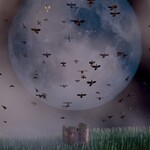
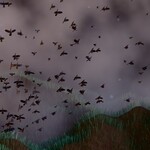
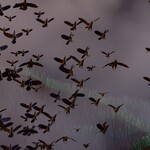
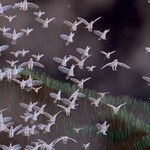
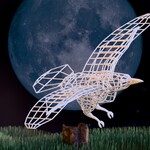
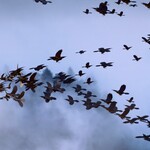
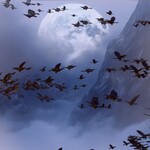
Crow Flock Commander — bring your scenes to life with dynamic, controllable crow flocks.
Crow Flock Commander lets you instantly create dynamic, customizable crow flocks with full artistic control. This powerful Geometry Nodes setup makes it easy to design natural, cinematic flock motion tailored to your scene. Create, control, and fine-tune every detail with ease.
Crow Flock Commander is created using Geometry Nodes in Blender.
This asset works seamlessly in both Cycles and Eevee. The preview animation was rendered in Cycles.
Product contents:
- Crow Flock Commander asset (created in Blender 4.5, tested in Blender 4.2 and 5.2)
- Crow color image texture
This product is a Geometry Nodes modifier setup that can be applied to both Mesh and Curve objects.
The asset includes two modes:
- Point mode (for Mesh objects) — the flock originates from a single point
- Curve mode (for Curve objects) — the flock follows a defined path
Each mode includes two options:
- Endless flock — an infinite stream of moving crows with adjustable controls
- Finite flock — a flock with a specified number of crows
The finite flock in Curve mode also includes two control options:
- Automatic animation control
- Manual animation control for precise adjustments
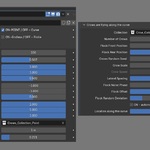
Use the custom Geometry Nodes settings in the modifier panel to control and animate the crows, as well as fine-tune the overall behavior. You can adjust parameters such as crow count, scale, speed, flock noise, offset, and lateral spacing (for curve-based flight) or maximum flight distance (for point-based flight).
In Point mode, you can control movement strength along each axis or disable movement on specific axes.
In Curve mode, you can define where along the curve the flock starts and ends its movement. Manual mode is especially useful for precise animation control.
You can easily draw custom paths using tools like Draw tool or Extrude to create accurate flight trajectories. The flock will smoothly follow any changes in the curve’s shape.
The Blender file includes two collections (one for each mode), each containing 8 low-poly, textured crow models with slight variations in size and animation timing. Wing animation is driven by shape keys and comes pre-animated for immediate use.
The crow models are optimized low-poly, allowing you to use hundreds of instances without slowing down your scene.
You can also replace the included crow collection with any custom collection to create your own unique flock.
Crow Flock Commander is created with Geometry Nodes in Blender.
This asset works seamlessly in both Cycles and Eevee. The preview animation was rendered using Cycles.
The product contents:
- Crow Flock Commander asset, made in Blender 4.5, tested in Blender 4.2 and 5.2.
- Crow Color Image Texture.
This product is a Geometry Nodes modifier setup which can be applied both to Mesh and Curve objects.
Two modes of the asset:
- Point: can be applied to Mesh - Flock flies from a single point and
- Curve: can be applied to Curve object - Flock flies along a curve.
Each mode has two options:
- Endless flock - infinite moving Crows with specific controls applied,
- Finite flock - a flock of a certain specified number of crows ready to fly.
Finite flock flying along a Curve has also two options for best animation:
- Automatic control for Finite Flock along the Curve,
- Manual control for Finite Flock along the Curve
Use the custom Geometry Nodes settings in the modifier panel to control and animate the crows, and to fine-tune the overall animation. With the Geometry Node setup, you can customize the amount and Size of Crows, their Speed, Flock Noice, Offset and Lateral spacing (flight along the curve) or Maximum flight distance (flight from the single point) and so on.
For the Flock flying from the single point you can control how strongly crows move along each axis, disable movement along any axis.
For the Flock flying along the curve you can indicate from which point on the curve the crows start flying and where they end their flight. It is also convenient to use manual mode for more precise adjustment of the animation of movement along the curve.
It's very convenient to manually define a curve using the Draw tool, Extrude Curve, to create a more precise path for the flock. The crows will accurately follow any changes in direction and curves.
The Blender file includes two Collections (for both Modes) of 8 low-poly, textured Crow models, each with slight variations in size and animation timing. Their wing motion is driven by shape keys and comes pre-animated for immediate use.
The Crow models are optimized low-poly, allowing you to populate your scene with hundreds of Crows while keeping your Blender file running smoothly.
You can use not only the Crow Collection, but also any other Collection to create a flock to your taste.
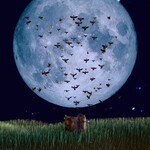
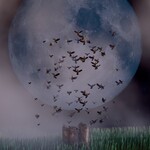
Below you can find some example scenes, as well as tutorials on setting up the setup.
And here are some tutorials that I hope will make you enjoy using this setup:
