Crow Flock Commander
 Valeriia Orlova


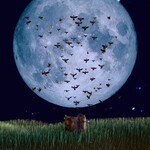
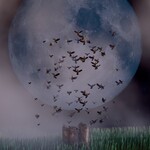
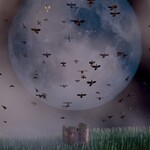
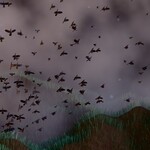
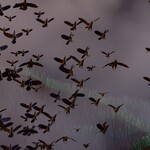
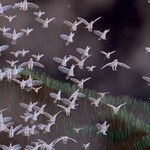
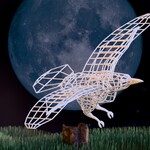
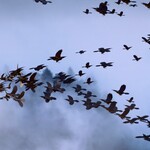
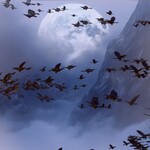
🐦Crow Flock Commander — easily create and customize a flock of crows to perfectly fit your scene.
🧩 Requirements
Blender 4.2 - 4.5
Created with Blender 4.5, tested with Blender 4.2 and 5.2
No external add-ons required
Works with Cycles and Eevee
⚙️ Installation & Usage (Asset Library)
Add the asset to your Asset Library
Unzip the archive and place the Crow_Flock_Commander.blend file into a folder registered as an Asset Library in Blender.
To register a folder:
- Go to Edit → Preferences → File Paths → Asset Libraries,
- Click +, choose the folder, and give it a name (e.g., My Assets).
Using the asset in your project
- Open your Blender project,
- Open the Asset Browser (Shift+F1 or from the sidebar),
- Navigate to the folder containing Crow_Flock_Commander,
- Drag and drop the generator into your scene — a new object will be created with all controls exposed.
Optional tips
Rename, tag, and categorize the asset for easier search,
Save custom presets by creating objects in your Asset Library.
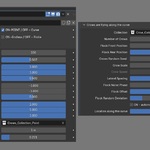
Parameters Overview (Controls)
Parameter Description
General:
ON-POINT / OFF - Curve ON-Flock flies from a single point (apply modifier to the Mesh) / OFF – Flock flies along a curve (apply modifier to the Curve)
ON -Endless / OFF - Finite ON -Endless Flock / OFF - Finite Flock Ready to Fly
Crows are flying from the point Mode
Number of Сrows The number of instances to create
Crow Speed Speed of the Crows
Axis Motion Influence Controls how strongly crows move along the X, Y, and Z axis. 0 disables movement along the axis, 1 allows full movement.
Min Axis Offset Range Defines the minimum random offset along the X, Y, and Z axis. Negative values allow movement in the negative direction, positive values in the positive direction
Max Axis Offset Range Defines the maximum random offset along the X, Y, and Z axis. Negative values allow movement in the negative direction, positive values in the positive direction
Collection Collection of instances, moving from the point
Max Flight Distance Maximum Flight Distance from Origin
Crow Scale Scale of the instances
Crows are flying along the curve
Collection Collection of instances, moving along the curve
Number of Crows The number of instances to create
Flock Front Position Flock Front Position along the Curve at Animation Start
Flock Rear Position Flock Rear Position on the Curve at Animation Start
Crows Random Seed Crows Random Seed in the Flock
Crow Scale Scale of the instances
Crow Speed Speed of the Crows
Lateral Spacing Distance between Crows across the Flock
Flock Noise Phase Shifts the Noise Pattern to Vary Crow Placement
Flock Offset Deviation of the Flock from the Trajectory Curve
Flock Random Deviation Random per-crow Deviation from the Flight Path
ON - automatic / OFF - manual ON - automatic control for Finite Flock along the Curve / OFF - manual control for Finite Flock along the Curve
Location along the curve Location along the curve in manual mode
🎨 Tips for Use
Try all the parameters to create natural flock variations.
Use the Draw tool in Edit mode to create a Curve that fits you best.
Use your own Collection to create your specific Flock.
Adjust lighting and camera depth of field for realistic renders.
📜 License
Standard Royalty Free License
You may use this asset in personal, educational, or commercial projects.
Redistribution or resale of the original .blend file or any part of it is not allowed.
© 2026 Valeriia Orlova. All Rights Reserved.
💬 Author
Created by Valeriia Orlova
Contact: [email protected]
 Included
Includes 12 months of
- Support from Valeriia Orlova
- Product updates
Extend this product’s Support Period +12 months: 50% of product price
Have questions before purchasing?
Login to message
| Published | 5 months ago |
| Blender Version | 4.2 - 5.2 |
| Render Engine Used | Cycles, Eevee |
| License | Royalty Free |
Discover more products like this
flocking system Blender bird simulation Blender Geometry Nodes flock crow animation crow simulation bird flock procedural birds flock simulation crow flock