Csv Chart Animator
 Hryhory Sinenka


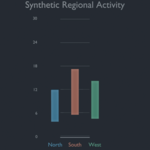
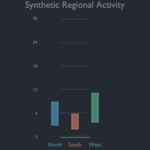
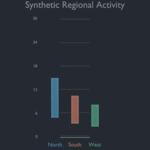
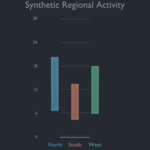
Install
- In Blender 4.5 LTS or newer, open Edit → Preferences → Extensions.
- Open the drop-down menu and choose Install from Disk.
- Select the delivered
csv_chart_animator-0.1.0.zipfile. - Enable CSV Chart Animator if Blender does not enable it automatically.
CSV format
Use a tidy UTF-8 table with one row per frame/category/value combination:
frame,category,value
1,North,12
1,South,8
30,North,20
30,South,14
Column names are configurable in the panel. Files may use comma, semicolon, or tab delimiters. The delivered extension includes a ready-to-use synthetic example at examples/chart_three_regions.csv.
Build a chart
- Open the 3D View sidebar and choose the CSV Chart tab.
- Select the CSV file and confirm its column names.
- Set the chart title, size, interpolation, and scene-output options.
- Click Build Animated Chart.
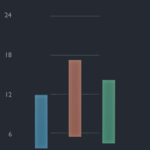
The extension creates one named collection. Rebuilds delete only that exact collection when Replace Matching Collection is enabled. Generated bars, labels, axes, optional camera, and optional lights remain ordinary editable Blender objects.
Supported input and limits
Version 0.1 accepts non-negative finite values, up to 50 categories and 500 distinct frames. Every category must have a value at every frame. Duplicate or missing frame/category pairs are rejected with an actionable error.
The CSV is read only when you click the build button. Generated scenes remain usable without the source file. The extension has no telemetry, network code, cloud service, account requirement, or third-party Python dependency.
Support
Support covers installation, documented tidy-CSV validation, reproducible extension defects, and compatibility with Blender 4.5 through 5.2. It does not include statistical analysis, data cleaning, custom chart design, bespoke features, or recovery of unrelated scene content.
Licence
The extension source is licensed under GPL-3.0-or-later.
Have questions about this product?
Login to message
| Blender Extension Compatible | Yes |
| Published | about 2 months ago |
| Blender Version | 4.5 - 5.2 |
| Extension Type | Add-on |
| Render Engine Used | Cycles, Eevee |
| License | GPL |

Discover more products like this
infographic motion graphics data visualisation Bar chart animation Offline csv