Customisable Male + Female Basemesh Bundle - Blender 5.0+
 Vertex Arcade


I can’t open the file, Blender keeps crashing
The Customisable Basemesh is only compatible with the newer versions of Blender. If you open it in an older version of Blender, Blender will crash. It will work as far back as Blender 3.6. So if you double click the Female Basemesh file and Blender immediately crashes, it’s because you are using an incompatible version of Blender.
I can’t move the mesh
The Customisable Basemesh uses a rig to pose the character and control the sliders. A rig is a special type of object in Blender that allows you to move and animate bones. To pose the character correctly, make sure the rig is selected and that you’re in Pose Mode. You can switch to Pose Mode from the mode dropdown in the top-left corner of the screen
Why are there 3 Armature modifiers?
If you’ve ever rigged a mesh in Blender, you’ll know that Blender uses an Armature modifier to bind the mesh to the bones. In this setup, multiple Armature modifiers are used intentionally. Additional Armature modifiers, combined with Vertex Groups and Preserve Volume enabled, allow specific areas of the body, such as the shoulders, hips, and butt to maintain their volume during deformation. This prevents those areas from collapsing or flattening when the character is posed or animated, resulting in more stable and natural looking deformations.
Can I use this character for a game/animation/VTuber/commercial use?
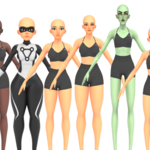
Yes, you can use the Customisable Basemesh in your projects as long as you’ve made enough changes to it. Don’t use the basemesh without making changes to it. However, if you use it as a starting point and add your own hair, clothes, armour, or other custom details, that’s completely fine. As long as the final character isn’t obviously recognisable as the Female Basemesh, you’re free to use it in games, animations or any other projects.
Why does the rig look broken after customising?
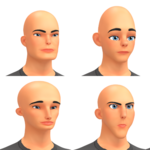
If you pose the character and then change the proportions, especially height or facial features, the model may not look right. Small adjustments are usually fine, but bigger changes can cause the bones to no longer line up with the mesh, making the character appear broken when posing or animating. To fix this, you’ll need to reparent the mesh to the armature so the rig realigns with the updated proportions.
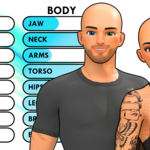
Changing settings in the addon doesn’t change the model?
If you change settings in the addon menu and nothing happens, it usually means the model isn’t selected. The addon only works on the currently selected mesh, which allows you to work on multiple characters independently. Just make sure your mesh is selected before adjusting any settings.

Discover more products like this
3dbasemesh 3d-male 3D model customization customizable model 3d-female