 Antonio Solano


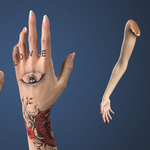
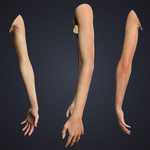
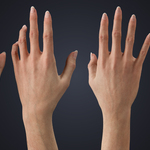
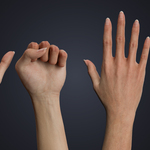
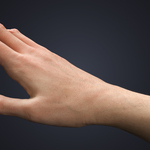
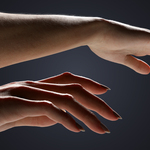
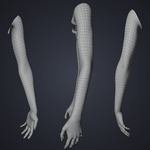
Realistic female arms for Blender Cycles with a complete customization system - skin tone sliders with presets, PSD tattoo and nail templates, full AXIS Rig (Rigify-based), and Particle Hair. Cinematic quality, fully adaptable.
Topology
- Base mesh: 8,586 verts / 17,120 tris
- Multires mesh: 548,034 verts / 1,095,680 tris (level 3)
- Multiresolution modifier, 3 levels of sculpt detail
- Quad-only, no n-gons, organized UVs
Textures (PBR)
- 8K: Displacement, Normal
- 4K: Albedo, Roughness, Specular
- Optimized for physically-accurate shading in Cycles
Customization
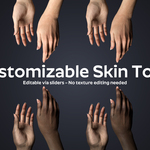
- Skin tone sliders with presets: Albino, Tan, Ebony, and more
- Independent palm and knuckle brightness adjustment
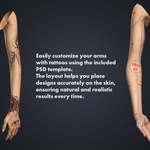
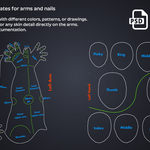
- Tattoo system: editable PSD template (Arms_Template.psd), tint, bump, and blend strength controls
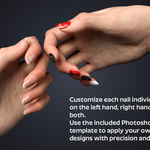
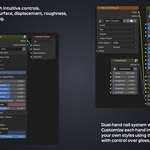
- Nail system: editable PSD template (Nails_Template.psd), independent color and style per hand, relief and gloss control
AXIS Rig (Rigify-based)
- IK/FK for arms and partial torso
- Bone-driven shapekey corrections for smooth deformation
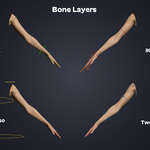
- Organized bone layers and constraints
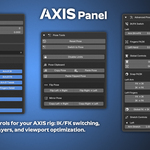
AXIS Panel
Included free with every AXIS model. A rig control interface embedded directly in Blender's N-panel.
- IK/FK switching and snap (transfer poses between IK and FK without visual displacement)
- Pose tools: reset, copy, paste, mirror, bilateral flip
- Viewport simplify toggle with subdivision and particle density controls
- Rig selector for multi-character scenes
- Bone group visibility toggles
- Auto-update checker
Hair
- Particle Hair with Children for realistic arm hair
- Editable hair materials optimized for Cycles
Materials
- Principled BSDF, fully editable grouped node networks
- Material zones: arms, tattoos, nails
AXIS Core Addon
Retarget and bake Mixamo, ActorCore, Unreal, HumanIK, and DAZ animations directly onto AXIS rigs. Sold separately - available on Superhive.
Requirements
- Blender 4.0 or higher
- Rigify (included with Blender)
- Photoshop or compatible software for editing PSD templates
Files Included
- Blender/.blend - textures linked externally (not embedded)
- Blender/textures/ - texture files + PSD templates (must stay next to the .blend file)
- Backup_Files.zip - textures backup + AXIS_Panel.py backup
Important: the textures/ folder must remain next to the .blend file inside the Blender/ folder. Do not move or rename either.
Part of the OMNIA series. Browse the full series on my profile.