 Color Variations of Eldorado - cvELD -


cvELD
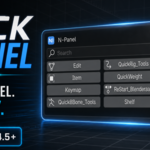
Quick N-Panel
Find any N-panel. Instantly.
Turn Blender's crowded sidebar into one compact, searchable menu. Find, focus, rename, organize, and open your N-panel categories without hunting through a wall of tabs.
Contents
| Overview | Customize Your N-Panel |
| Video Demo | Category Shortcuts |
| Core Features | Requirements |
| How It Works | FAQ |
Stop Hunting Through N-Panel Tabs
The more Blender add-ons you install, the harder the sidebar becomes to navigate. Useful panels get buried among narrow vertical tabs, unfamiliar category names, and tools you only need occasionally.
Quick N-Panel replaces that friction with one clear menu. Open the popup, search or choose a category, and go directly to the tools you need.
Spend less time searching the interface and more time creating.
Watch Quick N-Panel in Action
Everything You Need for a Cleaner Sidebar
|
Search Filter categories by their displayed name, even in add-on-heavy Blender setups. |
Focus Gather one category into a temporary focused sidebar view. |
Launch Open the main menu or a specific category with a keyboard shortcut. |
|
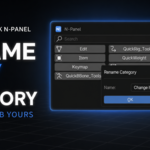
Rename Replace unclear tab names with labels that fit your workflow. |
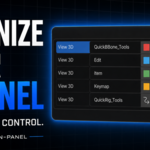
Organize Reorder categories and keep your most-used tools at the top. |
Simplify Hide categories you do not need without disabling their add-ons. |
A Faster N-Panel Workflow
- Open the list. Click the header icon or press your popup shortcut.
- Find a category. Search by name or select it from the button grid.
- Work in focus. The selected panels are gathered into a dedicated focused view.
- Return automatically. Select the same category again, close the focused view, or choose another category.
Your existing add-ons keep their original organization. Quick N-Panel only moves the panels temporarily while you are using them.
Make the N-Panel Yours
Different artists rely on different tools. Build a category menu around the way you actually work:
- Rename categories with meaningful labels
- Assign recognizable category icons
- Change the display order
- Exclude unwanted categories from the popup
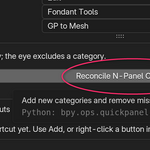
- Refresh the category list after enabling another add-on
- Choose where the header icon appears
- There are also buttons that preserve existing customizations when adding or deleting differences.
One Key. Any Panel.
Assign a custom keyboard shortcut to an individual category and open it directly—without opening the popup first.
Ideal for rigging, modeling, animation, and any workflow that repeatedly returns to the same tools.