cvELD SimpleAlignment
 Color Variations of Eldorado - cvELD -


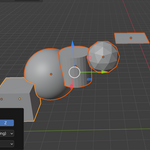
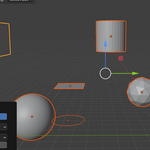
Simple Alignment - シンプル整列
概要
Simple Alignmentは、選択したオブジェクトを簡単かつ正確に整列させるためのBlenderアドオンです。直感的なUIと多様な整列オプションにより、オブジェクトの配置作業を効率化します。主な機能
1. 基本的な整列機能
- X、Y、Z軸のいずれかまたは複数の軸に沿って整列
- 複数の軸を同時に選択可能
- オブジェクトの位置を保持しながら整列
2. 4つの分布モード
- 線形(均等間隔)
- 選択範囲内でオブジェクトを均等に配置
- 間隔を自動計算
- 中央(平均)
- 中央揃え:すべてのオブジェクトを平均位置に整列
- 開始揃え:最小座標に整列
- 終了揃え:最大座標に整列
- 均等配置:オブジェクトを均等に配置
- ガウス分布
- ガウス曲線に従ってオブジェクトを配置
- 広がりを調整可能
- 3つのモード:
- 全体の範囲
- 平均中心
- アクティブオブジェクトの範囲
- ランダム分布
- 選択範囲内でランダムに配置
- シード値による再現可能な配置
3. 高度なソート機能
- 位置順:指定軸の座標に基づいてソート
- 名前順:オブジェクト名に基づいてソート
- 原点からの距離順:原点からの距離に基づいてソート
- アクティブオブジェクト優先:アクティブオブジェクトを開始/終了に配置
使用方法
- 整列したいオブジェクトを選択(2つ以上)
- アクティブオブジェクトを設定(最後に選択したオブジェクト)
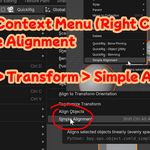
- ショートカットキー Ctrl+Alt+Shift+A を押す
- 整列パネルで以下の設定を行う:
- 整列する軸(X、Y、Z)を選択
- 分布モードを選択
- 必要に応じて追加設定を調整
システム要件
- Blender 4.0以上
- Windows/macOS/Linux
Simple Alignment
Overview
Simple Alignment is a Blender add-on that makes it easy to align selected objects with precision. With its intuitive UI and diverse alignment options, it streamlines the object placement workflow.
Key Features
1. Basic Alignment
- Align along X, Y, and/or Z axes
- Multiple axis selection
- Preserves relative object positions
2. Four Distribution Modes
- Linear (Even Spacing)
- Evenly distribute objects within selected range
- Automatic spacing calculation
- Center (Average)
- Center: Align all objects to average position
- Start: Align to minimum coordinate
- End: Align to maximum coordinate
- Spread: Distribute objects evenly
- Gaussian Distribution
- Distribute objects following a Gaussian curve
- Adjustable spread
- Three modes:
- Overall Span
- Average Center
- Active Object Extent
- Random Distribution
- Random placement within selected range
- Reproducible patterns with seed value
3. Advanced Sorting
- Position: Sort based on specified axis coordinates
- Name: Sort based on object names
- Distance from Origin: Sort based on distance from origin
- Active Object Priority: Place active object at start/end
Usage
- Select objects to align (2 or more)
- Set active object (last selected)
- Press shortcut key Ctrl+Alt+Shift+A
- Configure in the alignment panel:
- Select alignment axes (X, Y, Z)
- Choose distribution mode
- Adjust additional settings as needed
System Requirements
- Blender 4.0 or higher
- Windows/macOS/Linux
$1
Have questions about this product?
Login to message
| Blender Extension Compatible | Yes |
| Published | over 1 year ago |
| Blender Version | 4.4, 4.3, 4.2, 4.1, 4.0, 3.6 |
| Extension Type | Add-on |
| Render Engine Used | Cycles |
| License | GPL |