Cw Shader Buddy
 Christoph Werner


What's new in this update?
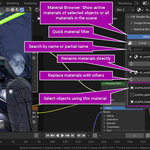
- New: The Material Browser now displays slots without materials—one entry per slot with a "Remove" option. If faces are assigned to a slot, a red warning line indicates the face count, and "Replace" assigns a material instead. For multiple empty slots, "Remove" opens a checklist; single, harmless slots are removed directly. Works in both Object Mode and Scene Mode and can be disabled in the preferences.
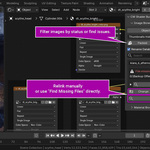
- Fixed: Image sequences with missing frames were hidden by the Issues filter, even though their warning was displayed. Filters and warnings now use the exact same check, including for procedural textures and Grease Pencil materials.
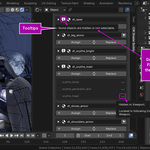
- New: Hidden objects that don't belong to any collection now reveal in their tooltip where they are being used—such as a particle instance, in Geometry Nodes, or via an add-on property. Previously, it only displayed "Hidden in Viewport".
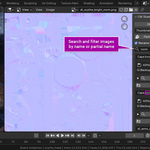
- The notice "Open an Image Editor to view this bitmap" is no longer a red warning, but a standard info message.
- Improved: When an object is selected, the list now follows the object's slot order.
- Fixed: "Refresh Images" used a separate image search that differed from the list. In the 3D Viewport tab, it failed to find any images in Object Mode, and with active filters, search queries, or multiple pages, it affected different images than the ones displayed. It now reloads precisely what is visible in the current browser.
- New: After clicking, the add-on continues to monitor the files for a few seconds. If an image was still saving at the moment of clicking—such as a large PNG from Photoshop—it will automatically reload as soon as the file write is complete.
- Fixed: After painting and making changes to an image, the preview thumbnail failed to update as intended. Unsaved brush strokes are preserved during this process.
Contains the current version of the manual for CW Shader Buddy.
$20
 Included
Includes 12 months of
- Support from Christoph Werner
- Product updates
Extend this product’s Support Period +12 months: 50% of product price
Have questions before purchasing?
Login to message
Discover more products like this
image editor shader editor bitmap tools manager textures shader tools viewer organiser Shader Shader Editing material editor