Damtools
 Synrg Studios



DAMTools v1.7.6 — Changelog
### New
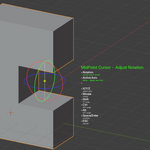
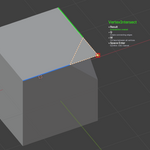
- alignFaces (Edit Mode)
Added a new Geometry tool to align normals across a connected face selection using the active face
as the reference.
Faces are rotated progressively around shared edges (hinge behavior), propagating alignment through
the selection.
- splineCurve (Edit Mode)
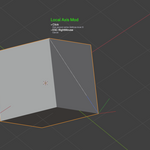
Added a new interactive spline-based deformation tool for selected vertices/edges/faces:
- GPU live spline preview + floating modal HUD
- Mouse wheel adjusts control point count
- Click-drag to move spline nodes in view/camera space
- Real-time mesh deformation following the spline
- Space/Enter to apply, Esc/RMB to cancel
### Improved
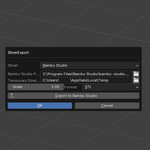
- SlicerExport UX (Main Pie Menu)
In File Handling, SlicerExport now shows a contextual split action:
- SlicerExport
- Update (only when a temp export exists)
This allows quick updates without reopening the SlicerExport dialog.
- FaceGrid (Edit Mode)
- Now supports multi-face selection (applies to all selected faces, not only active)
- Added multi-face live preview
- Added Square Centered mode (Q):
- Forces square cells
- Keeps remainder evenly on both sides
- Wheel changes square density while preserving square cells
- Apply & Origin Bottom
- Added ALT invoke behavior: after applying transforms + bottom origin, optionally moves object
origin to current 3D cursor location.
- Pie menu button call path was adjusted to preserve ALT behavior reliably.
### Added
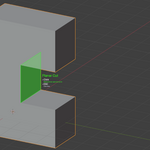
- UnSubdivider (Edit Mode)
Added new modal tool to reduce grid density on selected coplanar regions with live preview and safe
cancel/restore flow.
### Fixed
- Subdivider critical cancel bug
- Fixed a severe issue where RMB/ESC cancel could invalidate mesh data / remove object data
unexpectedly.
- Reworked internal preview/cancel pipeline using safe BMesh snapshot restore.
- Undo stability hardening
- Added missing UNDO flags to heavy operators (InternalUnion, TopoCleaner variants)
- Removed undo-stack flooding behavior from SelectLinkedTool continuous operations
- General modal robustness
- Multiple safety improvements to preview/apply/cancel workflows across recently updated
edit-mode tools.
DAMTools v1.7.2 Changelog
✨ New Features
-
Select Linked Tool: New Edit Mode tool that works like Circle Select but selects entire connected geometry islands
- Visual circle cursor that follows the mouse
- Mouse wheel to adjust circle radius
- CTRL+Click to deselect islands
- ALT+Click for fast mode (no undo steps - better for large selections)
- Available in DAMTools pie menu (Edit Mode)
🐛 Bug Fixes
-
Cross Connector: Fixed
ReferenceError: BMesh data of type BMEdge has been removed- Completely rewrote intersection algorithm with two-phase approach
- Added configurable tolerance parameter in the dialog
- More robust edge detection after mesh modifications
-
Topo Cleaner (Recursive Mode): Fixed ALT+click not triggering recursive cleaning
- Removed duplicate execute() methods that were overriding the correct implementation
- Now properly detects ALT key and runs recursive cleaning until convergence
- Removed duplicate
-
Topo Cleaner (Presets): Fixed inverted aggressiveness between Default and Aggressive presets
- Default: Now uses 1.0° dissolve (more conservative)
- Aggressive: Now uses 5.0° dissolve (actually aggressive)
Blender 5.0 Compatibility :D
New updates in this version:
colSelector: Simple selector for all the objects in the collection of the active object
copyTo: An intelligent duplication tool that let you duplicate the active object (based on origin) to the rest of the selection with just one click [Workflow: Select the objects to COPY TO, then select the object TO BE COPIED (the current active object is the last) and use copyTo, the current active object will be duplicated to the selected objects]
autoBool: A simple boolean powerhouse, select only the cutters and activate autoBool, the tool recognizes the cutters and the intersected objects, and makes a boolean operation (Union, Intersect and Difference, based on your selection) directly in the overlapping objects
edgeGuard: Creates guarding loops around every selected edge for subd workflow
DAMTools v1.7.6 — Changelog
### New
- alignFaces (Edit Mode)
Added a new Geometry tool to align normals across a connected face selection using the active face
as the reference.
Faces are rotated progressively around shared edges (hinge behavior), propagating alignment through
the selection.
- splineCurve (Edit Mode)
Added a new interactive spline-based deformation tool for selected vertices/edges/faces:
- GPU live spline preview + floating modal HUD
- Mouse wheel adjusts control point count
- Click-drag to move spline nodes in view/camera space
- Real-time mesh deformation following the spline
- Space/Enter to apply, Esc/RMB to cancel
### Improved
- SlicerExport UX (Main Pie Menu)
In File Handling, SlicerExport now shows a contextual split action:
- SlicerExport
- Update (only when a temp export exists)
This allows quick updates without reopening the SlicerExport dialog.
- FaceGrid (Edit Mode)
- Now supports multi-face selection (applies to all selected faces, not only active)
- Added multi-face live preview
- Added Square Centered mode (Q):
- Forces square cells
- Keeps remainder evenly on both sides
- Wheel changes square density while preserving square cells
- Apply & Origin Bottom
- Added ALT invoke behavior: after applying transforms + bottom origin, optionally moves object
origin to current 3D cursor location.
- Pie menu button call path was adjusted to preserve ALT behavior reliably.
### Added
- UnSubdivider (Edit Mode)
Added new modal tool to reduce grid density on selected coplanar regions with live preview and safe
cancel/restore flow.
### Fixed
- Subdivider critical cancel bug
- Fixed a severe issue where RMB/ESC cancel could invalidate mesh data / remove object data
unexpectedly.
- Reworked internal preview/cancel pipeline using safe BMesh snapshot restore.
- Undo stability hardening
- Added missing UNDO flags to heavy operators (InternalUnion, TopoCleaner variants)
- Removed undo-stack flooding behavior from SelectLinkedTool continuous operations
- General modal robustness
- Multiple safety improvements to preview/apply/cancel workflows across recently updated
edit-mode tools.
DAMTools v1.7.2 Changelog
✨ New Features
-
Select Linked Tool: New Edit Mode tool that works like Circle Select but selects entire connected geometry islands
- Visual circle cursor that follows the mouse
- Mouse wheel to adjust circle radius
- CTRL+Click to deselect islands
- ALT+Click for fast mode (no undo steps - better for large selections)
- Available in DAMTools pie menu (Edit Mode)
🐛 Bug Fixes
-
Cross Connector: Fixed
ReferenceError: BMesh data of type BMEdge has been removed- Completely rewrote intersection algorithm with two-phase approach
- Added configurable tolerance parameter in the dialog
- More robust edge detection after mesh modifications
-
Topo Cleaner (Recursive Mode): Fixed ALT+click not triggering recursive cleaning
- Removed duplicate execute() methods that were overriding the correct implementation
- Now properly detects ALT key and runs recursive cleaning until convergence
- Removed duplicate
-
Topo Cleaner (Presets): Fixed inverted aggressiveness between Default and Aggressive presets
- Default: Now uses 1.0° dissolve (more conservative)
- Aggressive: Now uses 5.0° dissolve (actually aggressive)
Updated to the latest stable version
-
$15
This is the tier for the full releases of the addon, when I consider the release version is up to standar I'll release it here :D (Once a month maybe)
-
$30
damTools is a set of tools I've designed to aid me in my design, and because of that, I'm always thinking in ways to better the toolset and I maybe add 1 or 2 tools in a week if I need them, you can access to those with this tier :D (The beta releases between full releases will be done thru the Changelog channel in the Discord Server :D)
Have questions about this product?
Login to message

Discover more products like this
3D designer tools 3d modeling workflow suite hardsurface 3D Artist Tools