Decal Beast (Free Version)
 Bala
Bala



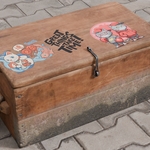
What's Included (Free)
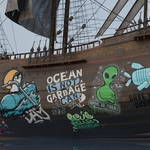
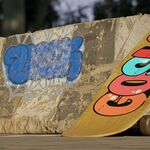
- ✓ Drag & drop decals onto any mesh. Decals automatically align to surface normals.
- ✓ Visual image gallery with thumbnail previews. Organize into category folders for quick access.
- ✓ Works on multiple materials. Place a single decal across objects with different materials.
- ✓ Rotate & scale during placement. Drag to rotate, scroll to resize. Two-step placement.
- ✓ Use your own images. Any PNG, JPG, or BMP from any folder becomes a decal instantly.
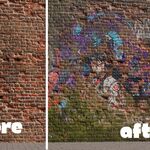
- ✓ Non-destructive workflow. Decals are node groups on empties. Delete anytime, original material stays.
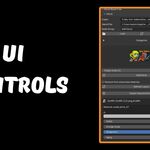
- ✓ Per-decal controls. Tweak each decal's node group inputs directly from the sidebar panel.
- ✓ Refresh & prune. Rescan the scene and optionally remove decals from untouched materials.
See it in Action
Get Started in 3 Steps
| 1 Install the Addon Install via Edit → Preferences → Add-ons. Enable "Decal Beast Free". | 2 Load Your Images Set a folder path in the sidebar and click "Load". Images appear as thumbnails. | 3 Place Decals Select an image, click "Add Decal", hover over your mesh, click to place, drag to rotate. |
Tutorial
Want More?
Love the free version? Beast unlocks the full creative toolkit.
FREE Decal Beast Free$0, Yours forever ✓ Drag & drop decals onto any mesh ✓ Image gallery with categories ✓ Works on multiple materials ✓ Rotate & scale during placement ✓ Delete selected decals ✓ Refresh layers & prune ✓ Per-decal node group controls ✓ Use your own images | BEAST Decal BeastFull version, 30% off with BEAST30 ✓ Everything in Free, plus: ✓ Slide decals on any surface ✓ Layer ordering (move forward / back) ✓ Change decal color & roughness ✓ Grunge & aging effects ✓ Batch styling across decals ✓ Type text → instant graffiti (25+ fonts) ✓ Animate aging & grunge ✓ One-click baking (Diffuse, Normal, Rough) ✓ Shader chain & normal passthrough ✓ 250+ hand scribbles included ✓ Merge decals & atlas baking Upgrade to Beast → |
$0
Have questions about this product?
Login to message
| Downloads | 700+ |
| Dev Fund Contributor | |
| Published | 6 months ago |
| Blender Version | 4.5 - 5.0 |
| Extension Type | N/A |
| Render Engine Used | Blender-Internal, Blender-Game-Engine, Cycles, Eevee |
| License | GPL |