 Blender Easy


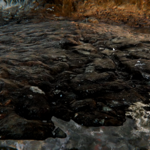
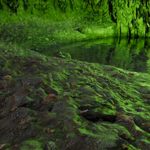
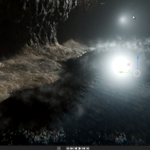
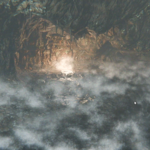
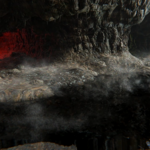
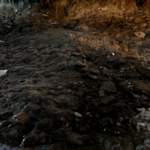
Deepstone Cave: The 1-Click Cave Biome (4D Material)
Descend into Darkness, Instantly.
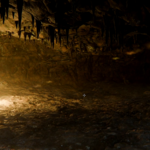
Unleash the ultimate cave environment with Deepstone Cave, the next evolution in the 4D Materials collection for Blender. This isn't just a texture; it's an intelligent, one-click procedural system that transforms any simple mesh into a breathtaking, fully atmospheric subterranean world.
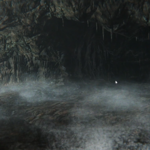
From damp, craggy walls to shimmering underground lakes and swirling mist, create endless cave systems with unparalleled realism and speed.
🎞️ Creating a Cavern Scene in Minutes
Timelapse: Using the Deepstone Cave 4D Material to generate a full cavern environment.
Key Features that Redefine Environment Art
| Feature | Description |
|---|---|
| 💧 Automatic Water & Fog (New!) | Instantly generate a realistic underground water level and atmospheric, volumetric fog directly within the material. |
| ✨ Adaptive Subdivision | Automatically increases mesh resolution where it matters. |
| 🚫 Automatic UV Generation | Works on any mesh without unwrapping. |
| 🧠 Natural Material Blending | Rock, sediment, and dampness blend intelligently based on slope and height. |
| ♾️ Seamless Tiling | Create infinite cave systems without visible repetition. |
| ⚡ One-Click Biome Workflow | Apply and instantly generate a full cave biome. |
🔥 Deepstone Cave Overview
Watch how Deepstone Cave builds a full environment in seconds.
💾 Asset Browser Usage: Get Started in Seconds
-
Setup: Go to
Edit > Preferences > File Paths > Asset Librariesand link the folder where you save theDeepstone Cave.blendfile. - Use: Open the Asset Browser, select the "4D Materials" library, and Drag & Drop the Deepstone Cave material onto any mesh.
Ready to sculpt your next adventure?
Dive into the Deepstone Cave today!
Want more 4D Materials?
Veridian Grove - 4D Material
Look: Realistic rock, soil, and grass that blend naturally.Vibe: Perfect for cinematic, fantasy, or tabletop scenes.
