 codesignprojects


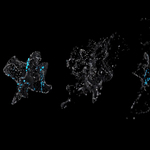
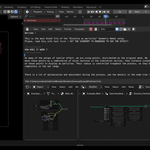
A lightning fast Geometry Nodes based setup to create a Dissolve into particles-effect from any object.
Simply take your mesh, apply the GeoNodes setup, tweak settings to your liking and away you go !
This is a Geometry Nodes setup to achieve a dissolve effect to any mesh.
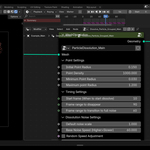
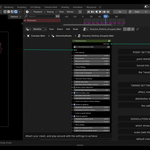
The node tree comes contracted into one control group with all settings exposed and labeled, and the node tree inside is coming with explanations. As many similar effects, we are using points, distributed on the original mesh. We move these points by a combination of noise textures in the simulation section. The point radius is controlled throughout the process, so the mesh dissolves and disappears during the preset frame range and with the set parameters. Please watch the inserted Youtube video for details.
It comes with the full setup with additional examples.
This is the Dissolve into Particles version. There is an additional setup, dissolving objects into mesh.
----------------------------------------------------------------------
Adjustable settings and features -
- The original mesh vertices follow the dissolution shape
- The noise transformation and disappearance timing is fully customizable
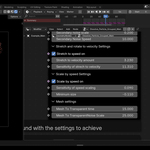
- Adjustable particle stretch and rotate to the movement direction
- Adjustable scale by speed
- And many others
----------------------------------------------------------------------
The setup is only one example of using this node tree, you can utilize it for your own vision.
Happy Blending !
----------------------------------------------------------------------
Files included -
1. Main setup
2. An additional example with glow
----------------------------------------------------------------------
NOTE
-(Since it is a concept demonstration, it is kept as simple as possible.) The GeoNodes trees are kept clean for easier readability and have detailed explanations. Everything is built from the base. The point of these setups is to provide a base core of the concept, node from node, with labels and explanations.
YOU ARE highly encouraged to open the control node and dissect the tree for yourself, not only to access the logic, but for more customization.
You can embellish, refine as you wish based on the core or realize your own ideas.
-Read the text description, it has a lot of useful info !
----------------------------------------------------------------------
Questions welcome !
Contact at
- Here at Blendermarket inbox
- At [email protected]
- Discord at https://discord.gg/YqA9JPmC
----------------------------------------------------------------------
Recomended blends -