 Armin
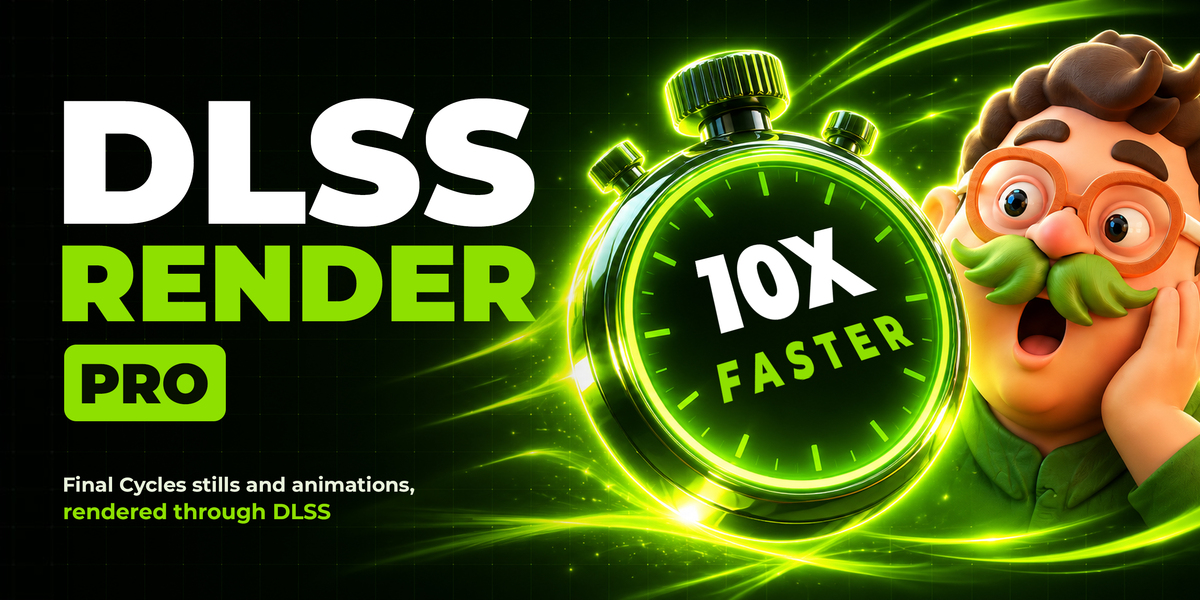
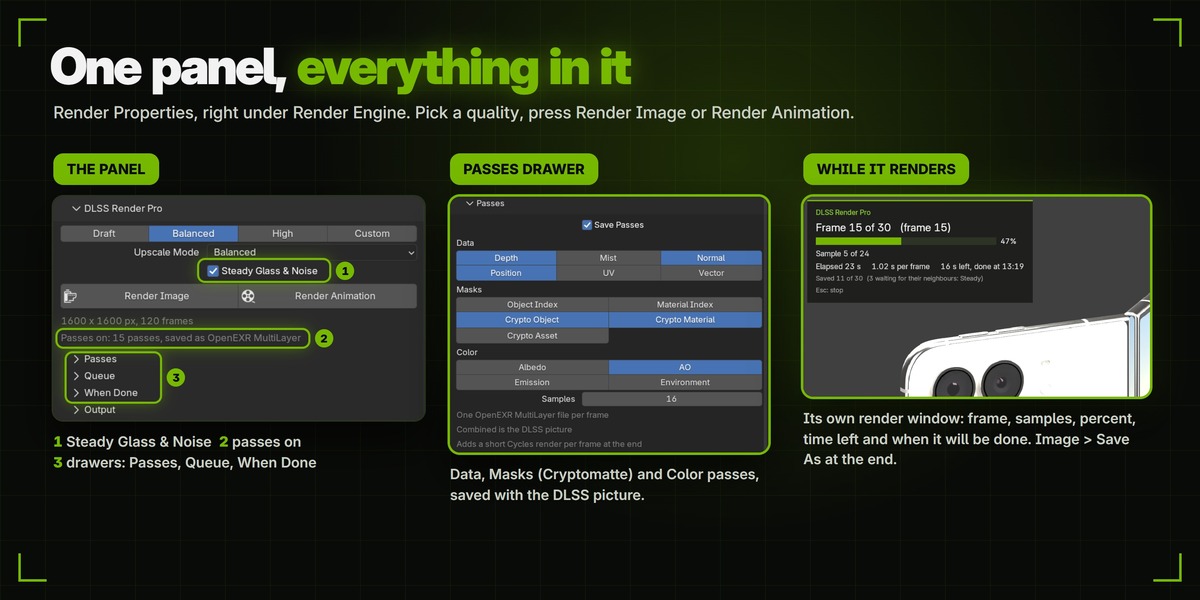
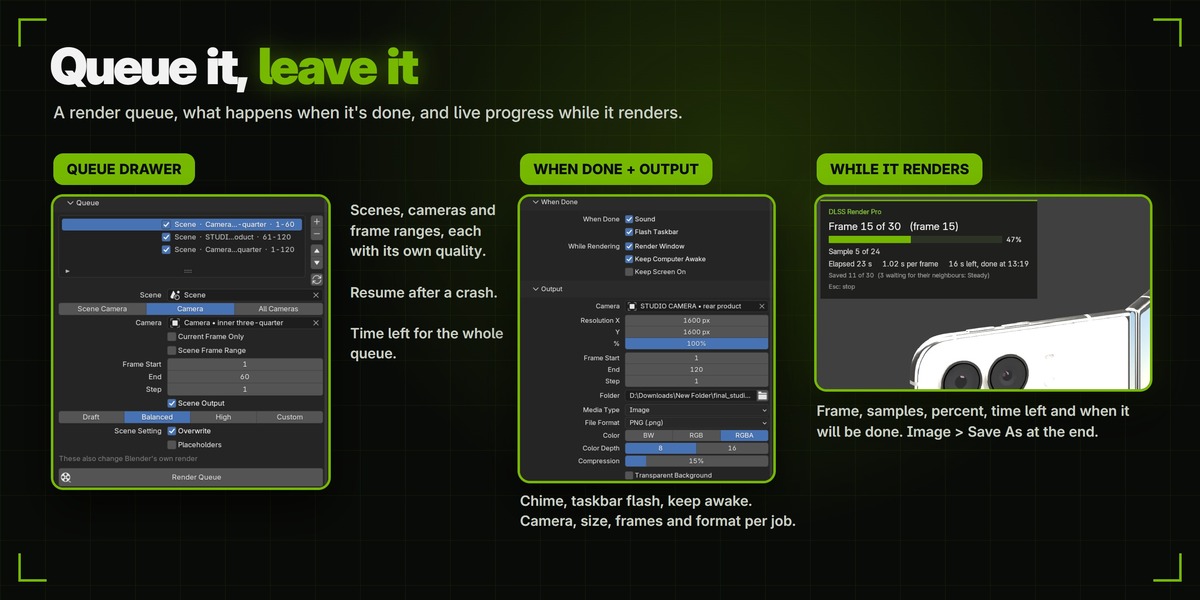


An NVIDIA RTX card, RTX 20 series or newer, with NVIDIA driver 620 or newer. Blender's DLSS needs it, so this add-on does too. I developed and tested it on an RTX 5080.
No. DLSS is NVIDIA's technology, Blender 5.3 has no AMD or Intel equivalent, and DLSS in Blender works on Windows and Linux only, so the add-on does not install on macOS. Without DLSS the add-on cannot run.
No. Blender's DLSS needs an RTX card (RTX 20 series or newer). GTX cards are not supported.
Blender 5.3 or newer. The add-on does not install on 5.2 or older, which have no DLSS. It also needs NVIDIA driver 620 or newer.
Blender is free, so test it first. In Blender 5.3, go to Edit > Preferences > System > Cycles Render Devices and choose your RTX card (OptiX or CUDA). Set the scene to Cycles with Device: GPU Compute. Open Render Properties > Sampling > Viewport, tick Denoise and choose DLSS as the Denoiser, then switch the 3D Viewport to Rendered shading. If the picture is cleaned by DLSS, the add-on will work. If DLSS is greyed out, Blender shows the same message for every reason: check that OptiX or CUDA is chosen and update the NVIDIA driver to 620 or newer. If it is still greyed out, the card cannot run DLSS.
No. DLSS in Blender is for Cycles only. If your scene is on EEVEE, the panel offers a one-click Switch to Cycles button.
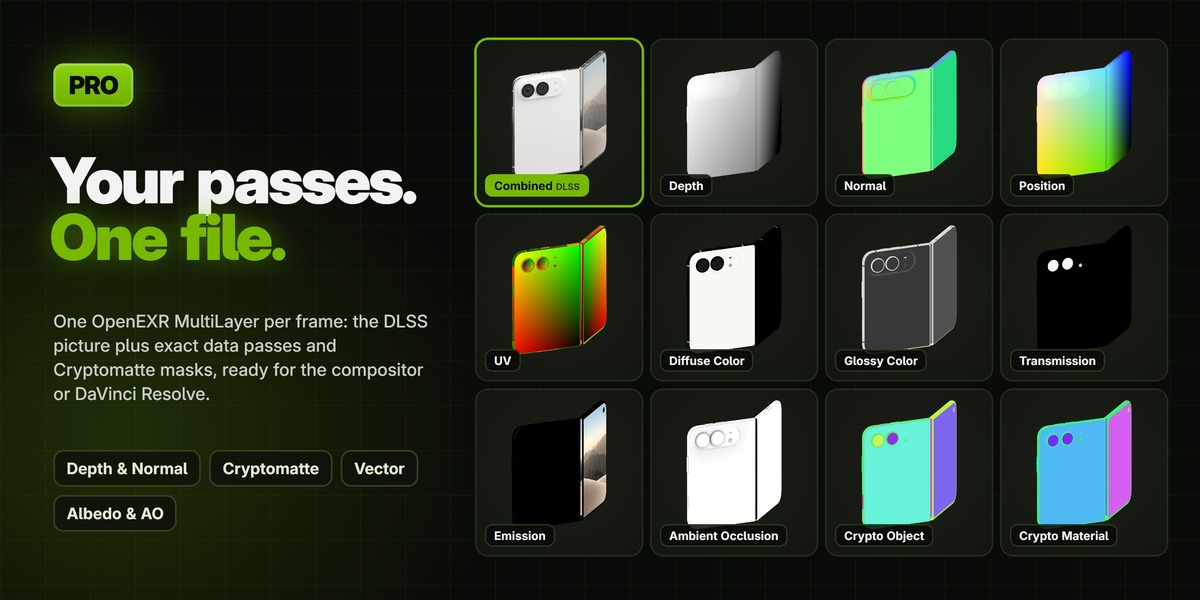
Not in the DLSS picture. Save the Vector pass and add motion blur in the compositor.
Yes. Tick Transparent Background (Blender's own setting, also in the add-on's Output section) and save to a format with alpha, such as PNG with RGBA or EXR. The picture keeps real alpha.
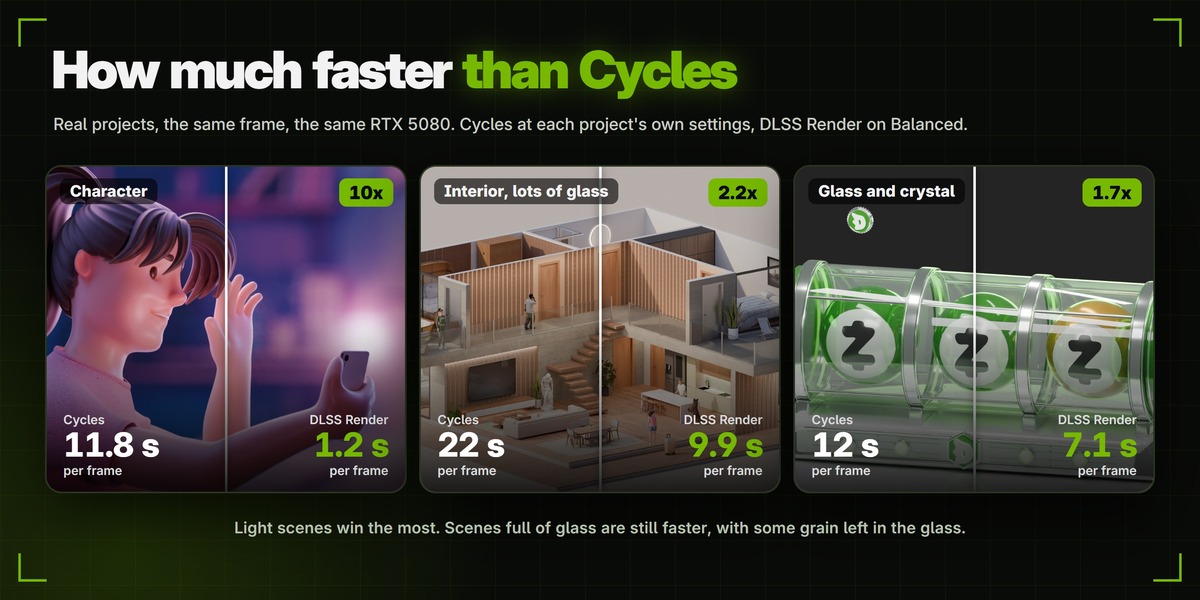
No. It is Cycles, but cleaned by DLSS instead of the final-render denoiser. On a character shot I tested it looked practically the same as normal Cycles, but glass keeps more grain, mirror reflections can ghost and depth of field can keep some noise. Render one frame and compare before a long job.
Not in that Blender: its window is used full screen for the render, and keyboard and mouse are blocked there (Esc stops); only the render window still pans and zooms. Keep Blender open: on Windows a minimised Blender pauses the render until you restore it, while on other systems the job can stop after 120 s without new pictures. Other programs are fine, but avoid anything that uses the graphics card, such as a game or another render, because DLSS then gets fewer samples and the frames get grainier.
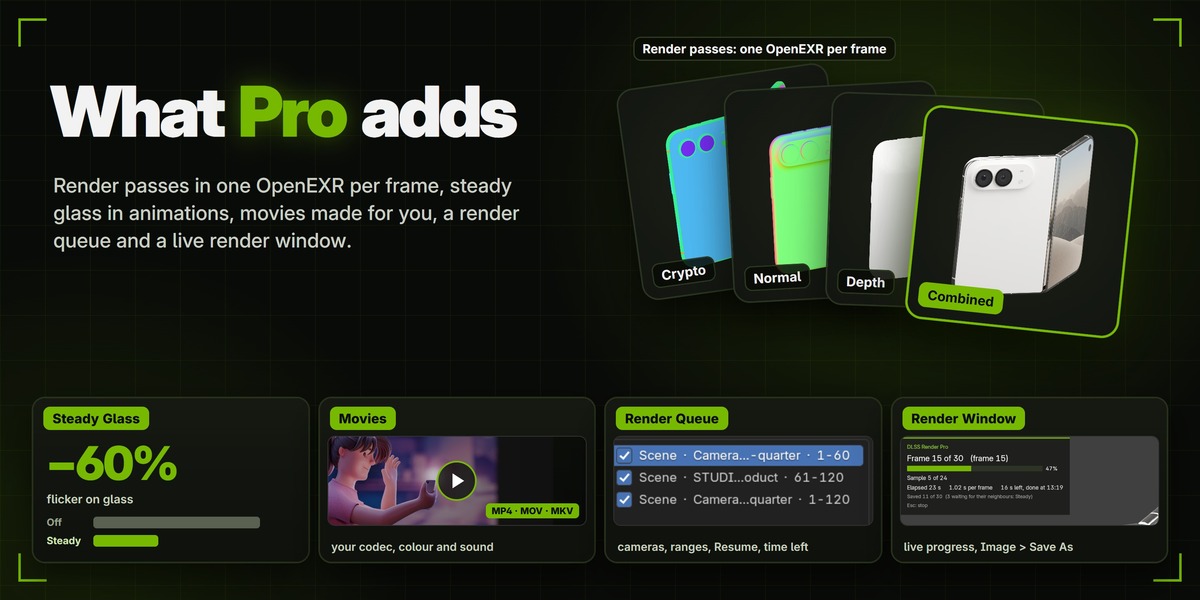
Yes, there is a smaller free version called DLSS Render with the core: stills and animations through the DLSS viewport, quality presets, tiles and no black frames. Pro adds render passes, Steady Glass & Noise, real movie files, the render queue with Resume and time left, the render window, When Done options, a true full-screen render (a 4K output in one tile on a 4K monitor), skipping frames that are already saved, and safe saving or opening of files during a render. Only one of the two can be on at a time, so turn the free one off before you use Pro.
Yes. Updates to version 1.x are uploaded to this product, free for everyone who bought it. You download them from your Superhive account.
Have questions about this product?
Login to message
| Blender Extension Compatible | Yes |
| Published | about 19 hours ago |
| Blender Version | 5.3 |
| Extension Type | Add-on |
| Render Engine Used | Cycles |
| License | GPL |
Discover more products like this
Denoiser fast render batch render render-passes GPU render animation cryptomatte Cycles DLSS viewport render Render render queue