Drag2shade
 Flidoh Animations




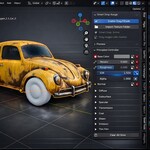
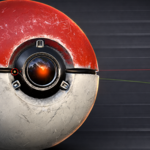
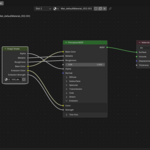
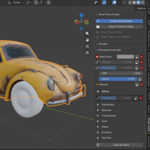
Drag2shade v1.1
Drop textures. Shade faster.
Drag2shade is a Blender extension that lets you drag and drop image files directly onto any Principled BSDF shader node. It automatically classifies the texture type and wires it into the correct slot - no menus, no manual connections.
Features
- Drag & drop images directly into the shader editor
- Smart texture classification via filename parsing and image analysis
- Detects Base Color, Roughness, Metallic, Normal, Bump, AO, Emission, Alpha/Opacity, and Displacement maps
- Alpha-aware: detects transparency and correctly routes opacity maps
- Zero configuration required
Requirements
- Blender 4.0 or later
- Extension installed via Blender's built-in extension manager
Installation
- Open Blender and go to
Edit > Preferences > Get Extensions - Click the dropdown arrow (top right) and choose Install from Disk
- Select
drag2shade_v1.1.zip - Enable the extension if it isn't already active
Usage
- Open the Shader Editor
- Select an object with a material using a Principled BSDF node
- Drag an image file from your file browser into the Shader Editor or on the viewport mesh.
- Drag2shade detects the texture type and connects it automatically
Texture Classification
Drag2shade uses a two-pass classification system:
Pass 1 - Filename keywords
Common naming conventions are matched first (e.g. _basecolor, _rough, _normal, _nrm, _metal, _ao, _emit, _alpha, _disp).
Pass 2 - Image analysis If no keyword match is found, the image data is analysed:
- Grayscale images → Roughness, Metallic, AO, or Bump depending on value distribution
- Images with zero-opacity pixels → Alpha/Opacity
- Full-color images → Base Color
Have questions about this product?
Login to message
| Blender Extension Compatible | Yes |
| Published | 8 months ago |
| Blender Version | 4.1 - 5.0 |
| Extension Type | Add-on |
| Render Engine Used | Blender-Internal, Cycles, Eevee |
| License | GPL |