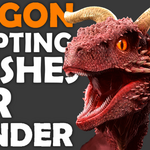
370+ Dragon Sculpting Brushes Bundle
 VK Gamedev


Frequently Asked Questions
What is included in this bundle?
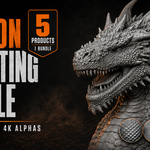
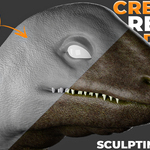
The bundle includes five complete brush products with 372 unique dragon, reptile, creature and VDM brushes, plus a bonus library of 187 seamless 4K dragon skin alphas.
Are the Blender and ZBrush versions counted as separate brushes?
No. The number 372 refers to unique brush designs. When the same design is provided for both Blender and ZBrush, it is counted only once.
Does every brush pack work in ZBrush?
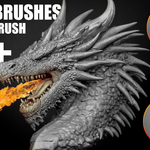
No. All five brush packs contain Blender resources. The 140-brush and 102-brush collections also include ZBrush brush files. The bonus grayscale alphas can be imported into both Blender and ZBrush.
What file formats are included?
Depending on the pack, the bundle includes Blender brush libraries, ZBrush ZBP files, editable PSD alphas, grayscale PNG maps and 16-bit TIF height maps.
What Blender version do I need?
Blender 4.3 or newer is recommended for the best Asset Browser workflow. Some included packs also support earlier Blender versions.
Do I need a high-poly model?
Yes. Detailed scales, wrinkles, skin patterns and VDM forms require a dense or sufficiently subdivided mesh. Low-resolution geometry cannot reproduce fine brush detail correctly.
Are the 187 bonus alphas seamless?
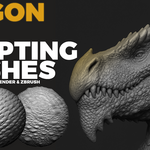
Yes. All 187 bonus dragon skin alphas are tileable and seamless, making them suitable for covering large creature surfaces without visible borders or repetition seams.
Can I use the alphas in other software?
Yes. The grayscale PNG and TIF maps can be used in software that supports alpha, height, displacement, bump or mask textures.
Is this bundle suitable for stylized creatures?
Yes. Brush size, strength, direction and depth can be adjusted for realistic, stylized, fantasy, horror and science-fiction creature designs.
Can I use the bundle for commercial projects?
Commercial use depends on the license you select. Redistribution, resale or sharing of the original brushes, alphas and source files is not permitted.
How do I install the brushes in Blender?
Store the included brush folders in a permanent location, then open Edit → Preferences → File Paths and add the folder as an Asset Library. The brushes will then be available through Sculpt Mode or the Asset Browser.
How do I install the ZBrush resources?
Copy the included ZBP files into your ZBrush brush folder or load them through LightBox. PNG, PSD and TIF maps can be imported through the Alpha palette.
Can I combine brushes from different packs?
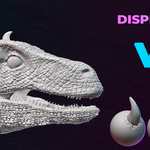
Yes. For the best results, combine broad skin patterns, medium-scale details, VDM horns or spikes, and fine wrinkles or surface breakup. This creates a more natural result than applying one repeating brush across the entire creature.
Is installation support available?
Yes. If you have questions about installation, file formats or using the brushes, send me a message through the marketplace.
-
$0
-
$19.99
1 User - Commercial Use: unlimited projects
-
$99.99
Up to 10 users - Commercial Use: unlimited projects
-
$199.99
For art institutions and studios under 100 users
Have questions about this product?
Login to message
| Sales | 10+ |
| Downloads | 50+ |
| Published | 2 months ago |
| Blender Version | 4.3 - 5.2 |
| License | Royalty Free |

Discover more products like this
dragon brushes Monster Sculpting zbrush-brushes 4k-alphas dragon-skin sculpting brushes vdm-brushes fantasy creatures reptile scales Blender-Brushes alpha brushes creature sculpting