DrapeFlow — Easy Cloth for Interiors
 VertexModeler Inc.

DrapeFlow 0.5.7
VertexModeler | Blender 5.2 LTS | English interface
INSTALL
Install DrapeFlow_0.5.7.zip from Preferences > Add-ons > Install from Disk.
Restart Blender and check the version at the bottom of the DrapeFlow panel.
EXISTING CLOTH LOOKS TOO COARSE?
Click Refine Weave in Look > Structure Details. This updates the current cloth's material
with finer repeats and softer normal shading, preserving geometry and artwork.
No new simulation is needed. Installing alone does not rewrite saved materials.
If you changed surface structure or artwork, change the pattern directly; use Apply Structure for geometry changes.
COMPACT PANEL
Cloth: Pattern, Structure, placement, frames, Edit Pins and Generate. Expand
Drape & Pinning for physics presets. Finish contains Adjust Folds and Bake.
Look: Thread Scale and Normal Amount. Material Finish and Structure Details
are folded by default. Appearance edits update the current result live.
Setup: Simulation Mesh, with solver and collision object management folded.
Only actions relevant to the current source/result are shown.
Click an option thumbnail to choose visually. Enlarged preview popups and
external image-viewer buttons have been removed.
QUICK WORKFLOW
1. Select collision models, choose pattern/structure, then Place Cloth.
2. Position the source with G / R / S. Keep it above the colliders.
3. Optionally Edit Pins, then Generate Drape.
4. Adjust Folds if needed, then Bake Mesh for a static mesh with UVs/materials.
Placement returns to the retained source. Regenerate uses that source sheet.
Default: 150 frames / 5 simulated seconds at 30 FPS. Computing time is separate.
The eye toggle beside Frames displays the simulation as it computes.
Thickness defaults to zero. Higher mesh density costs more simulation time.
After changing density on an existing source, use Apply Mesh Resolution.
THREAD SCALE
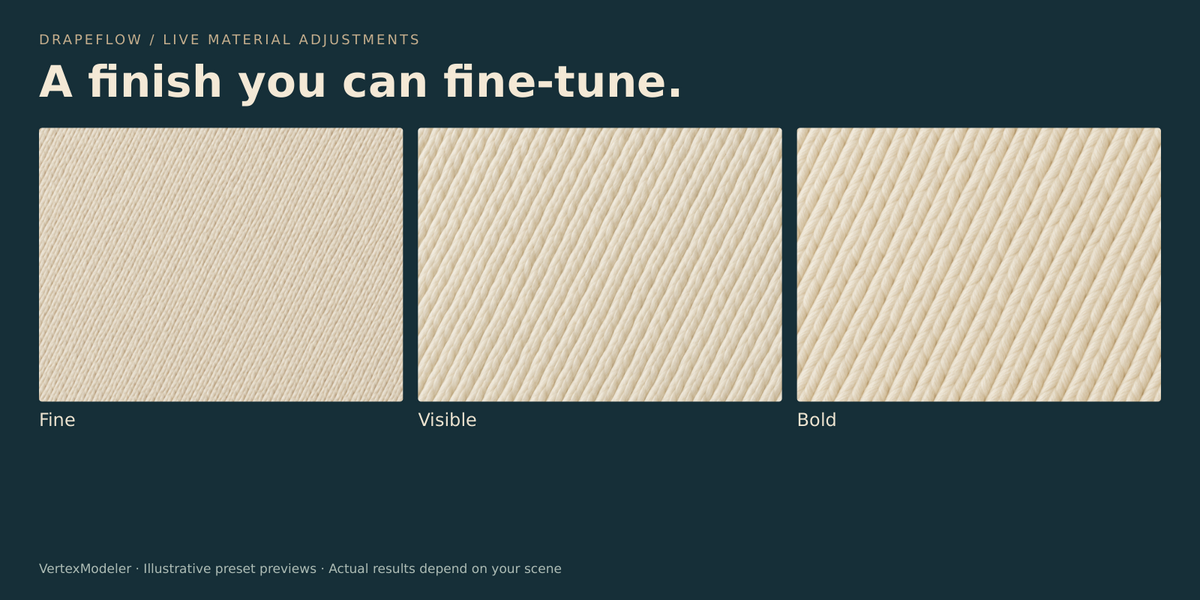
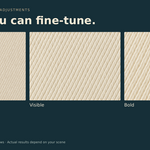
Fine / Visible / Bold now use 8 / 4 / 3 texture tiles across the longer edge.
Each image tile already contains many threads. Bold is one third larger than
Visible, and one quarter of its 0.4.4 thread size. Preset normal shading uses
25% of Normal Amount; an amount of 1 produces an actual normal strength of 0.25.
Refine Weave sets Visible with an amount of 1.
Custom retains physical Thread Size and direct Normal Amount for manual control.
New scenes use a 0.18 m custom tile and normal strength 0.35. Existing saved
custom values are preserved until you explicitly change them or Refine Weave.
Artwork UVs are independent from normal-map tiling.
SURFACE STRUCTURE
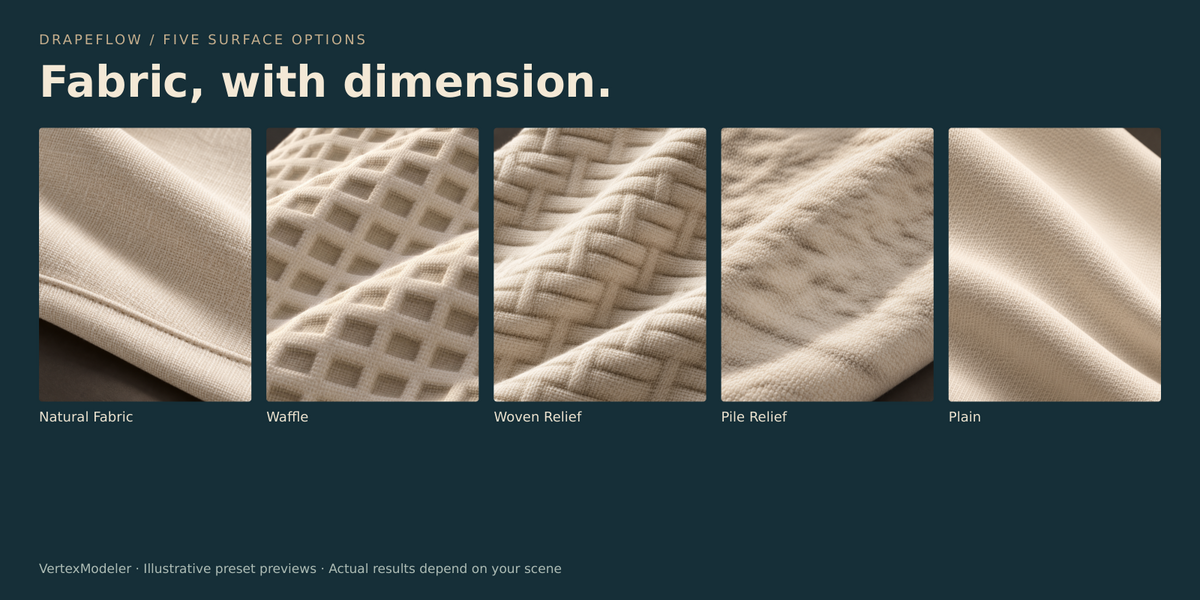
Natural Fabric: smooth interior and raised border. Plain: shader detail only.
Waffle: recessed cells. Woven Relief: alternating raised ridges.
Pile Relief: irregular shallow relief, not individual loops or hair.
These are continuous reconstructed meshes. Custom cloth needs a single
non-overlapping rectangular UV island covering 0..1 for reliable reconstruction.
Increasing relief beyond the reserved clearance requires regenerating the drape.
A coarse geometric cell size is separate from shader thread size.
Custom Image reveals Import Image; the image aspect sizes newly created sheets.
PIN EDITOR
Orange marks firm weights and blue marks soft transitions. Numbered badges
identify connected pin regions. Hidden regions do not show through occluders.
Viewport buttons: Paint Pins / Move Pins / Apply / Cancel. Tab switches modes.
Drag paints, Shift-drag erases, wheel changes radius, C clears pins.
In Move Pins, drag a handle or use R to rotate. Enter confirms; Esc cancels.
MMB navigates and Alt-wheel zooms. Navigation no longer waits for a release event
which Blender's orbit operator may consume. Editing a result resumes simulation.
Top Edge and Two Corners refer to source local +Y, not the current screen.
Amber highlights in Pinning thumbnails illustrate fixed weights; no hardware is generated.
PREVIEWS AND LIMITS
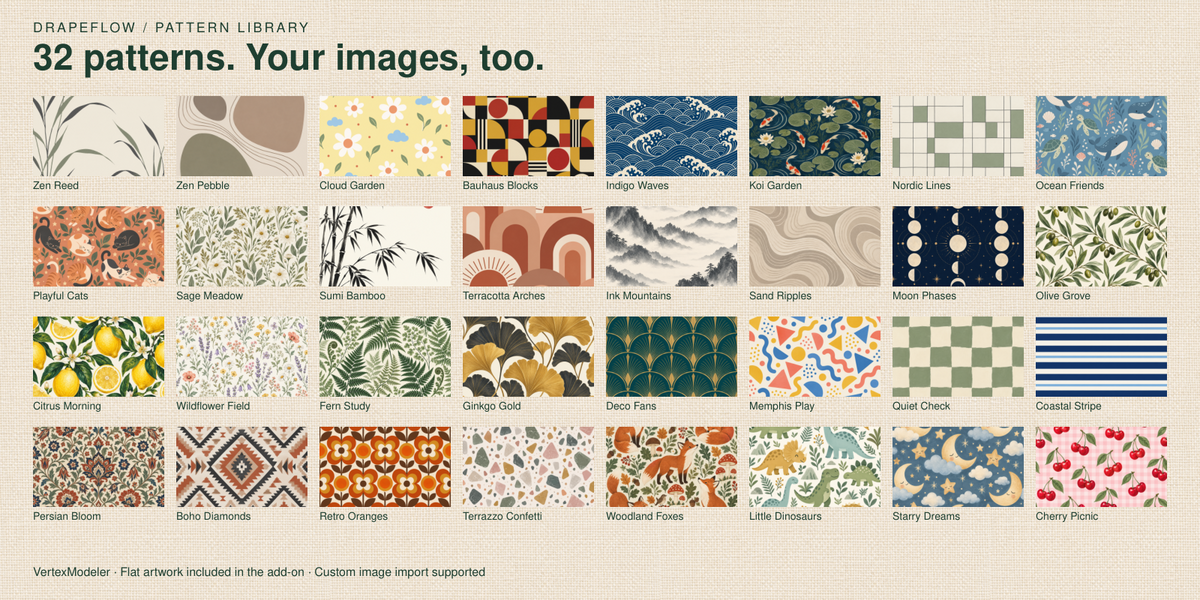
54 selectable previews cover pattern, structure, thread scale, pins, density and dynamics.
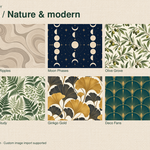
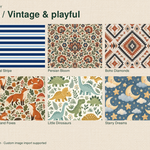
32 built-in flat artwork presets: Zen Reed, Zen Pebble, Cloud Garden, Sumi Bamboo,
Indigo Waves, Terracotta Arches, Bauhaus Blocks, Nordic Lines, Sage Meadow,
Koi Garden, Playful Cats and Ocean Friends. Pattern thumbnails show artwork
pixels directly, without a 3D mockup. Custom Image previews the imported image.
Five structure and three thread-scale images are AI-enhanced Blender render
illustrations with editorial lighting and close framing. Their native source
renders are included. Artwork is mapped once across the sheet, not guaranteed
seamless for tiling. Preview_Guide.html contains the visual catalog.
Prompts for the new artwork and enhanced previews are in preview_prompts_047.json.
Enhanced images illustrate structure; they are not exact scene render promises.
No online generation is used by the add-on. Actual shader preset values are
unchanged by this thumbnail update.
Inspect tight contacts before baking. Open colliders and initial intersections
can cause problems; no arbitrary scene is guaranteed free from intersections.
VERIFICATION
Blender 5.2.2 headless tests cover tab draw paths, operator/icon validity, material
scale and normal strength, unchanged geometry during Refine Weave, saved enums,
preview loading and Pin navigation/painting/transform/cancel regressions.
Windows live panel layout and GPU overlay appearance still need desktop checks.
LIVE MATERIAL EDITING
After simulation, pattern, imported image, Thread Scale, Thread Size, Normal
Amount, Roughness and Sheen update the current cloth immediately. Material-only
changes do not repeat simulation or rebuild geometry. Material Preview or
Rendered shading is needed to see shader changes; Solid mode does not show them.
A selected DrapeFlow result, including a baked static mesh, is the material
target. Otherwise the scene's current result is used. Shared materials and node
groups are isolated before editing so other cloth objects are not changed.
Shader controls remain usable after Bake Mesh. Editing a pattern on an existing
result does not resize the cloth or change UVs. If Custom has no imported image,
the existing material is retained until a valid image is selected.
Apply Structure is only for geometric fabric reconstruction. Relief clearance
checks remain in place; baked meshes cannot reconstruct the live structure.
0.5.1: All DrapeFlow operators now include English hover descriptions.
0.5.1 CONNECTED PIN PATCHES
Connected painted surface patches form one movable region. Diagonally touching
weighted corners within a face belong together. Overlapping strokes merge;
erasing a full separating gap splits the region. Separate mesh islands are
never merged just because they overlap in the viewport. Brush paths interpolate
all mouse movement, including the release endpoint. Region counts update while
painting. Existing pin weights are regrouped on opening the editor.
0.5.5 SIMPLIFIED WORKFLOW
Cloth: choose Pattern and Structure, Place Cloth, then Edit Pins and Generate.
Drape & Pinning expands behavior and pin presets. Frames and Show Simulation
remain visible. Finish contains Adjust Folds and Bake Static Mesh.
Look: Thread Scale and Normal Amount, with Material Finish and Structure Details
folded by default. Material changes update live; Apply Structure updates geometry.
Setup: Simulation Mesh, Solver & Collision and Cloth & Collision Objects.
Key actions have taller buttons and separate workflow sections. English UI.
Procedural fiber generation and its controls/assets are removed. Old unbaked
fiber modifiers are cleaned when updating appearance or baking. Already baked
mesh geometry is retained. Rebuild from the retained source for a clean cloth.
Ripple Cleanup remains available in Setup > Solver & Collision. It performs
bounded final-mesh relaxation while preserving pins and boundaries. Regenerate
to apply it; raw solver progress frames remain unchanged.
Pin Edit confirms saves and cancellation through a viewport banner and sidebar.
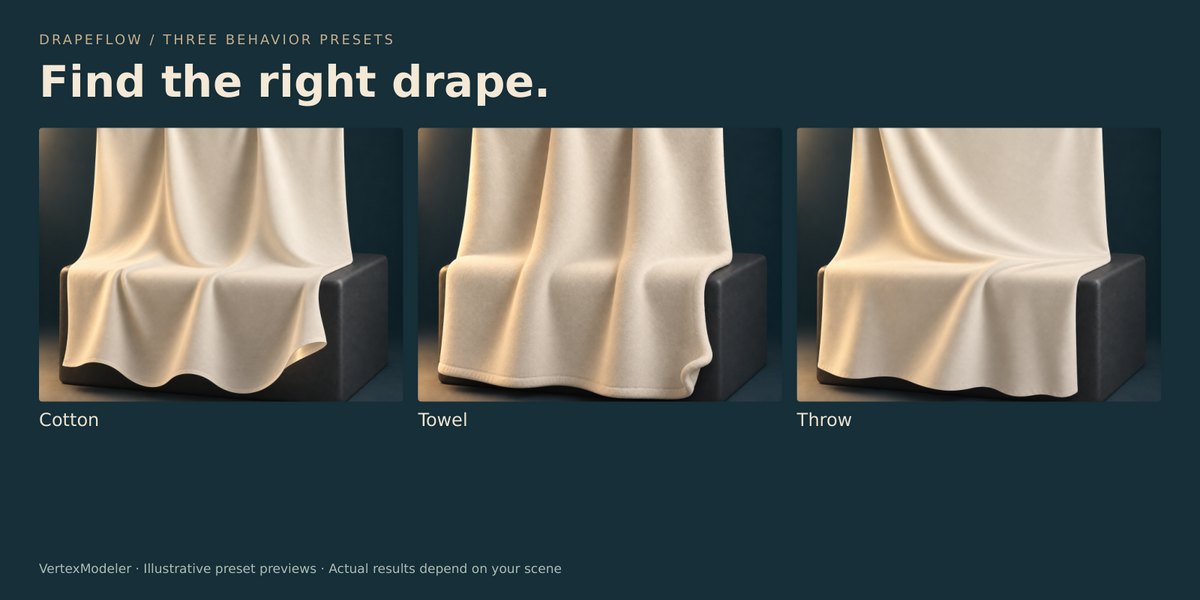
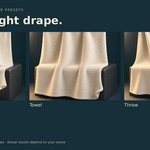
Drape Behavior previews illustrate thin supple cotton, heavier rounded towel
and a relaxed throw on the same rail and receiving block. They are illustrative
images, not guarantees of identical simulation output in every scene.
0.5.7 PRE-RELEASE HARDENING
Active simulation and editor resources are closed before file load or extension
disabling. Delayed timer events cancel cleanly. Failure during result creation
removes the partial result and retains the prior preview. Collider ordering is
stable for cache reuse. Snapshot limits: 25,000 evaluated cloth vertices;
1,000,000 collision faces per object; 2,000,000 snapshot faces total. Non-finite
coordinates are rejected. Complex modifier evaluation can still take time before
these limits can be checked. Esc is processed between solver frames, so one heavy
frame can delay cancellation. Use simplified collision meshes for dense scenes.
See RELEASE_AUDIT.md for verification evidence and remaining release gates.
0.5.7 PATTERN LIBRARY
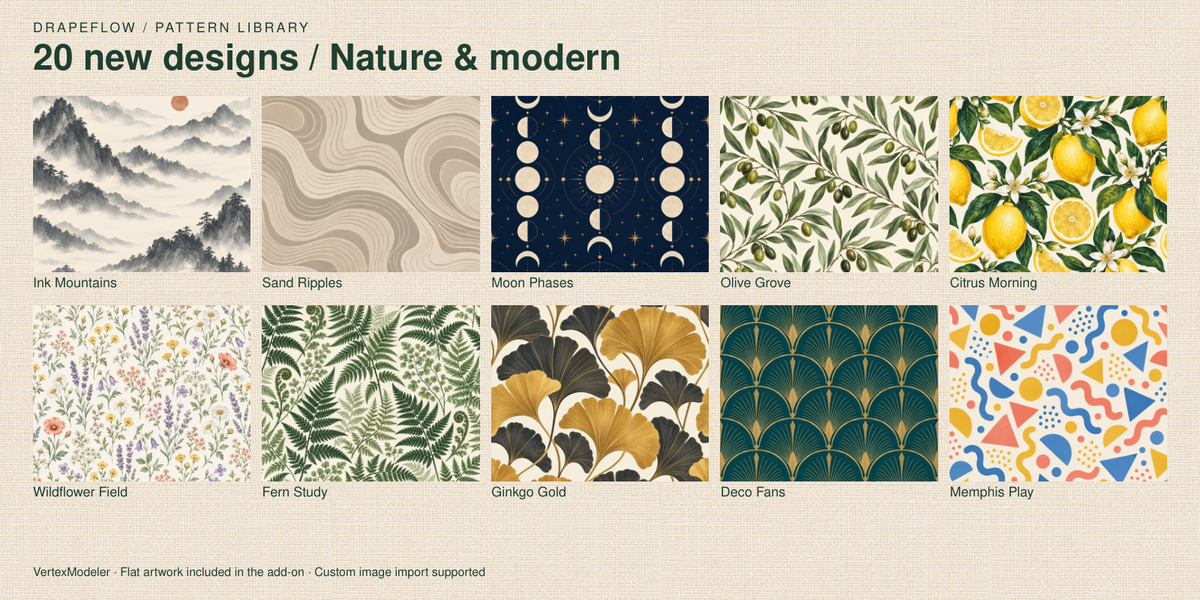
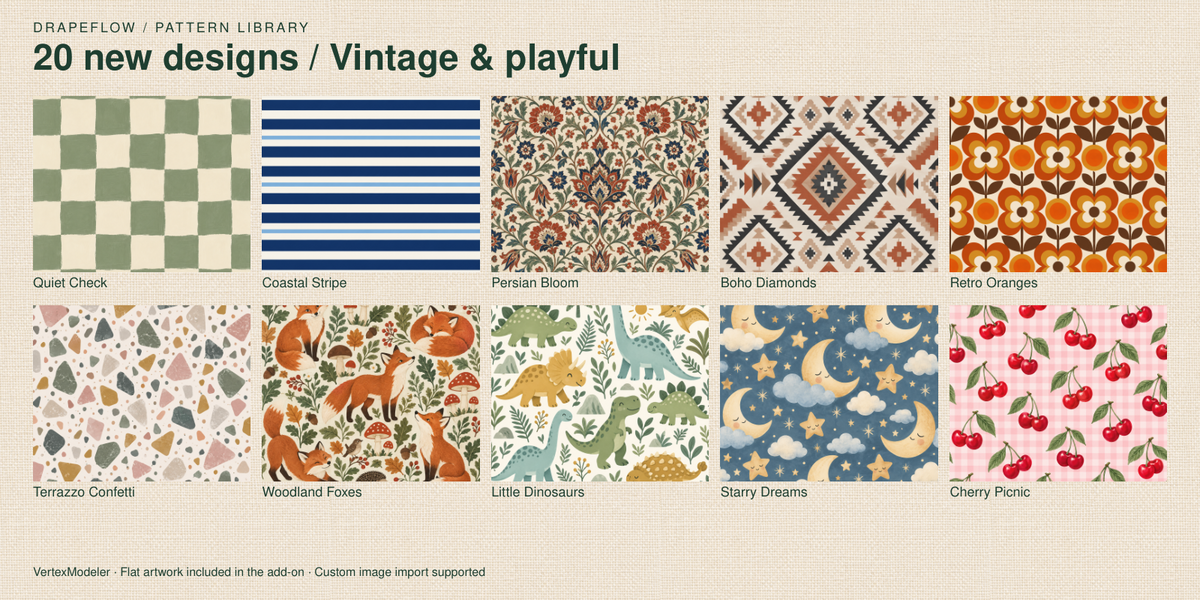
20 new flat artwork presets; 32 total. Existing numeric preset identifiers remain unchanged.
New artwork: Ink Mountains, Sand Ripples, Moon Phases, Olive Grove, Citrus Morning, Wildflower Field, Fern Study, Ginkgo Gold, Deco Fans, Memphis Play, Quiet Check, Coastal Stripe, Persian Bloom, Boho Diamonds, Retro Oranges, Terrazzo Confetti, Woodland Foxes, Little Dinosaurs, Starry Dreams, Cherry Picnic.
Artwork maps once across the cloth; seamless tiling is not guaranteed.
 Included
Includes 12 months of
- Support from VertexModeler Inc.
- Product updates
Extend this product’s Support Period +12 months: 50% of product price
Have questions before purchasing?
Login to message
| Blender Extension Compatible | Yes |
| Published | about 2 months ago |
| Blender Version | 5.0 - 5.2 |
| Extension Type | Add-on |
| Render Engine Used | Blender-Internal, Cycles, Eevee, Vray |
| License | GPL |
Discover more products like this
blender Draping textiles environment art fabric ArchViz towel geometry nodes Sofa Throw cloth simulation procedural Interior Design