 Oculis Studio


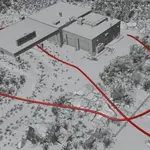
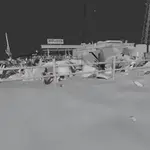
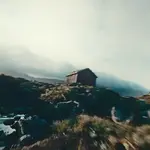
Cine Drone is a Blender add-on for cinematic FPV camera work. You draw a line through the scene and a physics simulation flies it like a pilot would: banking into turns, braking early for corners, running wide when pushed. No controller and no stick time.
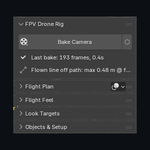
Three stages. Build the path - click a line through the scene, draw it freehand over the ground, load one of the 16 built-in shots, or point it at a bezier you already have. Apply drone motion - pick a feel, set a top speed, bake. Add look-at points - drop a target and the drone finds it on approach, holds it through the pass, and lets go.
Waypoints are ghost drones on the line. Grab one to move the flight line, rotate it to set a yaw aim, tilt it for a reveal. Roll is locked, because banking always comes from the physics. After every bake the ghosts strike their flown pose, so bank and pitch read down the whole line.
Four timing modes. Smart FPV takes one top speed and works out the rest. Speed Sections take absolute metres per second. Waypoint Pins hit exact frames, for music cues and edit points - pin a drone to frame 240 and it arrives on 240. Auto Track hands the pace to a moving subject.
Auto Track builds a car chase from the car. Pick the object to follow, pick one of seven chase styles - Close Dynamic, Low Tail Chase, High Follow, Flank Pace, Overtake & Pass, Front Pullback, Wheel Level - set lead, side and height, and press Track Object. It samples where the subject actually goes and generates the path, the timing and the look target from that. Lead is measured along the subject's own route rather than straight-line, so the gap stays honest through bends, and it re-solves on every bake without touching the path. What comes out is an ordinary flight plan you can drag, retime and re-feel; Release Subject hands it back to Smart FPV. Motion is read from the evaluated scene, so a subject driven by keyframes, a rig, a constraint or a simulation all work.
The FPV Shot Pack is built in: 16 designed camera moves across Reveals, Interiors & Tight Spaces, Freestyle, and Travel & Terrain - Rising Orbit, Descending Vortex, Punch-In Reveal, Crest Reveal, Parallax Fly-By, Doorway Entry, Room Flow, Stairwell Descent, Corridor Run, Power Loop, Split-S, Roll Pass, Flip Transition, Dive & Pull-Out, Valley Run, Orbit Break-Out. Select what you are shooting and load one; the shot fits itself to the object's bounding box and scales its speeds to the subject's size, so a 40 m building flies four times faster than a 10 m prop and keeps the duration it was designed for. It loads onto the rig as an editable path, not a baked camera.
Also included: flight feel presets (Cinematic, Cine Sport, Race), agility and drag, camera uptilt so the horizon stays level while the body pitches, prop wash and wander, live re-bake, and a viewport overlay that draws the line the drone actually flew and reports the miss in metres.
Everything bakes to plain keyframes on an ordinary empty and camera, so playback and rendering never depend on the add-on. Uninstall it and the shot still renders.
Version 1.2.1. Blender 5.2 and newer (the physics runs in a geometry-nodes simulation zone). 3D Viewport, N-panel, FPV. GPL-3.0-or-later, commercial use included, free owner updates, no subscription.
Support: [email protected]
