 Skettch


Diopter-space physics
True lens-motor motion
Auto Exposure
Real AE lag, bake-ready
Motor-modeled bounce
4 presets + Custom
One-click bake
Viewport = render
OVERVIEW
A real camera body inside Blender
DSLR AutoFocus Pro brings real camera autofocus behavior to Blender — modeled after Fujifilm's dual-axis AF system. Instead of hand-keyframing focus distance, let the addon handle it the way a real camera body would: pick your AF mode, point at your subject, and watch focus pull naturally.
Choose your AF behavior (Single-shot, Continuous, or Manual) and your AF area (Single Point, Zone, Wide/Tracking, or All) — just like switching modes on a real camera. Every combination works.
Focus transitions are computed in diopter space — the way physical lens motors actually move — so a near-to-far rack pulls smoothly across the whole range instead of snapping.
New in 1.7: Auto Exposure meters what the camera sees and rides exposure the way a live-view camera does — pan into a bright window and the frame blows out, holds for a beat, then settles. When you're happy with the result, bake focus and exposure to keyframes for a render that matches the viewport exactly.
FEATURES
Key features
Dual-Axis AF System
Fujifilm-inspired two-axis model: Behavior (AF-S / AF-C / MF) × Area (Single Point / Zone / Wide-Tracking / All). Every combination works — just like a real camera body.
Auto Exposure NEW
A real-time camera-view metering tool designed primarily to help you create exposure bakes quickly and consistently. Meters the camera's view in scene-linear light (Spot, Center-Weighted, Matrix) and drives Color Management ▸ Exposure with real AE lag: blow-out, hold, settle. Five camera presets, a Strength dial, EV limit and compensation.
Diopter-Space Focus Engine
Focus interpolates in diopter space (1/distance), exactly how physical AF motors travel. Near→far rack focus pulls evenly through the entire range — no more "instant focus" snap at long distances. Grounded in the thin lens equation.
DSLR-Style Viewport Overlay
Real-time AF point indicators in your camera view — green when locked, red when searching, yellow when tracking. Multiple point styles: Square (Canon), Bracket (Sony), Cross (Nikon), and Dot. EVF-accurate aesthetics inspired by Sony α7R V, Fujifilm X-T5, and Canon R5.
Object Tracking (Wide / Tracking)
In AF-C + Wide/Tracking mode, the addon scans the area, locks onto the nearest object, and follows it — even as it moves through the scene. Lost the target? It re-scans automatically.
Zone AF with S / M / L Sizes
Multi-point area raycasting in Small (3×3), Medium (5×5), and Large (7×5) grids — matching Fujifilm's Focus Area system. Choose Nearest, Center-weighted, or Largest-object priority.
Motor-Modeled Focus Bounce
Four bounce presets modeled after real lens motors — Modern (STM/Linear), Natural (USM/DDSSM), Cinematic (cine servo), Vintage (DC motor) — plus a Custom mode and a Test Bounce button. Bounce fires at lens settle, exactly like real servo overshoot.
Additive Lens Breathing
Ratio-based breathing calibrated to modern lenses (~5% angle-of-view shift, clamped to ±10%) that behaves the same at 24 mm and 200 mm. It rides on top of your own focal length — a static value, a keyframed zoom, or a slider you move live — and steps aside if the lens is driven.
Non-Destructive Keyframe Bake
Bake focus distance, breathing and exposure to keyframes for any frame range and step size, with a live progress bar (ESC to cancel). Your own zoom, focus or exposure animation is stashed and carried through the bake — Clear Bake restores it exactly. What you see in the viewport is what you render.
Focus Peaking (Manual Mode)
In Manual Focus mode, focus peaking highlights in-focus edges in your choice of color (Red, Green, Blue, White, Yellow). Fine-tune with mouse scroll for precise cinematic control.
Lightweight & Non-Destructive
Timer-based updates with adjustable interval. GPU-accelerated overlay with batch rendering. Under 2 ms AF overhead in normal use; Auto Exposure meters a 64×64 HDR buffer in about 4 ms. Works with modifiers, instances, and complex scenes via depsgraph. Auto-pauses during render and resumes after.
AUTO EXPOSURE
Blow-out, hold, settle
A live-view camera never adjusts instantly. It meters, decides, then moves — so a pan from a dark room into daylight blows out, holds for a moment, and settles. Cameras close down faster than they open up, because clipped highlights are an unambiguous signal and shadow noise is not. Auto Exposure models exactly that: a reaction delay, then an exponential approach with separate timing for each direction — the time-dependent adaptation model from perceptual tone-mapping research (Pattanaik et al. 2000, Krawczyk et al. 2005).
1 · Blow-out
The scene brightens; exposure hasn't reacted yet.
2 · Hold
Reaction delay — the meter is still deciding.
3 · Settle
Exposure closes down smoothly, with optional overshoot.
Action Cam
0.05 s holdNear-instant, no overshoot. GoPro-style.
Mirrorless EVF
0.15 s holdQuick and clean. Modern Sony / Canon R feel.
DSLR Live View · default
0.35 s holdVisible blow-out, gentle over-correction.
Camcorder
0.50 s holdSlow drift with noticeable pumping. 1990s video.
Cinematic
0.60 s holdSlow, deliberate exposure ride for film-style shots.
Custom
5 controlsDelay and speed per direction, plus overshoot.
🎞️ Bake once, retune instantly
Bake meters every frame once and caches it on the camera, then writes exposure keyframes. Re-bake reuses the cache — switch preset, Strength, EV limit or compensation and get a new curve in milliseconds, with no re-rendering.
🔦 Works in EEVEE and Cycles
In Cycles scenes the meter reads your lighting through a small Material Preview viewport (Scene Lights + Scene World) — one click on Set Up Metering Viewport creates it for you. EEVEE scenes need nothing extra.
FOCUS BOUNCE
Four motors, four feels
When a lens locks focus, the motor doesn't stop dead — it overshoots and settles. Each preset bundles physically correlated frequency, decay, and envelope values modeled after a real motor type. Hit Test Bounce to preview the character without racking focus.
Modern
~5 HzSTM / Linear motor
Fast, brief, almost imperceptible. Modern mirrorless feel.
Natural
~4 HzUSM / DDSSM
Subtle, refined servo overshoot. Clean modern AF.
Cinematic · default
~3.5 HzCine servo zoom
Visible, deliberate. Each oscillation is perceivable.
Vintage
~2.5 Hz1980s–90s DC motor
Prominent, slow chatter. Multi-cycle settle.
VIEWPORT
AF overlay in camera view
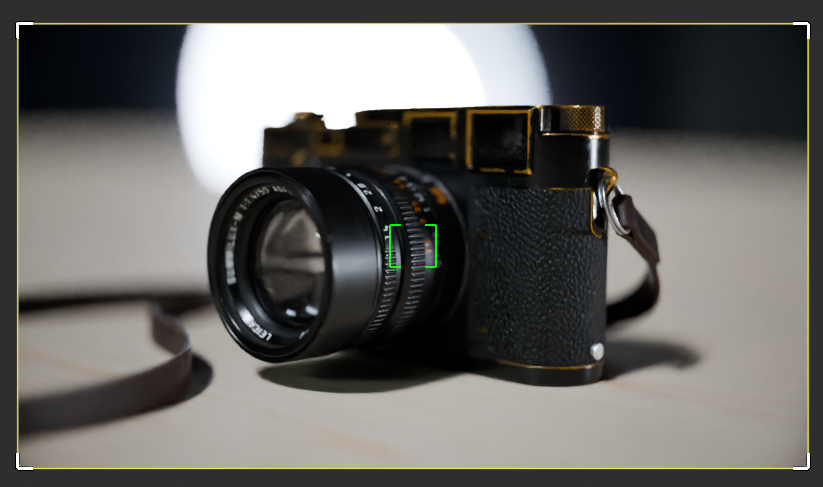
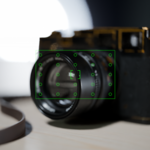
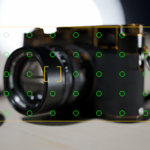
AF-S · Single Point — One precise focus bracket. Lock on exactly what matters.
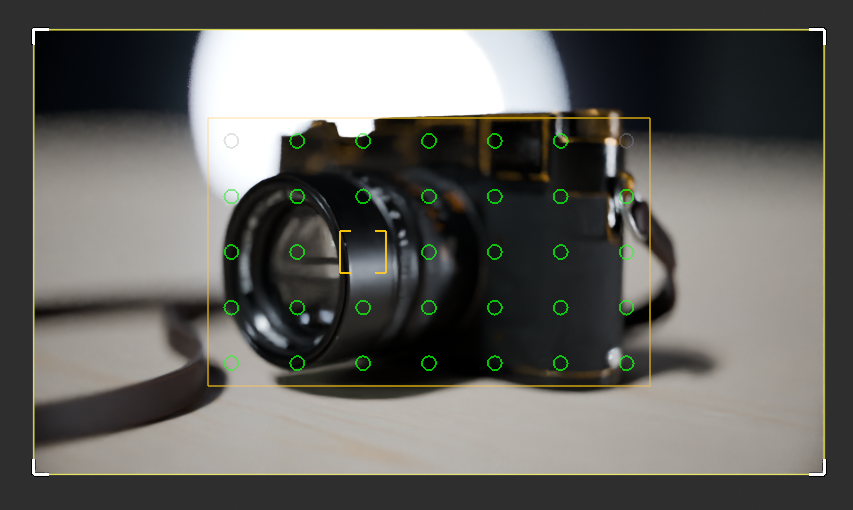
ALL mode — Every AF point active. Full viewport coverage for automatic subject detection.
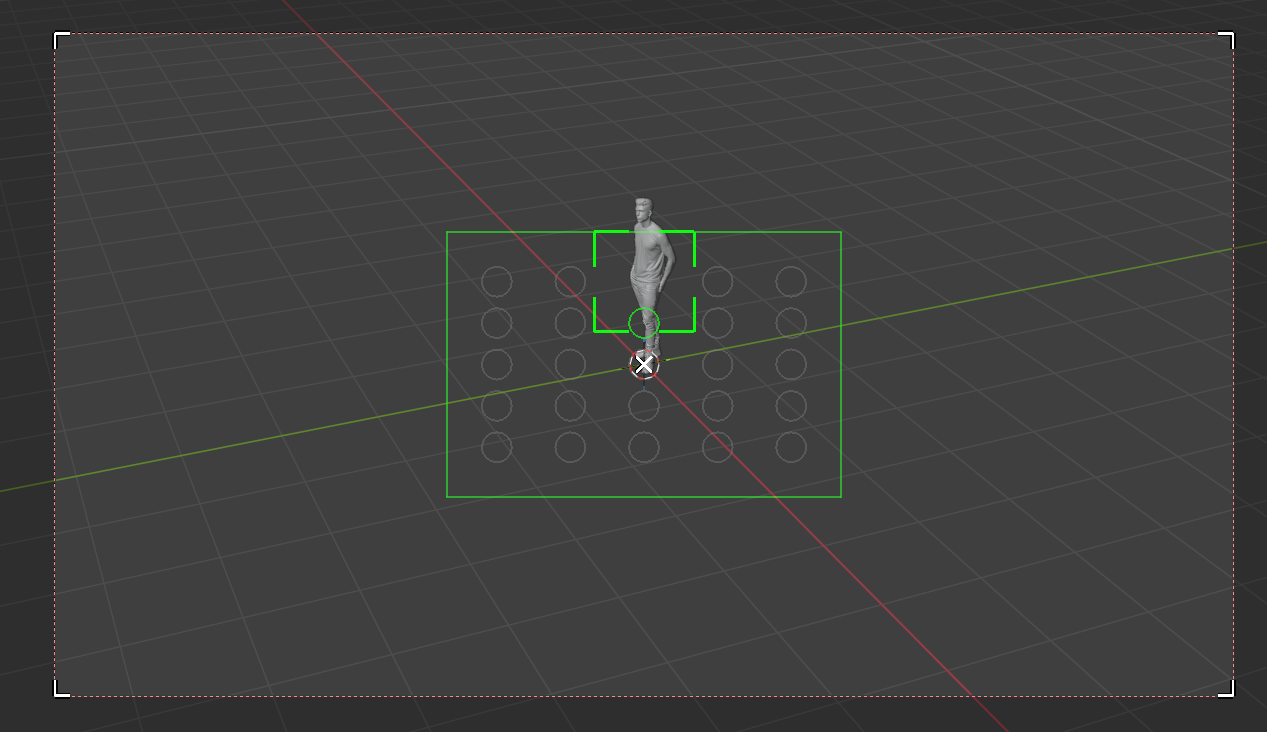
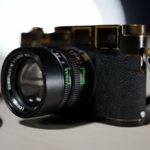
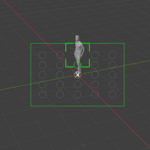
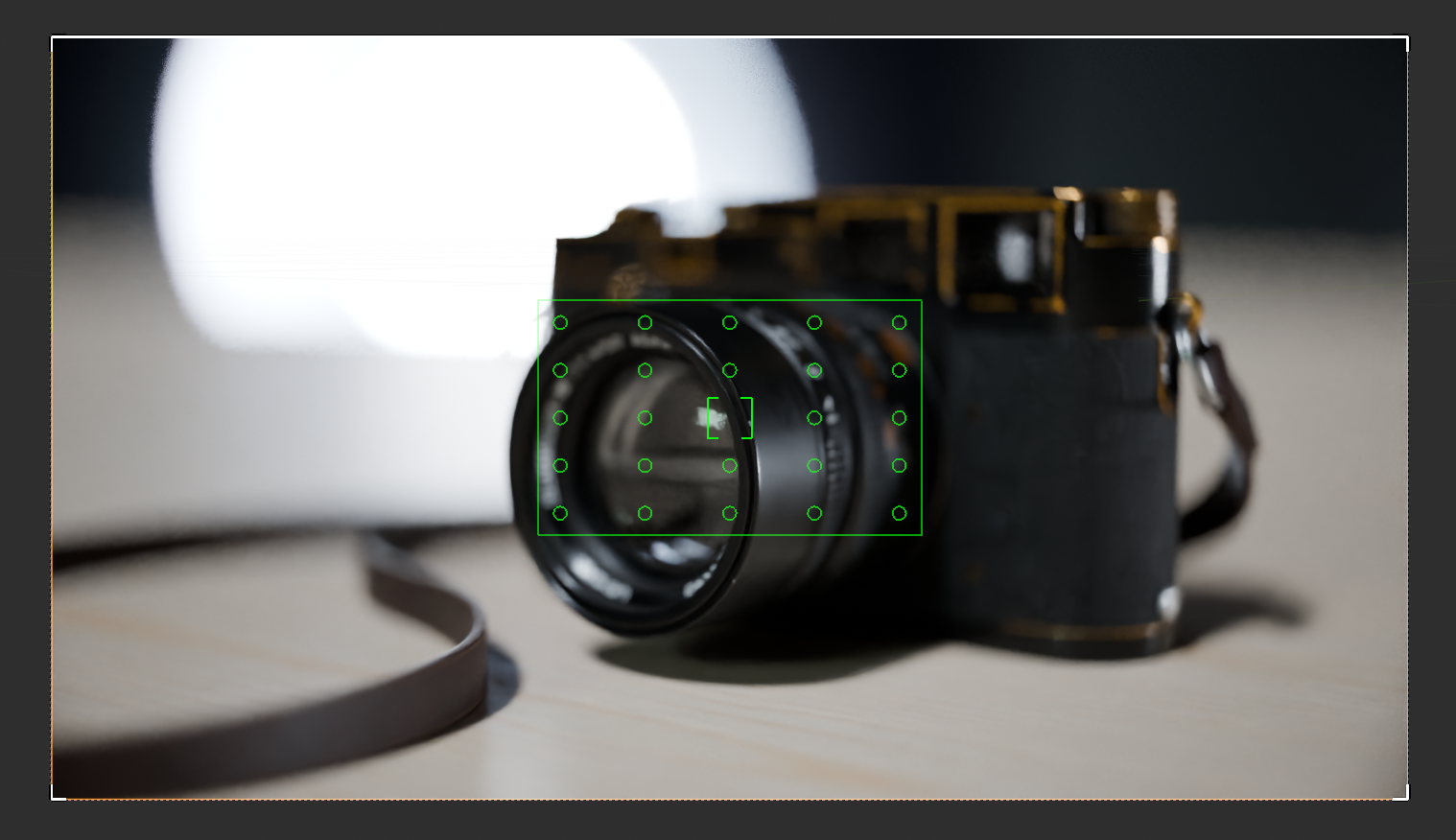
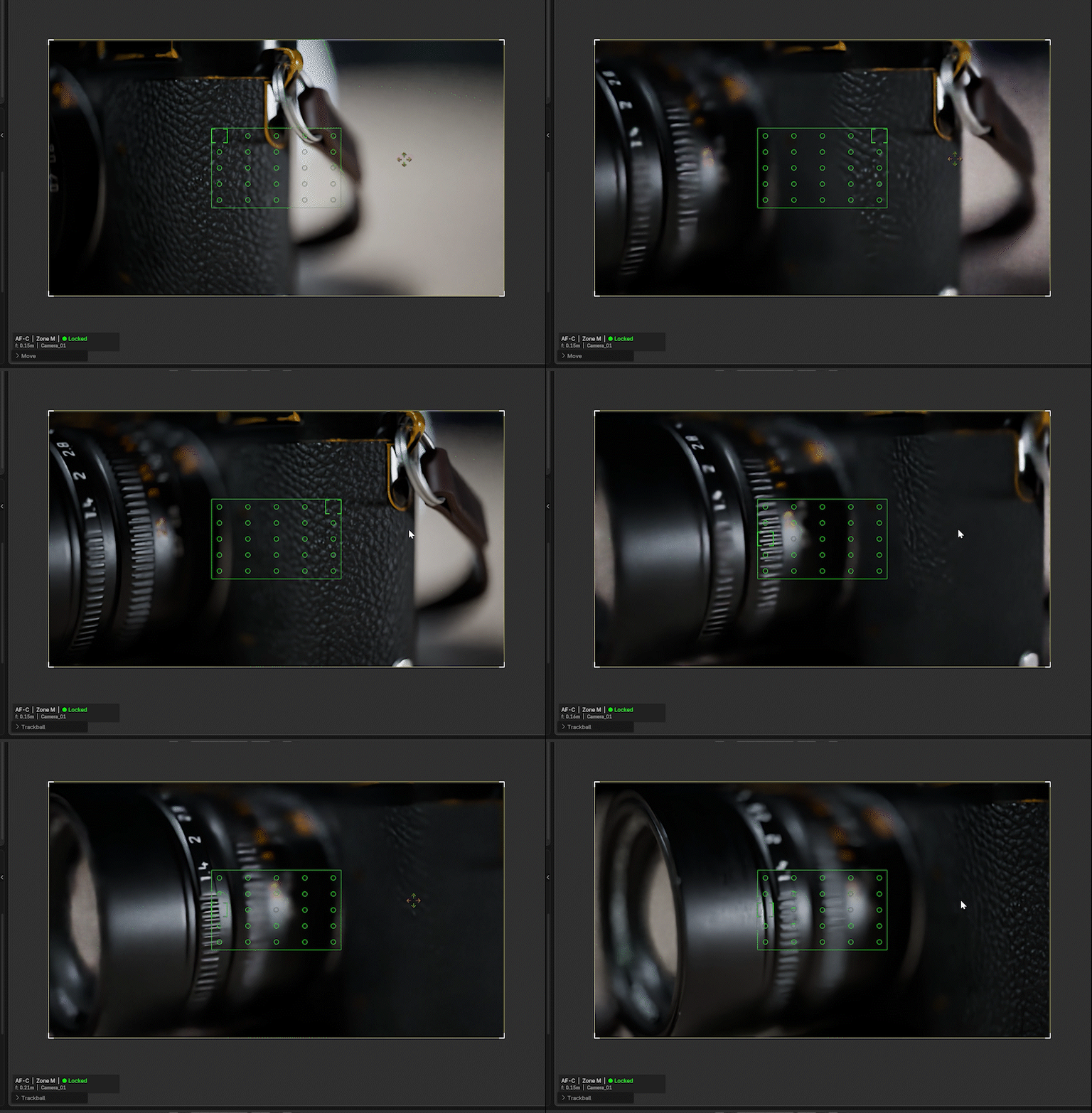
AF-C · Zone M · Locked — Green grid shows locked focus points. Status bar displays mode, distance, and target object in real time.
LIVE DEMO
In action
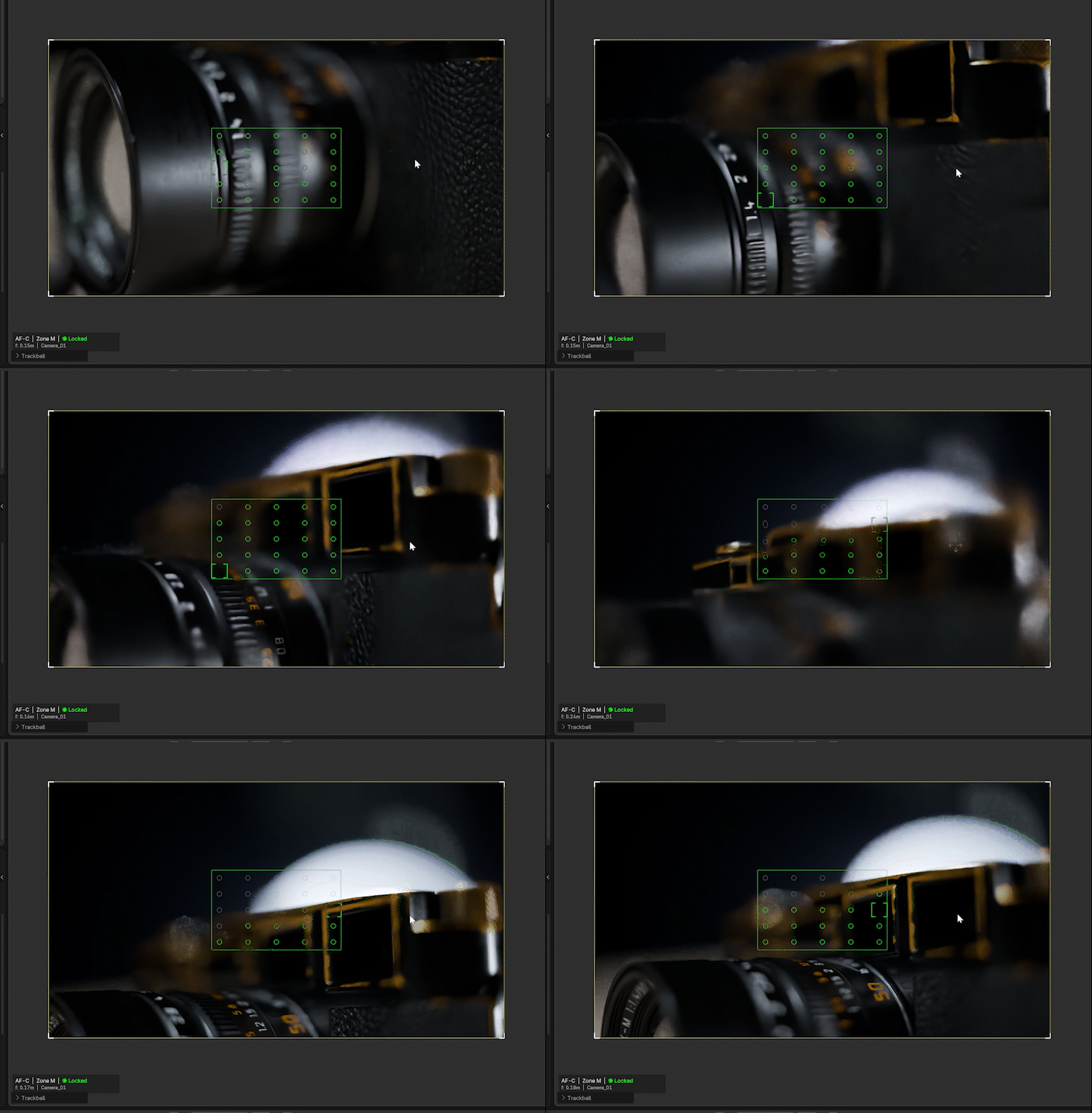
AF-C · Zone M — Continuous autofocus with real-time depth of field transitions as the camera moves through the scene.
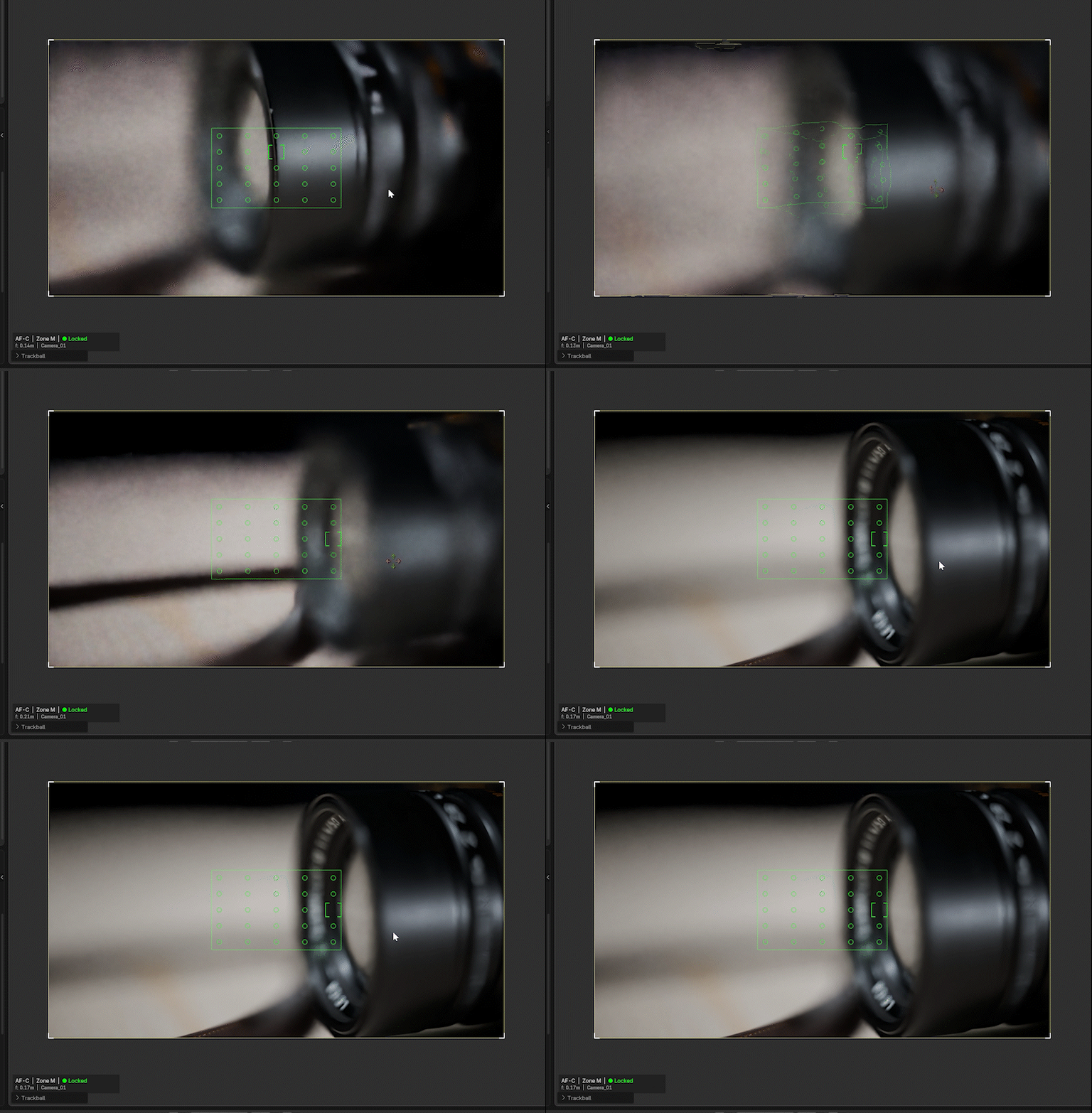
Smooth rack focus — Watch the depth of field shift as the diopter-space engine tracks across the scene.
INTERFACE
Clean professional UI
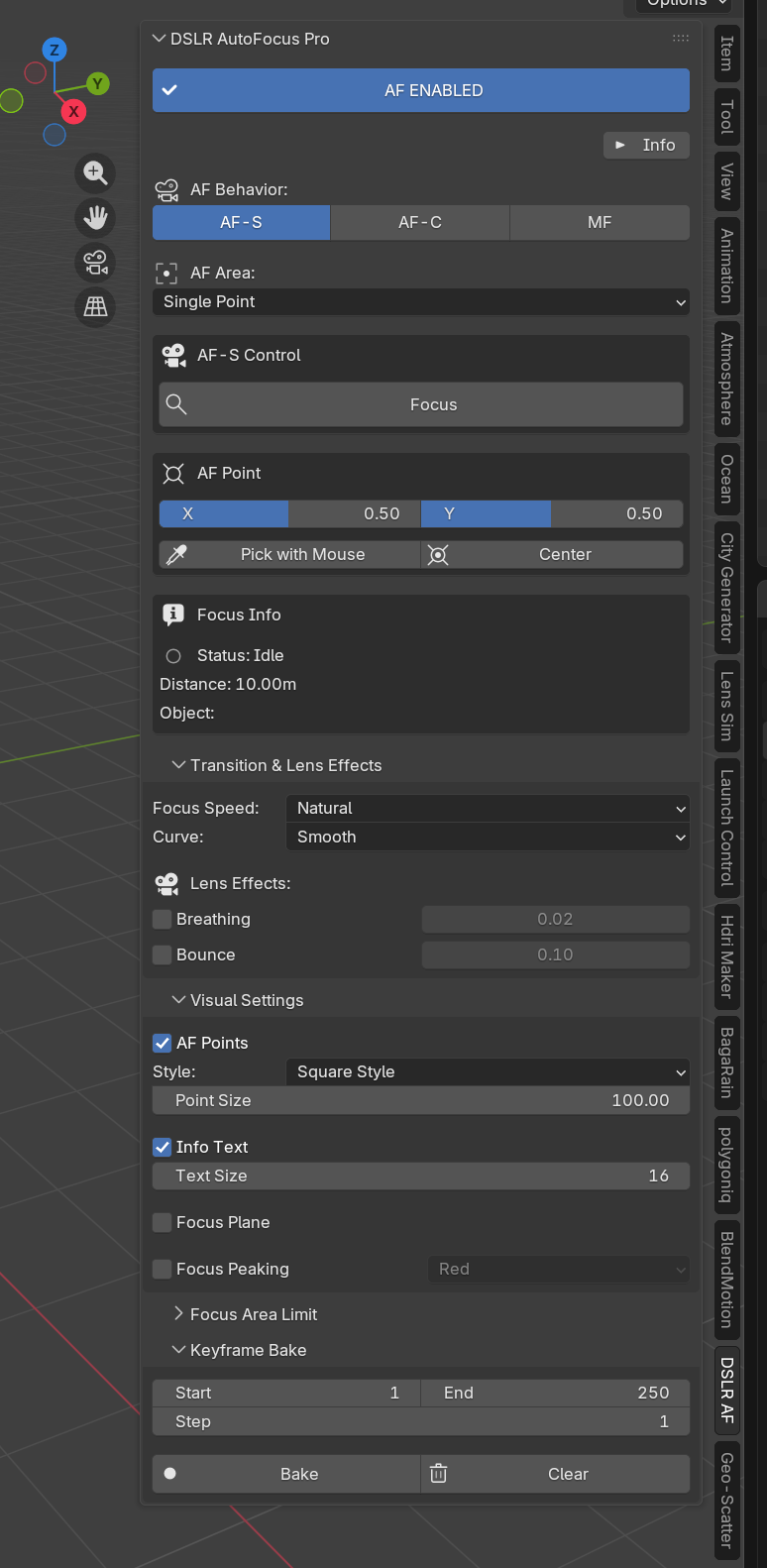
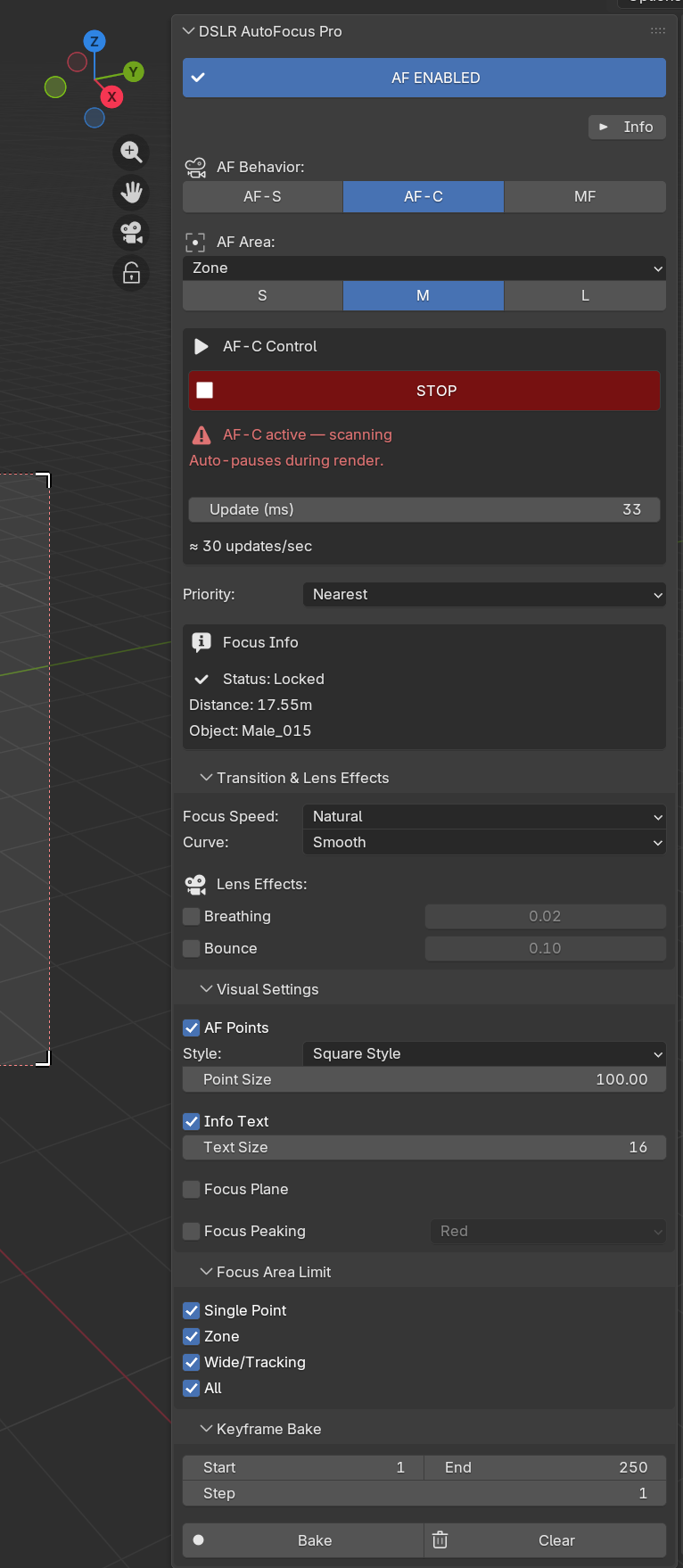
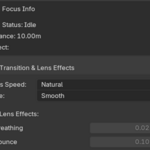
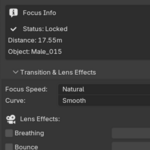
Left: AF-S Single Point — precision controls with Pick/Center point selection. Right: AF-C Zone M — continuous mode with live status, distance, and object info.
Everything lives in one sidebar tab: Focus · Transition & Lens Effects · Auto Exposure · Keyframe Bake · Viewfinder Overlay · AF Area Modes · Utilities. Help text is one click away with the ? in the panel header.
AF SYSTEM
Mode combinations
STATUS
Focus indicators
IDLE
Standby
SEARCHING
Scanning
LOCKED
In focus
TRACKING
Following
SPECIFICATIONS
Details
VIDEO
In motion
CHANGELOG
Version history
v1.5.5 — Additive Camera Layer
🎚️ Lens Breathing Is Now Additive
Breathing no longer takes ownership of your focal length — it is composed on top of whatever you authored: a static value, a keyframed zoom, or a slider you move while AF runs. Previously a zoom animation froze while AF was active; now zoom and breathing coexist, and the panel tells you when a zoom animation is detected.
📐 Ratio-Based Breathing Model
Breathing is physically a percentage change of angle of view, so it is now a ratio instead of a millimetre offset. A fixed 1.2 mm offset used to be a 5% breath at 24 mm but only 1.7% at 70 mm; the character no longer changes across a zoom range. Calibration is unchanged at 50 mm — existing projects look exactly the same.
🎬 Non-Destructive Bake & Driver Safety
Your zoom and focus curves are carried through the bake and stashed with full handle and interpolation data — Clear Bake restores them. If the lens is driver-controlled, breathing steps aside instead of fighting it. Also fixed: breathing lost between frames during playback, and float precision drift over long sessions. Blender 4.x and 5.x action layouts both supported.
v1.5.4 — Streamlined UI & Bounce Polish
🧩 Keyframe Bake Now Inline
The Keyframe Bake controls moved out of a separate sub-panel and into the main panel as a collapsible inline section — fewer clicks, everything in one place.
🐛 Critical Bounce Fixes
Fixed an AF-S settle-timer bug that broke bounce animation after the diopter refactor. Added direction-aware overshoot (the motor overshoots in the direction of travel), a raised-cosine release window that removes the residual snap at envelope end, and frame-rate-independent residual decay so bounce looks identical at any viewport frame rate.
v1.5.2 – v1.5.3 — Bounce Preset System
🎬 Four Motor-Modeled Presets
Focus bounce now ships with four named presets, each bundling physically correlated frequency, decay, and envelope values modeled after a real lens motor: Modern (STM/Linear, ~5 Hz), Natural (USM/DDSSM, ~4 Hz), Cinematic (cine servo, ~3.5 Hz — default), and Vintage (1980s–90s DC motor, ~2.5 Hz).
🎚️ Custom Mode + Test Bounce
A new Custom mode exposes individual frequency, decay, envelope, and amplitude sliders for full manual control. The Test Bounce button previews the selected bounce character instantly — no need to rack focus to feel the difference.
v1.5.1 — Physics Engine Overhaul
🔬 Diopter-Space Focus Engine — Complete Rewrite
The focus interpolator now operates in diopter space (1/distance) rather than linear distance, matching how real DSLR/mirrorless AF motors actually move. This fixes the long-standing "instant focus" feel on near→far rack focus pulls. Where the old linear lerp put focus at 7m within 17ms of a 1m→50m pull, the new engine places it at 1.14m — a smooth, even pull through the entire range. Reference: thin lens equation, U.S. Patent 4,816,859, real-world non-linear focus ring travel.
🎯 Focus Bounce — Recalibrated for Visibility
Bounce parameters retuned toward the cinematic end of real servo behavior so each oscillation is perceivable to the human eye. A strict 5 Hz physical bounce reads as "instant blur" on screen — the new 3.5 Hz tuning shows ~1.9 visible cycles. Bounce fires at lens settle (servo brake), not at command issue — physically correct timing.
🌫️ Recalibrated Lens Breathing
Previous breathing coefficient produced exaggerated FOV changes (up to ±20%). Modern cine and stills lenses typically show ~5%. Coefficient retuned ×4.0 → ×1.5, clamp ±20% → ±10%. Now matches the breathing curve of real modern lenses.
🛡️ Fixed: Past-Infinity Bounce Glitch
A new relative amplitude cap keeps bounce excursion ≤ 50% of the settle diopter, preventing far-focus bounces from snapping to the far-distance ceiling — while remaining visible across all focus ranges (1m through 50m+).
v1.1 — Lens Effects Overhaul & Modern EVF HUD
Lens Breathing — Complete Rewrite
New infinity-referenced physics model with adaptive low-pass filter. Breathing is now clearly visible during rack focus — the FOV shifts as focus pulls between near and far subjects. The adaptive filter kills AF-C micro-jitter while letting real focus transitions through instantly. Bake now keyframes cam.lens alongside focus_distance when breathing is enabled.
Modern EVF Viewport Overlay
Overlay rewritten to match modern mirrorless viewfinders (Sony α7R V, Fujifilm X-T5, Canon R5). Dark shadow outlines on every AF bracket for readability on any background. Proportional sizing — AF points scale with the camera frame. Info bar anchored to the bottom of the camera frame with a three-section layout.
v1.0 — Initial Release
Full dual-axis AF system (AF-S, AF-C, MF × Single Point, Zone S/M/L, Wide/Tracking S/M/L, All). Viewport overlay with 4 point styles and status color coding. Smooth focus transitions with speed presets. Lens breathing & bounce effects. One-click keyframe bake with step control. Focus peaking for manual mode. Blender 4.0–5.0 compatible.
⚙️ This addon controls focus distance, the camera lens when breathing is enabled, and Color Management ▸ Exposure when Auto Exposure is on. It does not change any other render settings.
🔄 Autofocus and Auto Exposure auto-pause during render and resume after it completes.
📩 Contact me via messages for support or feature requests.
© Skettch · DSLR AutoFocus Pro · 2026
DSLR AutoFocus Pro 1.7.0