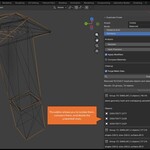
Duplicate Finder and Remover - Clean Imported CAD Files From Duplicate Meshes

HR in Modeling


Installation

  1. Download the addon (.zip file)

  2. Open Blender

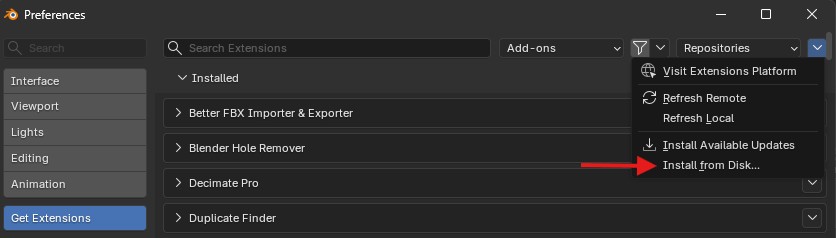
  3. Go to Edit → Preferences → Get Extensions

  4. Click Install from disk and select the ZIP file

  5. Enable DUPLICATE FINDER (if not already enabled)


Updating the Addon

As long as sales allow us to support this addon, we intend to continue updating it with new features and compatibility with future versions of Blender.

To install updates or new versions:

  1. Remove the addon from Blender Preferences

  2. Restart Blender

  3. Install the updated version

  • Single-user license

    $15
  • Multi-seat license for 5 users Save 10%

    $67.50
  • Multi-seat license for 10 users Save 20%

    $120
$15

Support Period Included

Includes 12 months of

  • Support from HR
  • Product updates

Extend this product’s Support Period +12 months: 50% of product price

Have questions before purchasing?
Login to message

Details
Blender Extension Compatible Yes
Rating
1 ratings
Published 5 months ago
Blender Version 5.1 - 5.2
Extension Type Add-on
Render Engine Used Arnold, Blender-Internal, Blender-Game-Engine, Cycles, Eevee, Freestyle, Luxrender, Mental-Ray, Octane, Vray, Yafaray
License GPL