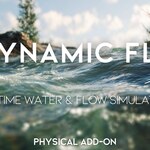
Dynamic Flow - Real Time Water Simulation
 Blender Procedural


Dynamic Flow – Addon Documentation
Overview
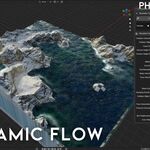
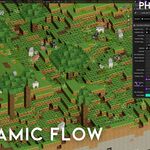
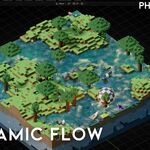
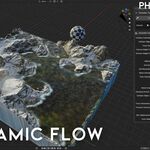
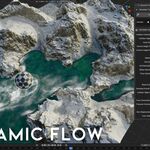
Dynamic Flow is a Blender addon that creates real-time procedural water and surface flow using a grid-based system.
It does not use Blender’s Fluid Simulation and requires no baking or caching.
The addon is designed for fast environment creation, terrain water, shorelines, islands, and real-time previews.
Installation
-
Install the addon via Edit → Preferences → Add-ons → Install
-
Enable Dynamic Flow
-
The Dynamic Flow panel will appear in the viewport sidebar
Creating a New Simulation
-
Open the Dynamic Flow panel
-
Click Create New Simulation
-
The addon will automatically:
-
Create a new Dynamic Flow Grid domain
-
Initialize the simulation system
-
Prepare all required Geometry Nodes internally
-
This step must be done once per simulation.
Collision Setup (IMPORTANT)
Dynamic Flow uses collections to manage collision objects.
Step 1 – Create a Collision Collection
-
In the Outliner, create a new collection
(Example name:DynamicFlow_Collisions) -
Add all objects that should interact with the water into this collection
(rocks, terrain, islands, obstacles, etc.)
Step 2 – Assign the Collision Collection
-
In the Dynamic Flow panel:
-
Set Collision Collection to your newly created collection
-
-
(Optional) Assign a specific Collision Object if needed
The simulation will now react to all objects inside the selected collection.
Simulation Settings
Domain
-
Dynamic Flow Grid
Defines the simulation area and resolution.
Grid Settings
-
Voxel Size
Controls simulation detail. Smaller values increase quality but reduce performance. -
Grid Resolution
Overall simulation density.
Flow Controls
-
Flow Velocity
Main direction and speed of the water. -
Noise Velocity
Adds natural variation to the flow. -
Noise Scale
Controls the size of noise patterns.
Surface Controls
-
Surface Height Displacement
Controls wave height and surface motion. -
Blur Displacement
Smooths the surface and stabilizes movement.
Foam & Water
-
Foam Generation Rate
Controls shoreline and collision foam intensity. -
Add Underwater
Enables underwater shading support. -
Color Water
Quick color control for water appearance.
Physics
-
Pressure Calculation
Controls how strongly the flow reacts to obstacles. -
Damping Overall Velocity
Controls energy loss over time. -
Freeze Collision
Locks collision data for improved performance.
Recommended Workflow
-
Create your terrain or island mesh
-
Add a water plane
-
Click Create New Simulation
-
Create a collision collection and assign it
-
Adjust flow speed, noise, and foam
-
Fine-tune resolution for performance
Performance Tips
-
Use lower grid resolution for large scenes
-
Freeze collision once objects stop moving
-
Increase voxel size for faster previews
-
Avoid unnecessary collision objects
Have questions about this product?
Login to message
| Blender Extension Compatible | Yes |
| Sales | 100+ |
| Dev Fund Contributor | |
| Published | 9 months ago |
| Blender Version | 5.0 |
| Extension Type | Add-on |
| Render Engine Used | Cycles, Eevee |
| License | GPL |
Discover more products like this
procedural-water foam Water Fluid-simulation geometry nodes simulation-nodes water-flow flow real time water river physics stylized-water