Blender Procedural


Dynamic Flow Addon
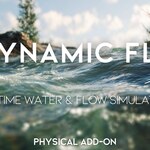
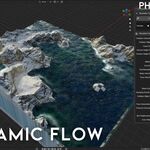
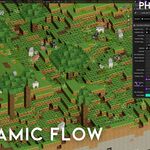
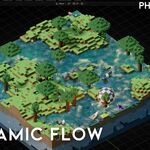
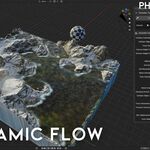
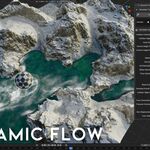
Real-time procedural water & surface flow system built with Geometry Nodes for Blender. Create flowing water, shoreline foam, and terrain-aware motion without baking, caching, or traditional fluid sims.

Key Features
- Real-time flowing water (no bake / no cache)
- Terrain-aware flow direction + natural noise motion
- Automatic shoreline foam generation
- Collision support (collections / objects)
- Lightweight grid-based setup for fast previews
- Fully procedural & non-destructive workflow
- Works in Eevee & Cycles
Best For
- Islands, coastlines, rivers, lakes, terrain water
- Environment art, level design, concept scenes
- Stylized or realistic water looks

Quick Start
- Install and enable the Dynamic Flow addon.
- Open the Dynamic Flow panel in the viewport.
- Click Create New Simulation to initialize the system.
- Create a new collection and add all collision objects to it.
- Set Collision Collection to the created collection.
- Adjust flow, foam, and resolution settings.
Controls (Panel)
-
Voxel Size / Grid Resolution: simulation detail & performance
-
Flow Velocity: main water movement speed
-
Noise Velocity + Noise Scale: natural variation
-
Damping Overall Velocity: energy loss / smoothness
-
Foam Generation Rate: shoreline & interaction foam
-
Pressure Calculation: reaction strength
-
Freeze Collision: lock collision for better performance
-
Blur Displacement: smooth the surface motion
-
Color Water: quick water tint control
Compatibility
- Blender 5.0 (Fully compatible)
- Eevee & Cycles
Dynamic Flow Addon
Real-time procedural water & surface flow system built with Geometry Nodes for Blender. Create flowing water, shoreline foam, and terrain-aware motion without baking, caching, or traditional fluid sims.
Key Features
- Real-time flowing water (no bake / no cache)
- Terrain-aware flow direction + natural noise motion
- Automatic shoreline foam generation
- Collision support (collections / objects)
- Lightweight grid-based setup for fast previews
- Fully procedural & non-destructive workflow
- Works in Eevee & Cycles
Best For
- Islands, coastlines, rivers, lakes, terrain water
- Environment art, level design, concept scenes
- Stylized or realistic water looks
Quick Start
- Install and enable the Dynamic Flow addon.
- Open the Dynamic Flow panel in the viewport.
- Click Create New Simulation to initialize the system.
- Create a new collection and add all collision objects to it.
- Set Collision Collection to the created collection.
- Adjust flow, foam, and resolution settings.
Quick Start
- Install and enable the Dynamic Flow addon.
- Open the Dynamic Flow panel in the viewport.
- Click Create New Simulation to initialize the system.
- Create a new collection and add all collision objects to it.
- Set Collision Collection to the created collection.
- Adjust flow, foam, and resolution settings.
Controls (Panel)
- Voxel Size / Grid Resolution: simulation detail & performance
- Flow Velocity: main water movement speed
- Noise Velocity + Noise Scale: natural variation
- Damping Overall Velocity: energy loss / smoothness
- Foam Generation Rate: shoreline & interaction foam
- Pressure Calculation: reaction strength
- Freeze Collision: lock collision for better performance
- Blur Displacement: smooth the surface motion
- Color Water: quick water tint control
Compatibility
- Blender 5.0 (Fully compatible)
- Eevee & Cycles
🚀 Explore More by Blender Procedural