 Ilyasse


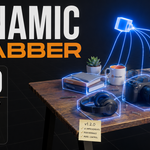
Stop placing objects. Start dropping them.
You know the drill. Forty books to put on a shelf. You move one, rotate it, nudge it down until it almost touches the board. Then the next one. Twenty minutes later half of them intersect and the scene still looks staged.
I got tired of it, so I made placement physical. With Dynamic Grabber you grab things and they swing at the end of a spring. You drop them and they fall, collide, settle. You paint copies and every one of them lands like someone actually put it there, because physically speaking, someone did.
Every object in your scene already knows how to sit on a table. You just have to let it.
Three tools, one habit
Dynamic Grab (Ctrl+Shift+G)
Grab the selection and drag it around with real weight. Lock an axis, rotate while carrying, snap to 90 degrees when you're stacking crates like Tetris. And it carries what's on top: lift a tray, the dishes come along.
Dynamic Drop (Ctrl+Shift+D)
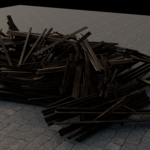
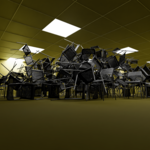
Let gravity do the boring part. Select, drop, done. Or turn on Cascade and watch the pile build itself object by object, sweeping across your view. With Record Keyframes on, that's a finished rigid-body animation you didn't have to set up.
Physics Brush (Ctrl+Shift+C)
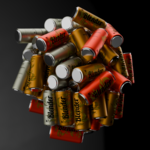
Paint copies that fall and settle. Books, mugs, crates, debris, whole collections if you want. Press S over any object to make it the new source without leaving the tool. U undoes one stroke at a time.
The part people buy it for: Stack Mode
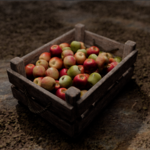
Point at a shelf, and the books land on that shelf, standing, spine to spine. Point at a book, and the next one stacks on top of it. It doesn't matter where the object's origin is, or how it's rotated, or whether your asset was modeled lying down: the copy lands at exactly the right height, every time.
New in 1.2.0: a Gap dial spaces the row (0 = spine to spine), and Scale Variation now works here too, so stacked crates come out slightly different sizes, like they've been reused for years.
Draw the layout instead of painting it
Hold Ctrl and drag: your assets follow the curve you just drew, evenly spaced. Ctrl+Shift gives you a straight line for fences and book rows. Ctrl-click a few times for a polyline around corners.
The best part: release the click, and the shape stays put. Scroll the wheel to set the exact number of copies, not approximately. Click again and it's laid. The circle does the same, and F switches its fill between ring, honeycomb and grid.
The Palette: one stroke, years of clutter
A real shelf isn't forty copies of the same book. So the brush can draw from a palette: add several objects, tell it how often each shows up, give each a size range, and tick Keep Upright on things like bottles and mugs so physics never leaves them on their side. One stroke, and the mix looks collected over years. The palette feeds the brush, every shape, and Stack Mode.
Water, without the afternoon of setup
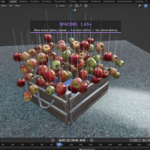
Click Setup Water. That's the tutorial. If your scene has no water at all, the addon creates the collection and a wave-ready plane sized to your scene. Mark objects "Can Float" and they fall in, splash, and ride the waves, with a waterline computed from the actual volume of the mesh, so a tall ship floats on its hull instead of hovering at half-mast height.
A foam ring forms around everything touching the surface. Rather have clean water? One switch swaps to a plain version instantly, and it never touches a material you made. And when you're happy, Bake Live to Keyframes turns all the bobbing into plain keyframes over the frame range you choose. The file then plays on a render farm that has never heard of this addon.
Not sure yet? The Lite is free
Grab and drop are the habit-forming part, so I give them away. Dynamic Grabber Lite is free: same grab, same drop, same physics. When you catch yourself wishing your brush painted books, you'll know it's time.
In the free Lite: Dynamic Grab with Carry Contents, and Dynamic Drop. The full physics core.
The full version adds: the Physics Brush and Stack Mode, Shapes (line, circle, honeycomb), the Palette, Water, floating and foam, Record and Bake to Keyframes, and Cascade drops.
Already on 1.1? Everything 1.2.0 adds
1.2.0 is by far the biggest update I've shipped. Three of the pillars below simply didn't exist in 1.1.
The Physics Brush (new)
Paint physical copies of an object or a whole collection
Stack Mode: exact heights, origin- and rotation-proof, with its own Gap dial
Random rotation, drop height, align to surface, plus Scale Variation in Stack Mode too
Sample a source under the cursor, undo per stroke, optional placement sound
Shapes (new)
Freehand curve, straight line, polyline, circle, with ring / honeycomb / grid fills
Nothing commits on release: draw, let go, dial the exact count, click to lay
Align to Path, Cascade Along Path, stations that stick to the surface you drew on
The Palette (new)
Weighted multi-object source with per-slot size range and Keep Upright
Feeds the brush, all shapes and Stack Mode
Water and floating (new)
One-click Setup Water (it even creates the plane if you have none)
Volume-based waterline, buoyancy, per-object ride variation
Auto Waves, foam shader with an instant on/off swap
Live Float, Float Now / Freeze, Bake Live to Keyframes with frame-range control
Animation, workflow and robustness
Cascade drops, Record Keyframes while you place, simulation presets (Fast / Balanced / Stable), force fields
Save My Defaults, custom toolbar tools, full key remapping, progressive HUD
Carry Contents lifts real loads; the classic Bullet crash traps are neutralised automatically; crash recovery returns everything a session borrowed
Every release passes an automated test battery on Blender 4.5.8 LTS, 5.0.1 and 5.1.2 before it ships
The boring but important part
Blender: 4.5.0 to 5.1.x (tested on 4.5.8 LTS, 5.0.1, 5.1.2)
Platforms: Windows, macOS, Linux. Pure Python, nothing to compile.
Install: drag the .zip into Blender. That's it.
You get: the extension, the full user guide, and free updates for the whole 1.2 line.
License: GPL-3.0-or-later
A few honest answers
Does a render farm need the addon?
No. Bake Live to Keyframes produces plain keyframes; the .blend plays anywhere.
Will it mess with my scene?
It's built not to. Materials you assigned are never replaced. Every helper object the addon creates is tagged and removable in one click. Live Float doesn't even use rigid bodies.
Can I keep the Lite installed next to the full version?
Installed, yes. Just enable one at a time. They're two builds of the same tool and they'd fight over the same panels.
I'm on 1.1. Is upgrading painful?
Install 1.2.0 over it and keep working. Your scenes open fine; the new tools just appear.
What if it's not for me?
Try the Lite first: same grab, same drop, free. You already know how the physics feels before you pay a cent. And Gumroad has a refund policy.
And when something breaks?
The Controls panel has an "Open Diagnostic Log" button. Send me the file, with a short description of what happened, to [email protected]om . I read every report and fix what I can, as quickly as I can.
Thanks for reading this far. If you're still on the fence, the Lite is free and it's the same physics. You'll know within ten minutes. Either way: go drop something.
Ilyasse
