 Orcavia
Easeam - An easy and quick way to marking seam (UV Unwrap tools)
Eseam 2 is out now!
Own Easeam? Upgrade to Easeam 2 at 50% Off
Use coupon code: easeamupgrade
This upgrade offer is available until June 15th 2026
This version is depricated and only Supports Blender up to 5.0.
[Added] Auto Seam by Y Verts: automatically marks seams on geometry with Y-shaped edges (usually generated by bevels with even segments)
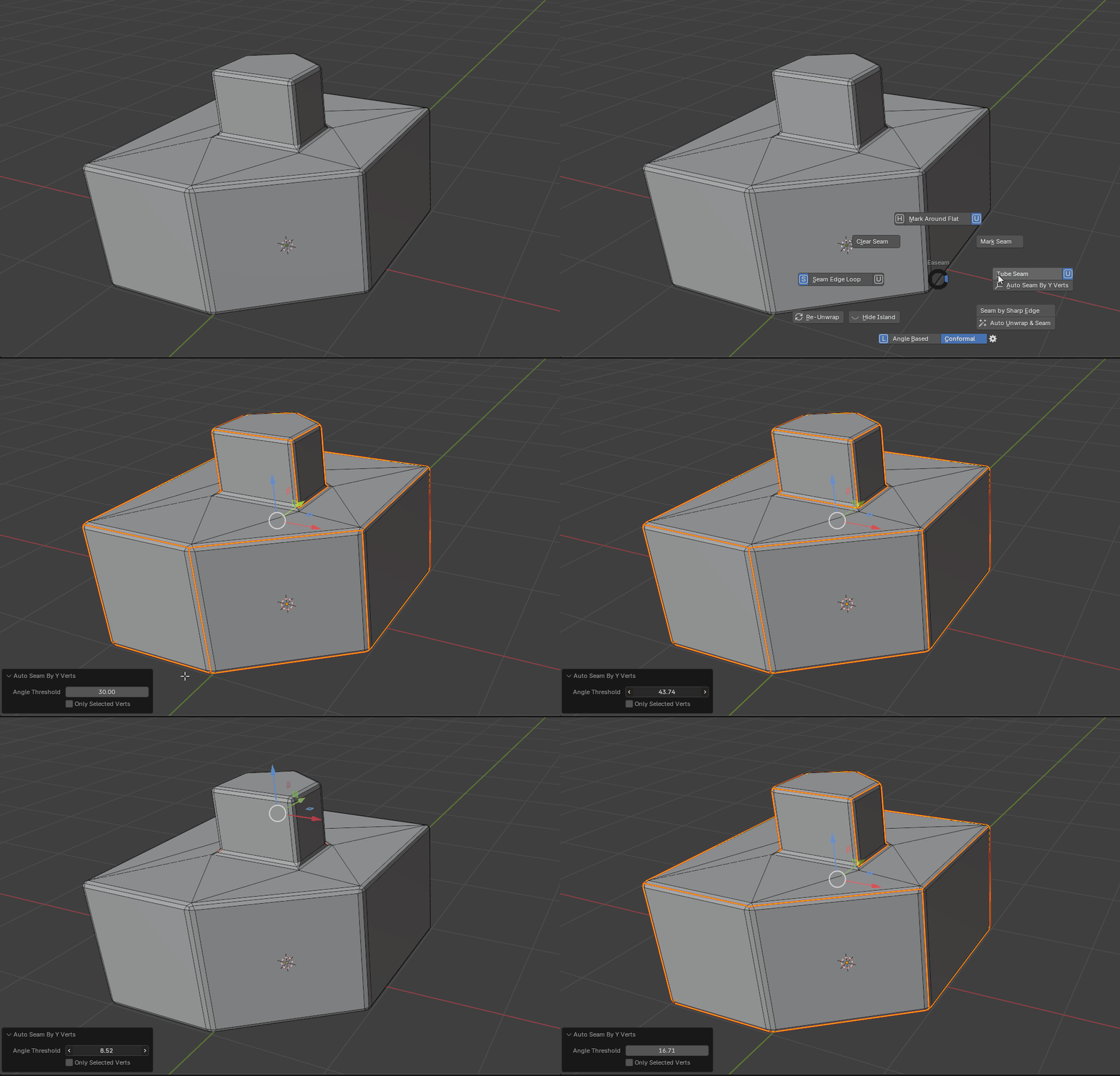
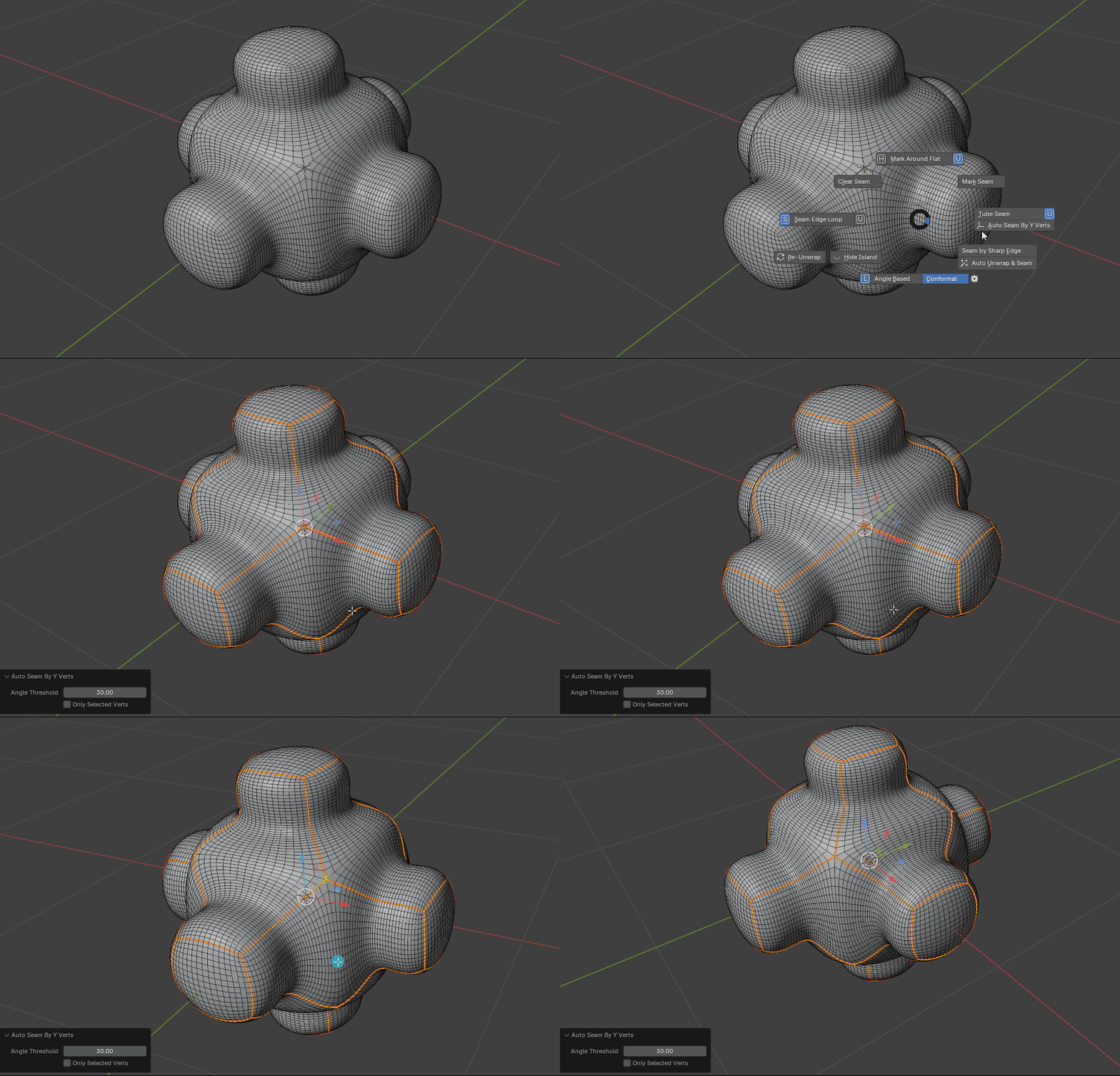
The operator will only detect similar geometry.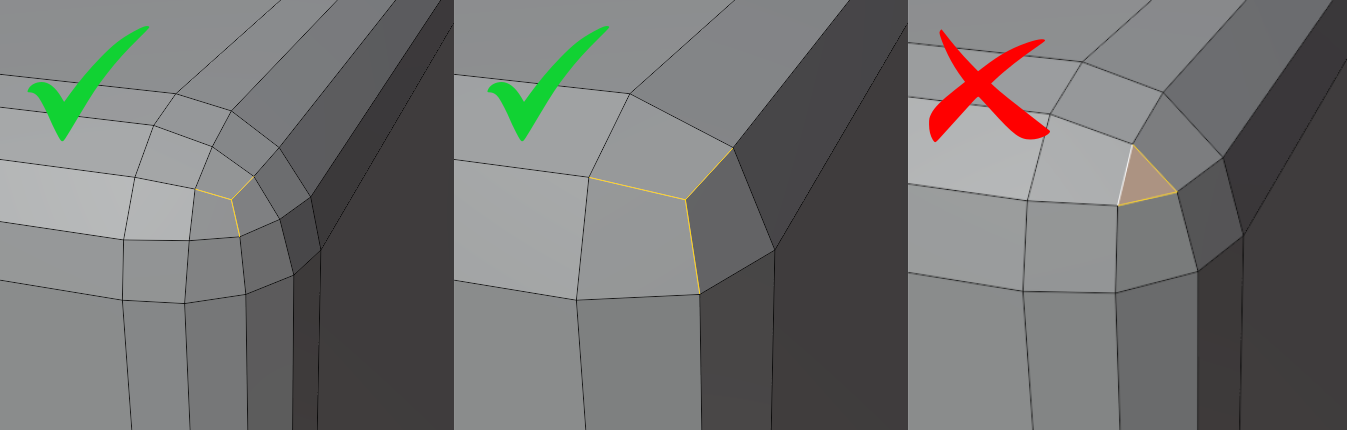
This add-on will speed-up your unwrapping workflow significantly especially on marking seam.

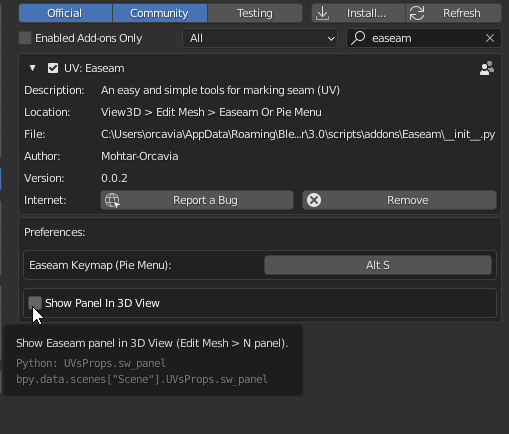
*You may hide N panel on addon preference
Usage and Feature:
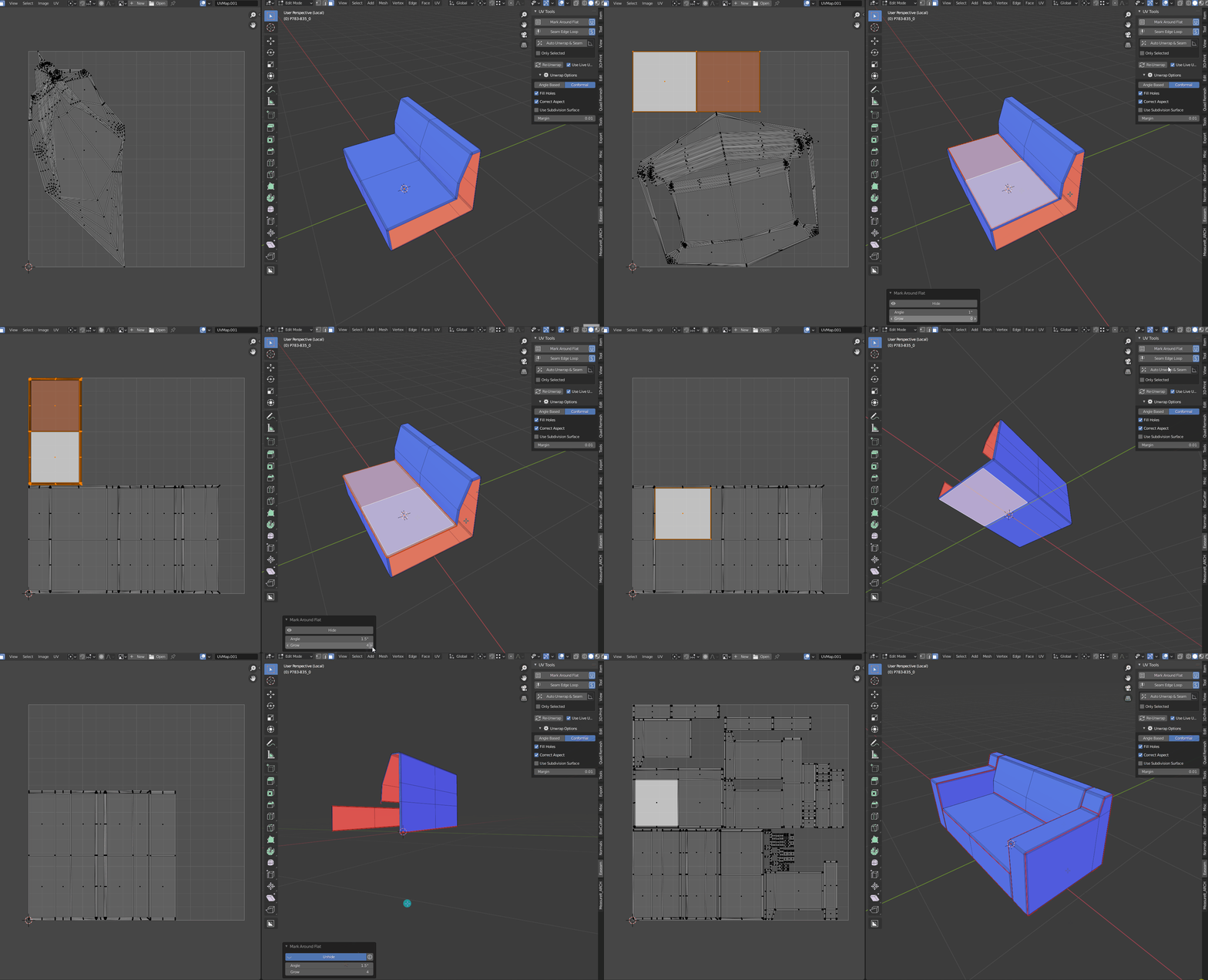
Mark edge seam around linked flat surface could be set by angle also able to grow selection
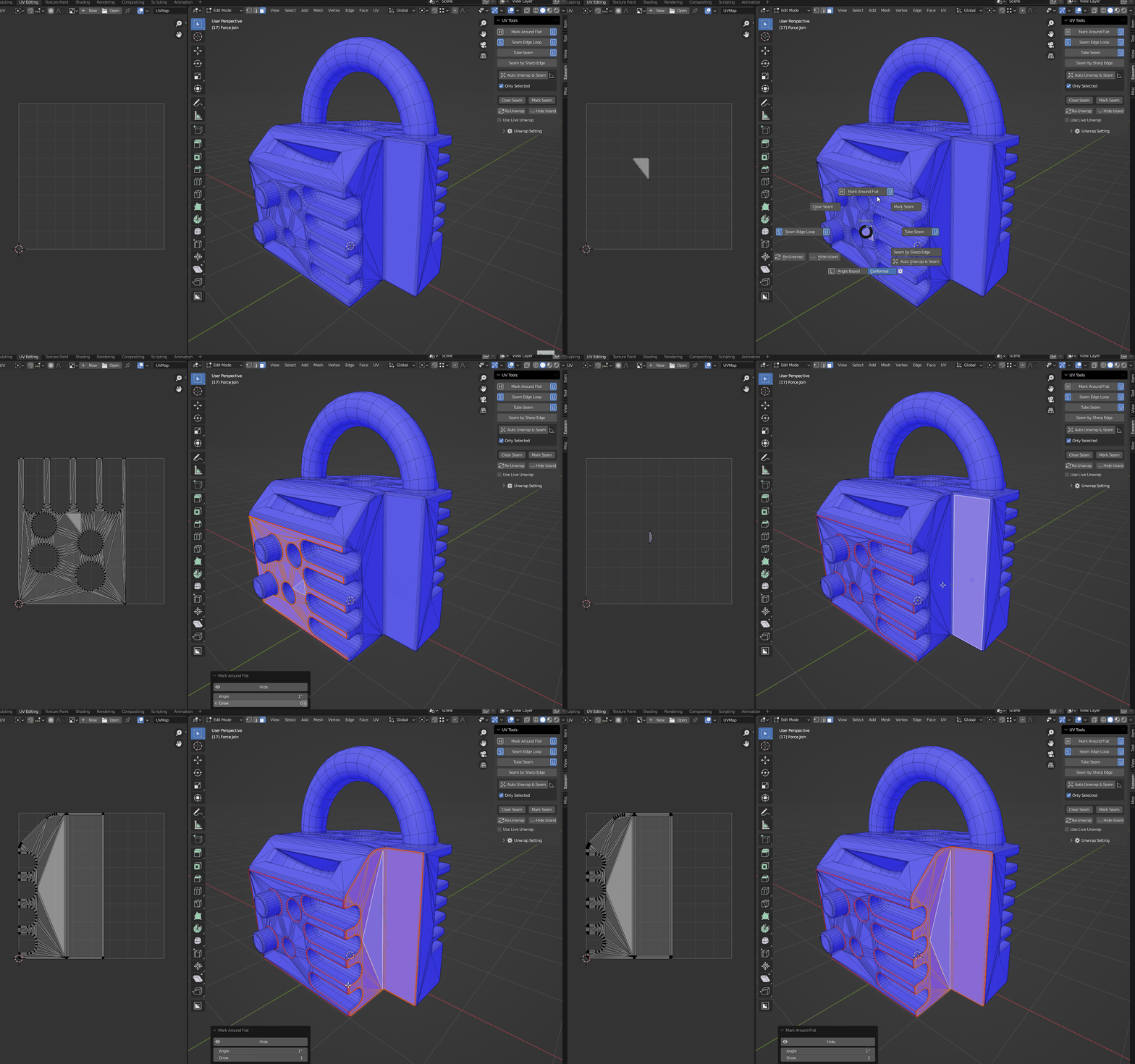
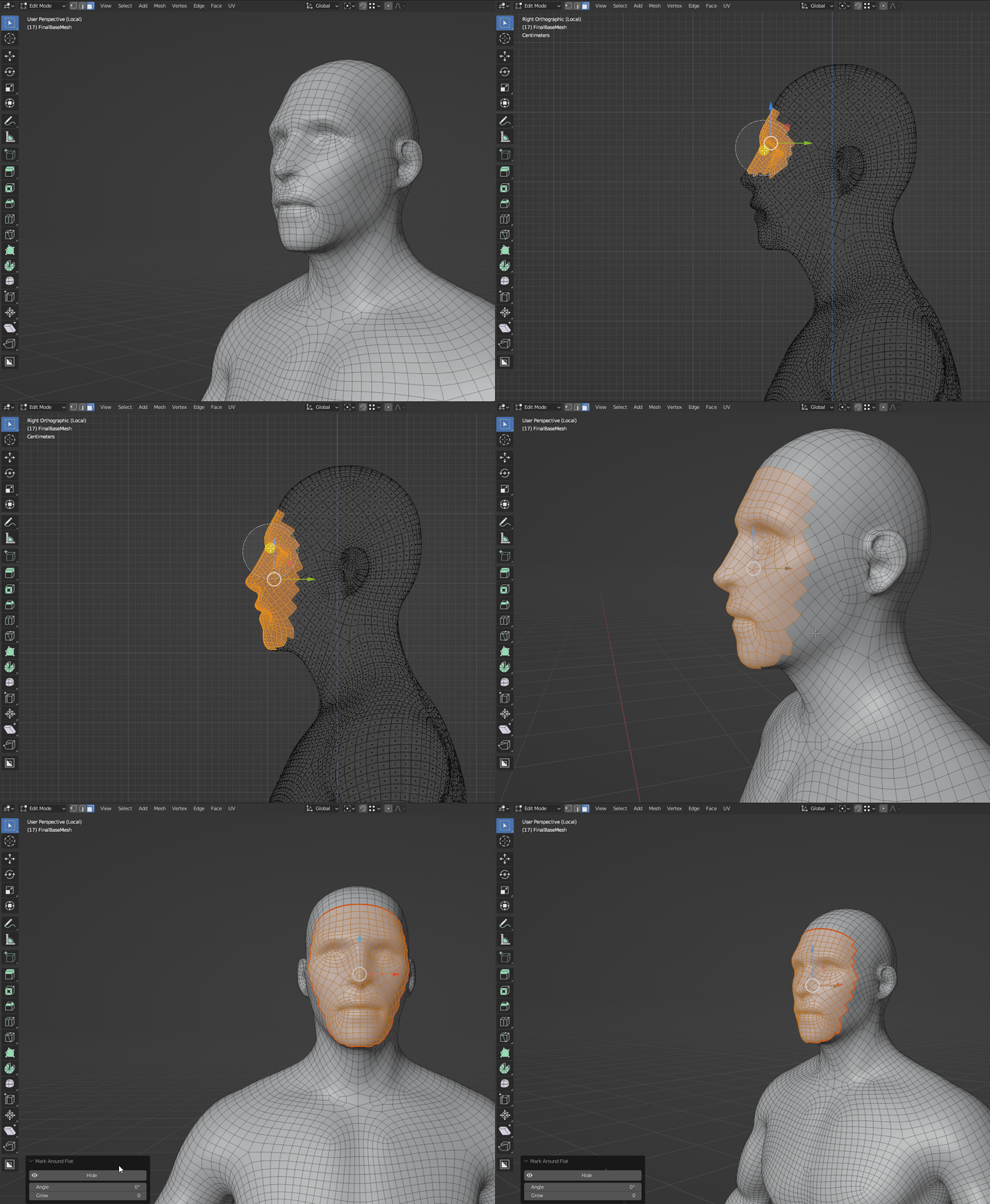
You can also mark just around the selection faces by set both value to 0
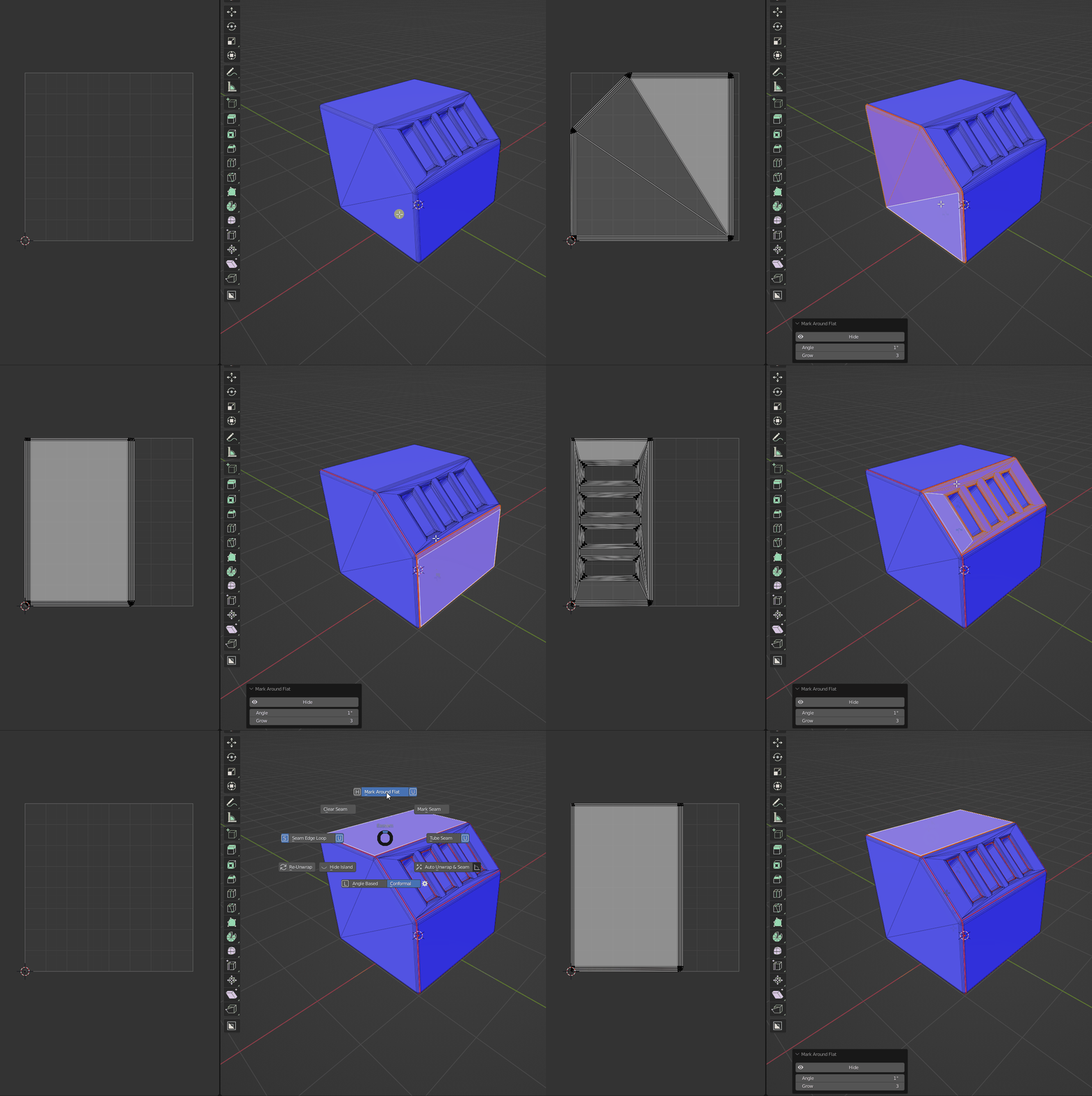
Also can be auto unwrap without "Live Unwarp" (Enable "U" icon)
*Wouldn't crossing between UV island.
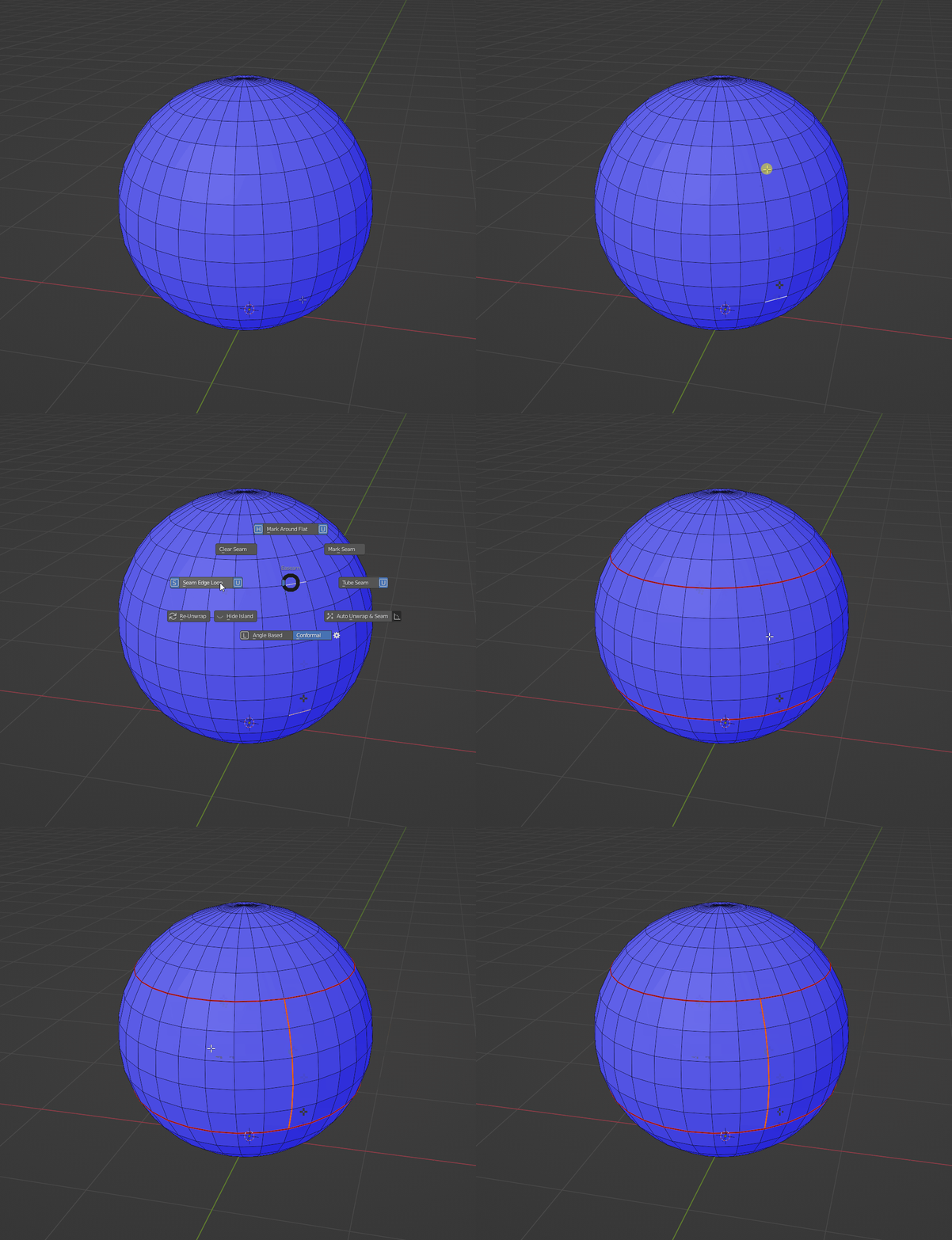
- Seam Edge Loop
Select Edge Loop and marking seam
able to auto unwrap ("U" icon) both between marked seam without Live unwrap enabled
Wouldn't crossing the edges has already marked seam.
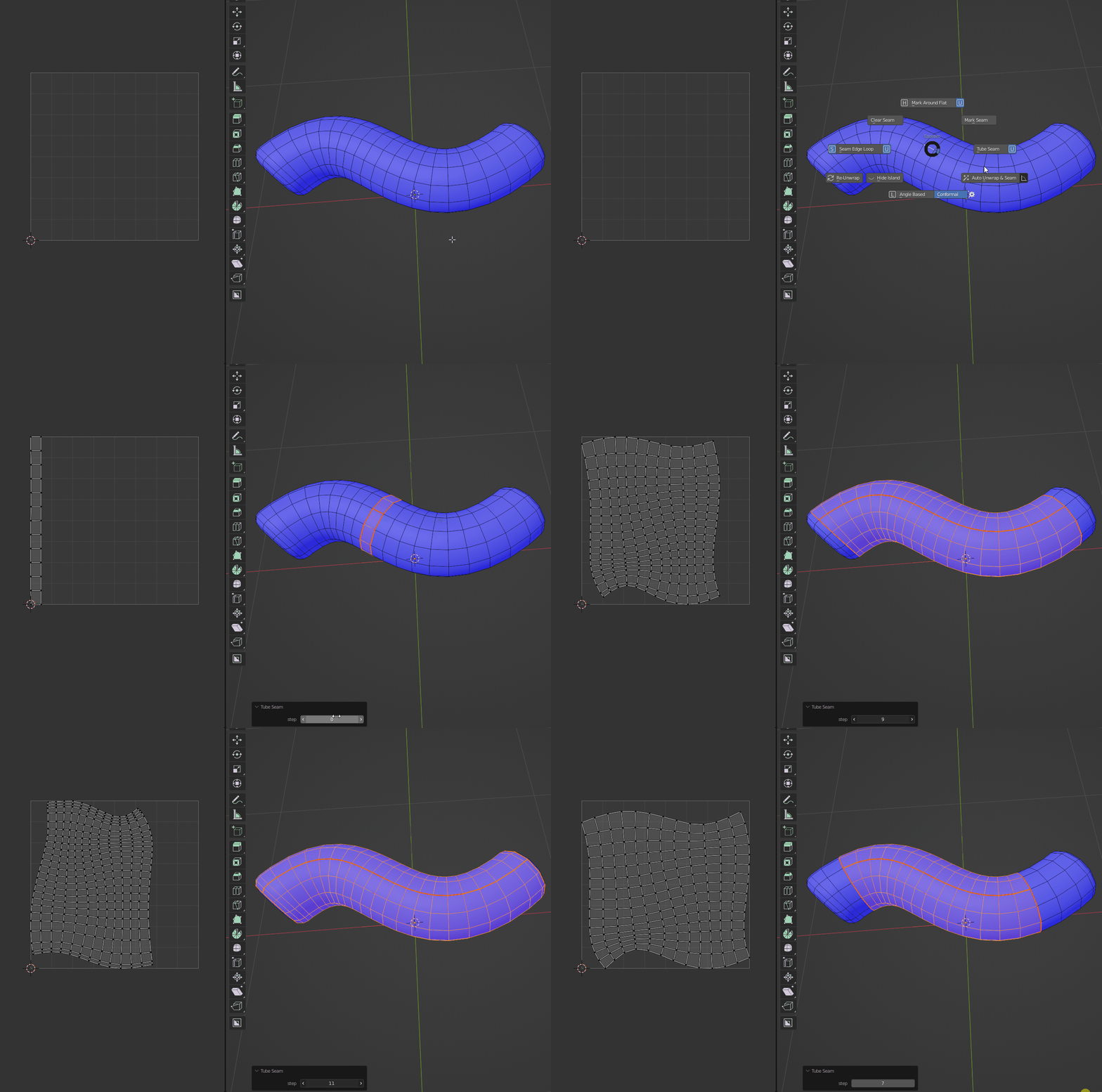
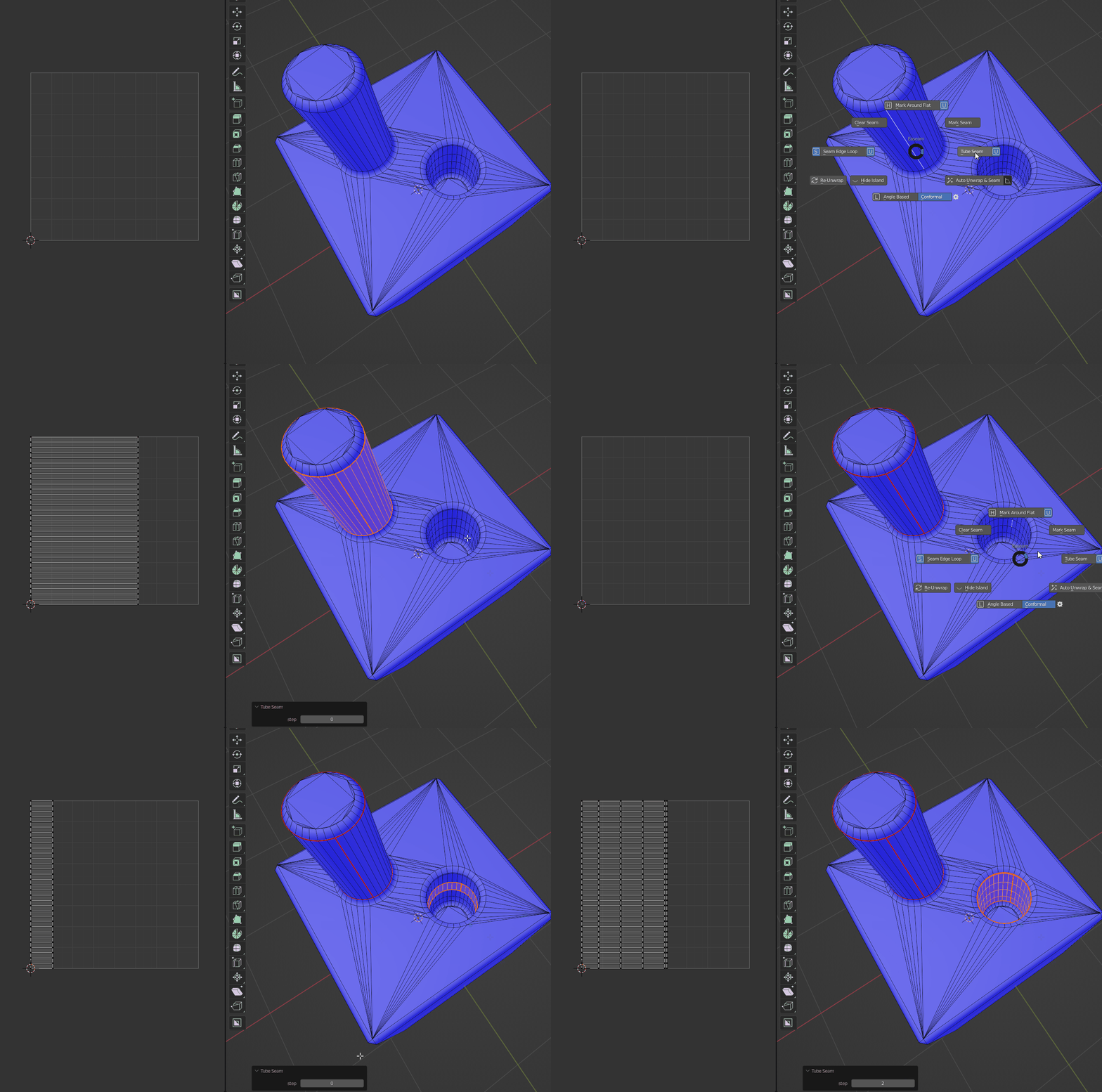
- Tube seam
Auto add seam on cylinder geometry
*Geaometry should be clean (Quad Based)
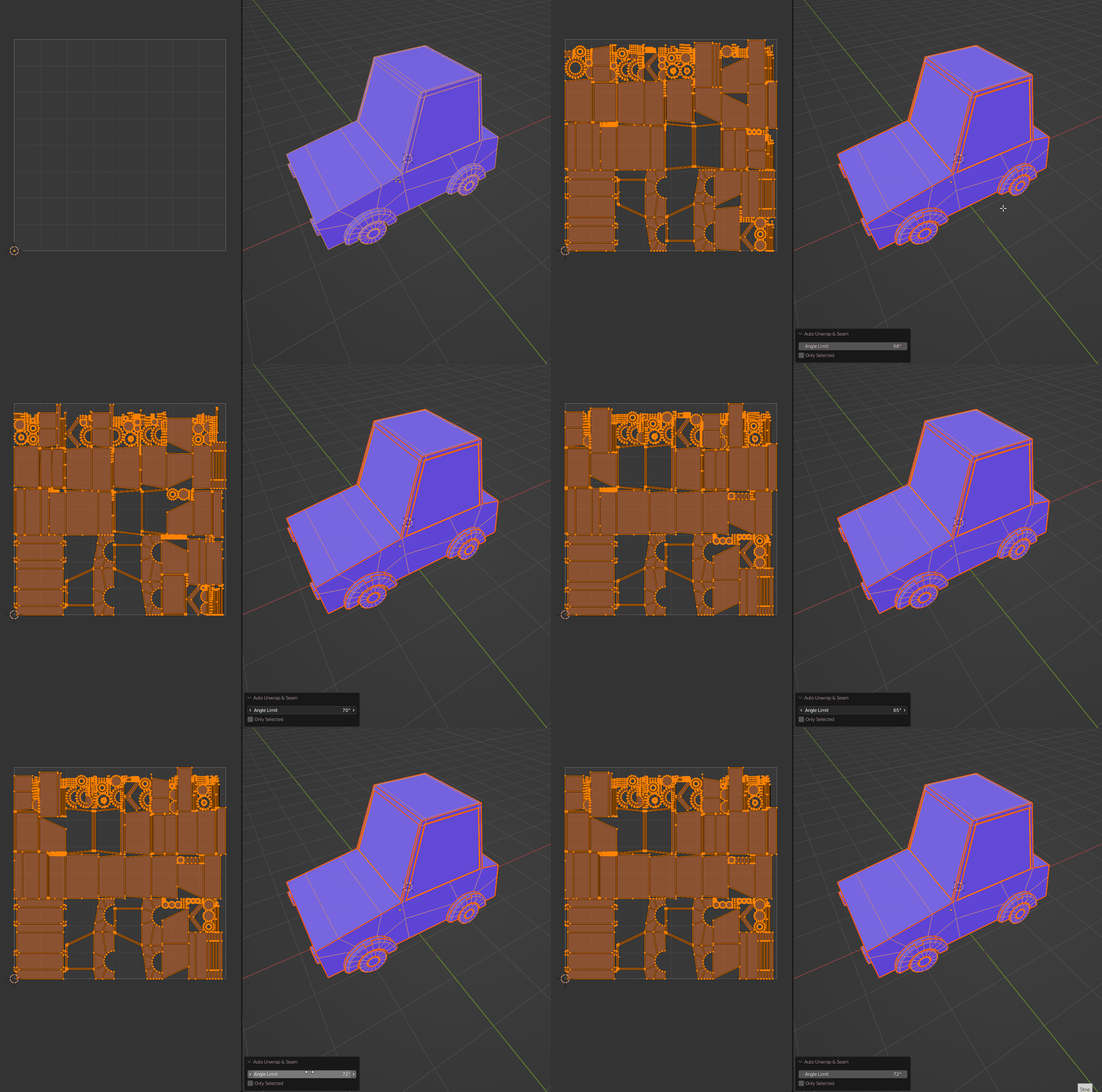
Auto unwrap also mark seam, based build-in "Smart UV Project" operator.
*If target has already edge seam it would be replaced.
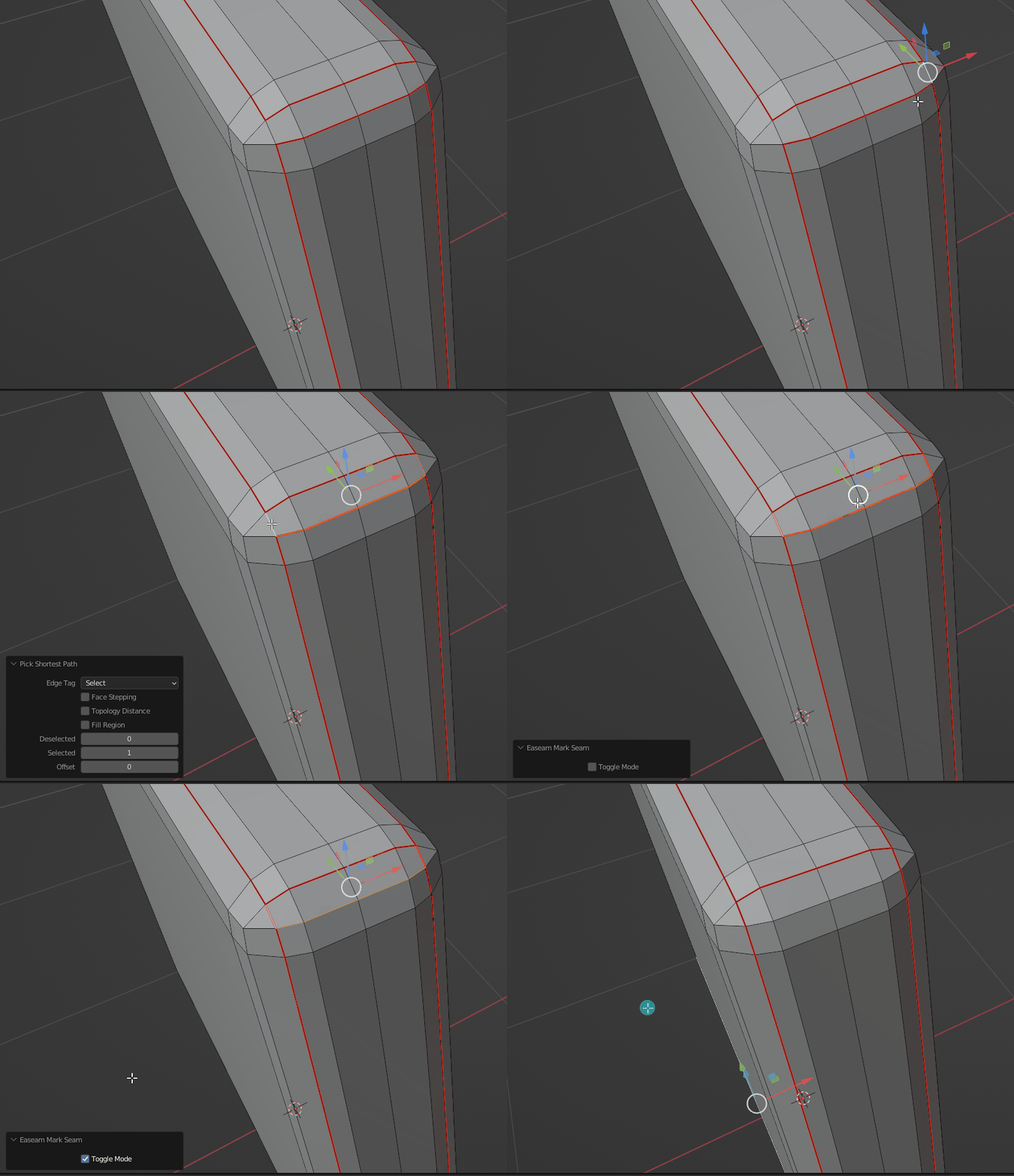
Mark seam and Clear seam in one action.
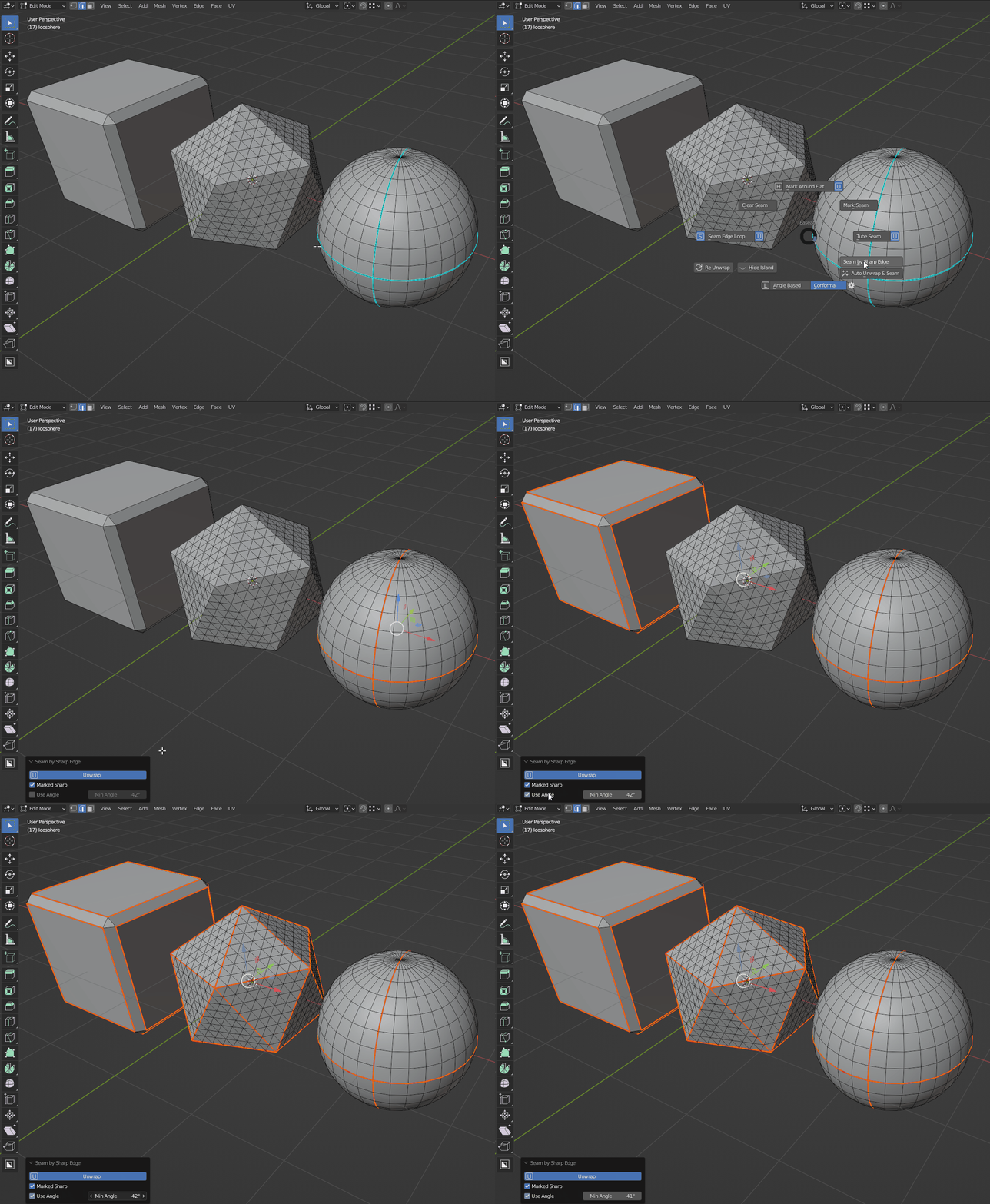
Marking seam by marked sharp edge and/or by angle
-Re-Unwarp
Re-unwrap whole mesh (included hidden geometry)
But keep current selection.
Auto pack option in Re-Unwrap Operator.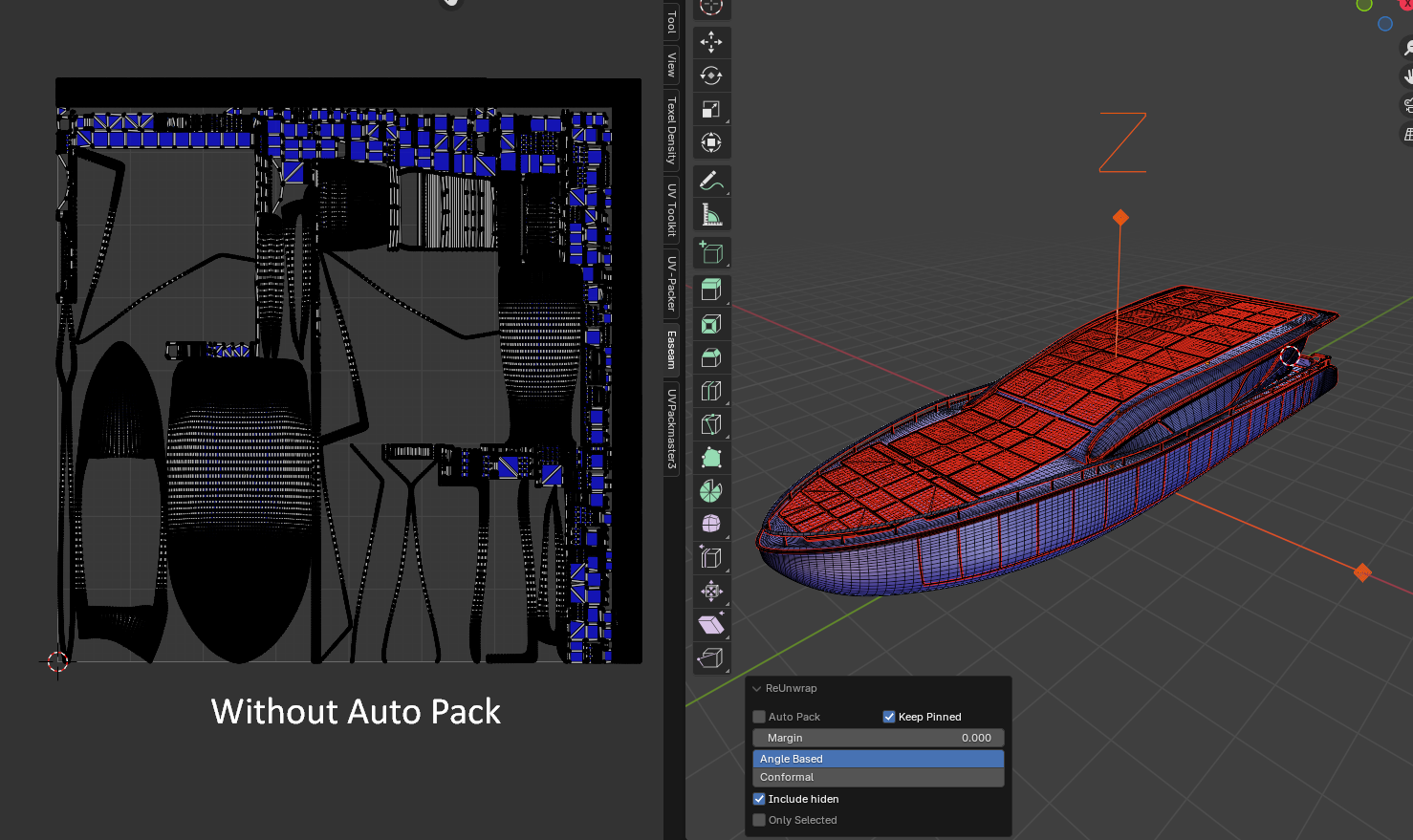
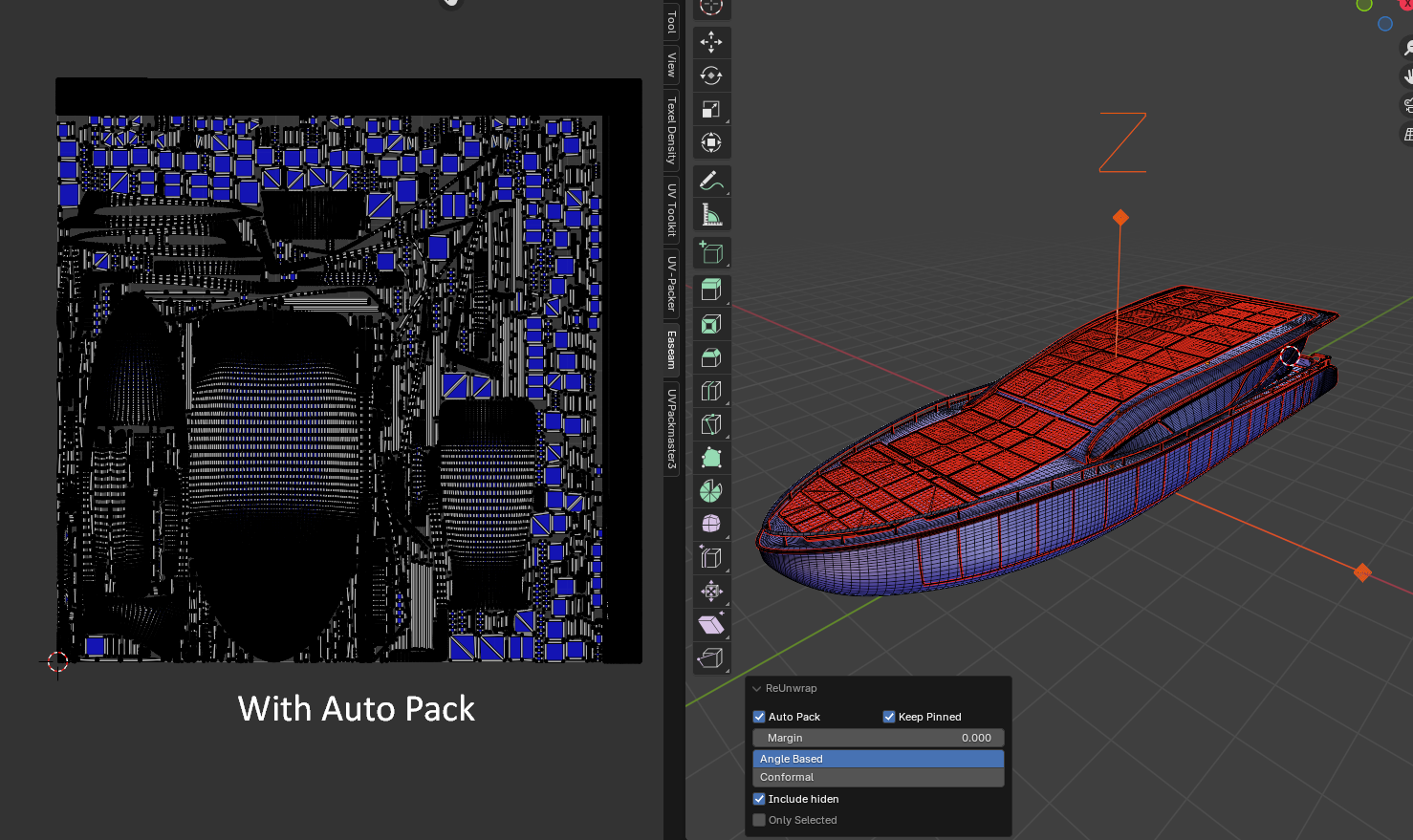
*enable Auto Pack may cause slow on high resolution mesh
-
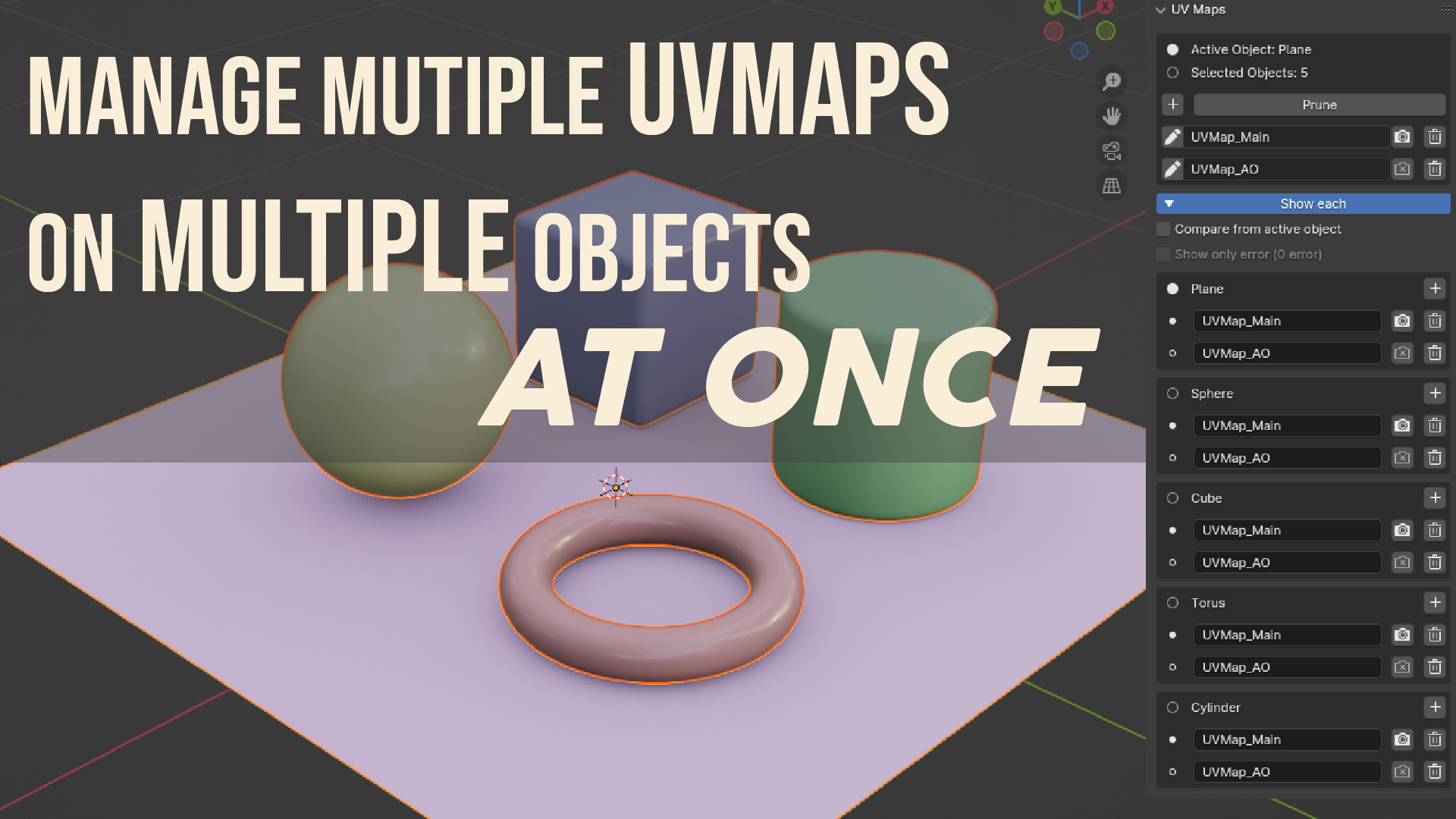
UV Map Manager
Watch the video how it work.
Watch the video how it work.
*Tips
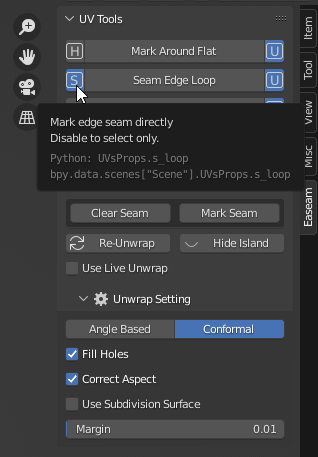
Every element of the add-on UI has a tooltip, so if you don’t know what something does just hover your mouse cursor over it.
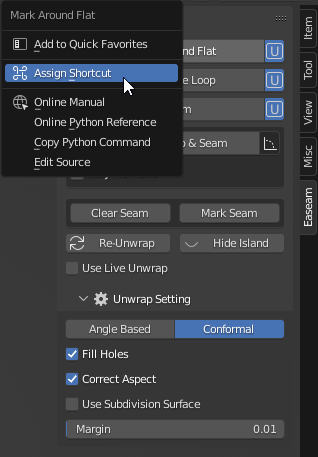
If you want to use this tools frequently I recommended assigning some "Shortcut" to operator that you want to assign for,
to do this, just Right-click on the button that you want to assign.
If you have familiar enough on this add-on, you may hide that N panel in add-on preferences and access the add-on through shortcut you have assigned or pie menu
Another useful add-ons:
Quickmod [bundle] - A Quick Way To Add Modifiers.
Duplicator - Easy tools for duplicating & scattering multiple objects.
Multilattice - Quick Setup Lattice Deformation.