Easy Batch Material Swapper
 Crane Design



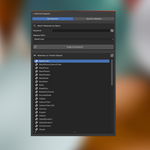
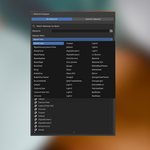
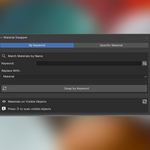
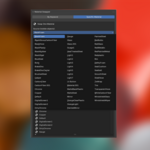

The Add-on can be installed as an extension by clicking and dragging into blender. Alternatively you can install it manually.
Manual Installation
- Download the
.pyfile - Open Blender and go to Edit > Preferences > Add-ons
- Click Install From Disk, navigate to the downloaded
.py, and select it - Enable the add-on by checking the box next to Material Swapper
The panel will appear in the 3D Viewport sidebar (press N to open it) under the Mat Swapper tab.
How It Works
Material Swapper operates on all visible mesh objects in your scene. Hidden objects and objects excluded from the viewport are never affected. You choose a replacement material from your full blend file library, then use one of two modes to target which materials get replaced.
Usage
Swap by Keyword
Use this mode to replace any material whose name contains a specific string.
- Set the mode toggle to By Keyword
- Type a search string into the Keyword field
- Optionally enable Case Sensitive matching
- Choose a replacement material from the dropdown
- Click Swap by Keyword
All material slots on visible objects whose name contains the keyword will be replaced in one operation.
Swap Specific Material
Use this mode to replace one exact material across the entire scene.
- Set the mode toggle to Specific Material
- Select the source material you want to replace — the dropdown is scoped to materials present on visible objects only
- Choose a replacement material from the dropdown
- Click Swap Specific Material
Material Preview List
The panel includes a preview list showing all materials currently present on visible objects. Click the refresh icon to rescan after making changes or toggling object visibility. Use this to audit your scene before running a swap.
Notes
- All swap operations are fully undoable via
Ctrl+Z - The replacement material dropdown pulls from your entire blend file library, including any materials not currently assigned to objects
- The source material dropdown in Specific mode is scoped to visible objects only, keeping the list clean in complex scenes
- Running a swap will not affect objects that are hidden in the viewport or hidden via the outliner

Discover more products like this
CAD import material swap 3D Pipeline batch material batch Material material swapper pipeline