Easy Batch Material Swapper
 Crane Design



What happens if source and replacement are the same material?
The add-on will warn you and cancel the operation before making any changes.
Can I undo a swap?
Yes. All swap operations are fully undoable with Ctrl+Z.
I ran a swap but nothing changed. What happened?
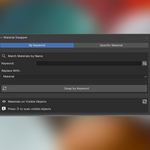
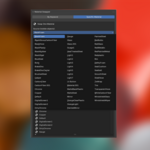
Check that your keyword actually matches part of the material name, and verify that Case Sensitive is set correctly. You can use the preview list to confirm what material names are present on visible objects before running the swap.
Will this affect objects on hidden layers or excluded collections?
No. Only viewport-visible objects are touched.
Can I use this on objects in a collection that is hidden?
No. Material Swapper only operates on objects that are visible in the viewport. Unhide the collection first, run your swap, then hide it again if needed.
Why don't I see my material in the replacement dropdown?
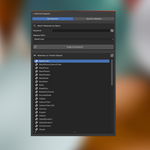
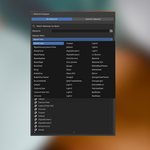
The replacement dropdown pulls from all materials in your blend file. If a material isn't showing up, make sure it has been created or imported into the file. Materials that exist only in a linked library may not appear.
Why don't I see my material in the source dropdown?
The source dropdown only shows materials assigned to currently visible objects. If a material is missing, check that the object carrying it is visible in the viewport and not hidden in the outliner, then try again.

Discover more products like this
3D Pipeline material swap pipeline material swapper Material batch material batch CAD import