Easy Import Export
 VP.studio3d


Easy Import Export VPs
Version: 1.15.33 | Compatibility: Blender 5.1+ | Author: VP Studio 3D
Overview
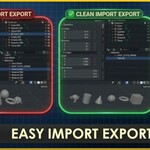
Easy Import Export VPs is a comprehensive pipeline automation addon for Blender. Designed specifically for game developers (Unreal Engine, Unity) and 3D marketplace creators (Sketchfab, CGTrader), this tool completely automates the tedious processes of FBX import/export, asset cleanup, LOD generation, UCX collision creation, and PBR texture packing.
🚀 Main Operations
IMPORT FBX: Imports selected FBX files, automatically creating a new
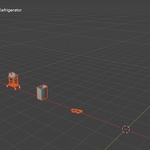
Import_Xcollection. It automatically applies smart scaling to fix 0.01 scale issues, cleans leaf bones, and sorts objects into a neat grid layout.EXPORT FBX: Batch exports selected root objects into separate FBX files. Applies a x100 scale for Unreal Engine compatibility, centers objects to the world origin
(0,0,0), and automatically adds prefixes (SM_,SKM_) and suffixes (_anim).IMPORT / EXPORT SCENE: Bypasses batching and grid layouts to handle the entire scene as a single FBX file.
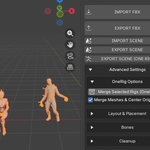
EXPORT SCENE (ONE RIG): Automatically merges multiple selected armatures and their meshes into a single, unified rig. Merges all animation data into a master action. Perfect for Sketchfab presentations.
⚙️ Advanced Settings Breakdown
Toggle "Advanced Settings" to access the full suite of automation tools.
1. OneRig Options
Merge Selected Rigs: Manually trigger the OneRig merge process.
Merge Meshes & Center Origin: When merging rigs, this merges all child meshes into one single mesh and resets the origin to the world center.
2. Layout & Placement
-
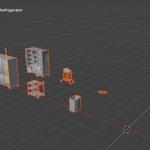
Auto Grid Layout: Arranges imported or selected objects into a grid format.
Grid Step / Rows: Defines the distance (in meters) between objects and the number of rows.
Sort By: Sort objects based on Height (Z), Footprint (XY), Volume (XYZ), Alphabetical, Alphabetical (Rigs First), or Polycount.
Smart Shift: Automatically shifts imported objects to the left if the current 3D cursor position is already occupied by other objects.
Origin To Bottom Before Sort: Moves the origin point of all objects to their bottom-center bounding box before arranging them.
Auto-Layout Selected / Move Selected Left: Manual triggers for layout organization.
3. Bones
Auto Scale Bones: Automatically detects and scales down abnormally large bones (e.g., giant leaf bones imported from other software) without breaking the mesh skinning.
Scale x2 / Scale x0.5: Manually scale selected bones up or down from their individual origins in Edit Mode.
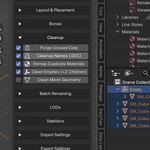
4. Cleanup
Auto Purge: Removes all unused data blocks (orphan materials, meshes, etc.).
Cleanup Names (.001): Intelligently removes
.001numeric suffixes from all objects, meshes, and materials. Also converts Cyrillic characters to Latin automatically.Remap Duplicate Materials: Finds and merges duplicate materials (e.g., merges
Material.001intoMaterial).Clean Empties (<2 Children): Deletes redundant empty objects that serve no structural purpose, preserving the world transforms of their children.
Clean Mesh Geometry: Automatically deletes loose vertices/edges, dissolves degenerate geometry, and removes double vertices.
5. Batch Renaming
Select multiple objects and perform bulk renaming operations:
Action: Choose between Add Prefix, Add Suffix, Replace text, or Delete text.
6. LODs (Level of Detail) & Collision
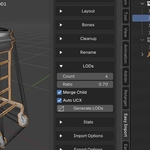
LOD Count: Set the number of LODs to generate (1 to 6).
Aggressiveness (0.0 - 0.95): The polygon reduction ratio per step. A value of 0.8 ensures aggressive optimization for background assets.
Merge Child Meshes: Merges all child meshes of a root object before generating LODs to ensure clean decimation.
Auto UCX Collision: Automatically generates a convex hull collision mesh named
UCX_[ObjectName]using inverted normals, ready for Unreal Engine.Generate LODs: Manual trigger to create LOD hierarchies with proper
_LOD0,_LOD1suffixes and an empty controller (if not rigged).
7. Statistics (HUD)
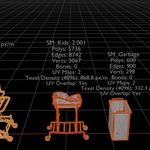
Displays an interactive viewport HUD for selected objects.
Display Toggles: Name, Polygons, Edges, Vertices, Bones, UV Maps Count.
Texel Density: Calculates and displays the average Texel Density (px/m) based on a chosen texture resolution (e.g., 4K).
Check UV Overlap: Detects if there are overlapping UV islands in the selected UV map.
Geometry Errors: Highlights loose vertices, loose edges, and non-manifold geometry in red text.
Auto Show: Automatically displays the HUD when selecting an object and hides it upon deselection.
8. Import Settings
Smart Scale & Axis: Fixes massive dimensions and 0.01 scale issues common with raw FBX files.
Clean Leaf Bones: Safely removes zero-weight end-bones generated by other software.
Delete LODs / Delete Textures: Strips out existing LODs/UCX models or clears all material slots upon import for a clean slate.
Mark UV Seams: Reconstructs and marks mesh seams based on existing UV island borders.
Apply Auto Smooth 180: Fixes faceted shading by applying a Smooth by Angle modifier (180 degrees) if sharp edges are detected.
Auto Setup Timeline: Automatically adjusts the Blender scene's start and end frames to fit the imported animation data.
9. Export Settings
Batch Export Selected / Auto Detect Batch: Exports multiple root objects into separate FBX files automatically.
Smart Scale & Axis: Scales objects by x100 during export to ensure 1:1 unit matching in Unreal Engine.
Reset Position To Zero: Temporarily moves objects to the world center
(0,0,0)during export.Auto Prefix / Auto Suffix: Automatically names files with
SM_(Static Mesh) orSKM_(Skeletal Mesh) and adds_animif animation tracks are present.Triangulate: Applies a Triangulate modifier before export while keeping custom normal shading intact.
Generate Lightmap: Automatically creates a secondary UV map named
Lightmappacked with optimal margins for light baking.Generate LODs / Generate UCX: Triggers the LOD and collision generation logic during the export phase, ensuring clean output files without cluttering your working scene.
-
Embed Textures & Rebuild Nodes:
Automatically embeds textures into the FBX file.
ARM Splitting/Packing: Automatically identifies Ambient Occlusion, Roughness, and Metallic nodes and packs them into a single ARM texture.
Normal Inversion: Inverts the green channel of normal maps if required by the shader setup.
Downscale: Optionally divides texture resolutions by 2 or 4 to save file size during export.
Have questions about this product?
Login to message
| Blender Extension Compatible | Yes |
| Published | 4 months ago |
| Blender Version | 5.0 - 5.1 |
| Extension Type | Add-on |
| Render Engine Used | Cycles |
| License | GPL |

Discover more products like this
game assets asset layout batch-rename lightmap uv custom collision fbx b3d LOD Generator batch-export blender addon auto-scale decimate