 mightyiest



Key Features
Recursive Purging: Unlike standard cleanups, Easy Purge can automatically loop through your project to catch deeply nested orphans (such as a texture left behind after its parent material is deleted).
-
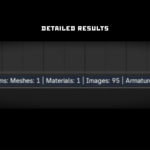
Detailed Statistics: It meticulously tracks exactly what was removed across 12 different data categories, including meshes, materials, textures, images, armatures, actions, cameras, lights, node groups, collections, fonts, and curves.

Smart Summary Popup: Get immediate visual feedback with a clean UI popup detailing exactly how many items were purged from your file.
Customizable Execution: Both the recursive purging loop and the summary popup can be easily toggled on or off in the operator settings to suit your workflow.
How It Works
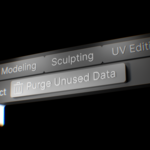
Simply navigate to your View3D editor menu, select Purge Unused Data, and let the add-on do the heavy lifting. It scans your scene, safely removes data that is no longer linked to any object or fake user, and provides a precise summary of the hard drive space and scene bloat you just saved.

Technical Specifications
Add-on Version: 1.4.1
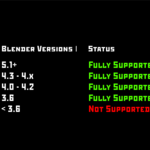
Blender Compatibility: 5.1.0 and above
Developer: Mightyiest
Category: Scene Management
Why Choose Easy Purge?
Stop manually digging through the Outliner's Orphan Data view to clean up your scene. Whether you are prepping a final render, optimizing assets for a game engine, or sharing a clean file with a team member, Easy Purge ensures your .blend files are fully optimized in a matter of seconds.
Feel free to share this piece of code❤️☕
If you’d like to support me, you can buy me a coffee I’d really appreciate it. Thank you!
What’s New in v2.0.0:
-
The New N-Panel UI: Easy Purge now has its own dedicated home in the N-Panel (
View3D > UI). Clicking "Purge Unused Data" fires instantly directly from the panel. No blocking confirmation dialogs, no annoying popups. Just pure, silent efficiency reported straight to Blender's Info bar.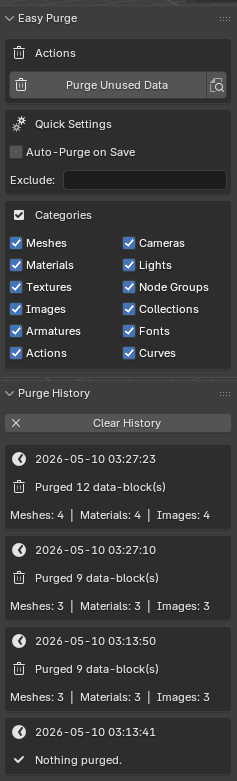
Dry Run Preview (🔍): Want to look before you leap? Hit the new search icon in the N-Panel to get a non-blocking, detailed breakdown of exactly what will be deleted before you actually commit.
Per-Category Control: Pick exactly what goes in the trash. Toggle specific data types (Meshes, Materials, Node Groups, etc.) directly in the N-panel or set your defaults in the Addon Preferences.
Smart Name Exclusion: Protect your precious assets! Add comma-separated keywords (like
_keeporlib_) and Easy Purge will completely ignore them, even if they are orphaned.Auto-Purge on Save: The holy grail of zero-effort file management. Toggle this on, and the addon will silently scrub your unused data right before every single
Ctrl+S.Purge History & File Size Tracking: Keep track of your digital weight loss. A collapsible log in the N-Panel tracks your last 50 purges, showing you exactly how many data blocks were removed and how much physical hard drive space you just saved.
Bug Fixes: * Corrected preset update callbacks (self.render to context.scene.render).
Nuked the old blocking confirmation dialogs and workspace-interrupting popups.