Easy Rigify
 SyndicatedArt




========================================================================
EASY RIGIFY — Product Description
Place markers, then auto-align a Rigify rig. For Blender 4.2+
========================================================================
Documentation
https://dwaynejnr-alt.github.io/Easy-Rigify/
WHAT IT IS
------------------------------------------------------------------------
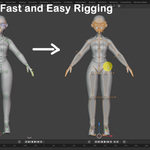
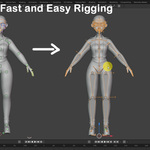
Easy Rigify turns the slow, fiddly part of character rigging — lining a
Rigify metarig up with your model — into a guided, click-driven workflow.
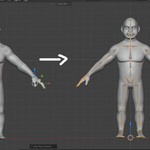
You drop a handful of markers onto your character, and the addon snaps a
full Rigify metarig onto them, generates the rig, and then helps you bind
and clean up the skin weights. It works on any humanoid mesh, from
realistic, to stylized, and cartoon characters, at any scale.
Instead of hand-editing dozens of bones in edit mode, you place markers
you can actually see in the viewport, let the addon do the alignment
math, and get a production-ready Rigify rig out the other end.
WHO IT'S FOR
------------------------------------------------------------------------
- Character artists who want a working rig without learning Rigify's
bone-by-bone alignment.
- Studios and freelancers who rig many characters and need a repeatable,
fast pipeline.
- Anyone who has bounced off Rigify because aligning the metarig by hand
is tedious and error-prone.
THE CORE WORKFLOW
------------------------------------------------------------------------
The addon lives in the 3D Viewport sidebar (press N) under the
"Easy Rigify" tab, organised into four simple stages: Markers, Rig,
Skin, and Tools. A live status box always tells you the recommended
next step, so you never have to guess what comes next.
1. MARKERS — Place markers on the body, hands, and face.
2. RIG — Add a Rigify metarig, align it to the markers, generate.
3. SKIN — Bind the mesh and clean up the weights.
4. TOOLS — Fan bones, viewport helpers, and utilities.
KEY FEATURES
------------------------------------------------------------------------
• ONE-CLICK BODY DETECTION
"Auto Detect Body" analyses your mesh and places the full body-and-leg
marker set — spine, pelvis, shoulders, arms, legs, and feet —
automatically. Marker sizes scale themselves to fit the character, so
it looks right whether your model is game-scale or a giant.
• SMART FINGER PLACEMENT
Place all fingers with a fast two-click-per-finger workflow (tip, then
knuckle; the middle joints are interpolated for you). A per-finger
picker lets you redo just the thumb, index, ring, and so on. The right
hand is mirrored automatically from the left. A "Straighten Fingers"
pass cleans up any side-to-side wander in the joints.
• STEP-BY-STEP FACIAL MARKERS
A guided, section-by-section face detector places markers for brows,
eyes, eyelids, lips, nose, cheeks, chin, jaw, and forehead by reading
your actual eye, brow, teeth, and tongue meshes. You can point the
addon at separate eyeball, tongue, teeth, and eyebrow objects for
accurate results on complex face rigs, and detect each region on its
own so you stay in control.
• AI-ASSISTED DETECTION
With one click you can "AI Detect Body" "AI Detect Fingers" and "AI Detect Facial"— trained
detectors that place markers even on unusual proportions and stylised
hands. It runs entirely on your machine, and the addon works fully
without it.
• MIRROR & LIVE SYMMETRY
Mirror any side to the other (L→R or R→L) in one click. Turn on Live
Symmetry and moving a marker on one side moves its counterpart on the
other in real time, across the character's own symmetry plane.
• AUTO-ALIGN & GENERATE
"Align Rig to Markers" snaps every metarig bone — spine, neck, head,
arms, hands, palms, fingers, legs, and feet — onto your markers,
including correct bone rolls derived from the mesh surface. Then
"Generate Rig" produces the final Rigify control rig.
• REGENERATE WITHOUT LOSING WORK
Backup and restore custom changes so you can tweak the metarig and
regenerate the Rigify rig without throwing away your edits.
• SKINNING & WEIGHT TOOLKIT
A full binding and weight-cleanup suite: smart automatic binding, a
surgical per-region weight tightener (fingers, forearms, upper arms,
shins, thighs, shoulders, spine, neck) with gentle/default/aggressive
presets, joint-bleed analysis and repair, weight smoothing, symmetry,
pruning, and guided weight-paint entry/exit.
• FAN BONES & UTILITIES
Generate fan/helper bones for smoother deformation at the joints, plus
viewport helpers: X-ray toggle, marker show/hide, mesh-selection
toggle, marker resize, and on-screen placement hints.
• GUIDED EVERY STEP
Selected markers show an on-screen help image and hint text telling you
exactly where each one goes. A built-in diagnostics check confirms all
required markers are placed before you align, and a Help button links
to online documentation for each tab.
WHAT MAKES IT DIFFERENT
------------------------------------------------------------------------
- You never touch bone edit-mode alignment — the addon does it.
- Markers are visible, movable, and mirrored, so corrections are obvious.
- The whole path from raw mesh to bound, cleaned rig lives in one panel.
- Works across body, hands, and face — not just the torso.
- Optional on-device AI, but a complete geometric workflow without it.
REQUIREMENTS
------------------------------------------------------------------------
- Blender 4.2 or newer.
- Rigify (ships with Blender) enabled.
========================================================================
Location
View3D Sidebar > Easy Rigify (press N in the 3D Viewport)
License
Easy Rigify is released under the GNU General Public License v3.0 or later (GPL-3.0-or-later).
Support
Each tab includes a Help button that opens the corresponding documentation. For bug reports, use the Report Bug button in the addon preferences — it opens a pre-filled email directly to the developer.
-
$28 $35
Includes AI Detect
-
$79.20 $99
Includes AI Detect
-
$16 $20
Auto detect no AI
 Included
Includes 12 months of
- Support from SyndicatedArt
- Product updates
Extend this product’s Support Period +12 months: 25% of product price
Have questions before purchasing?
Login to message