 NizamNet


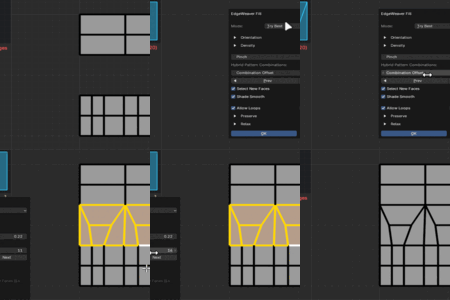
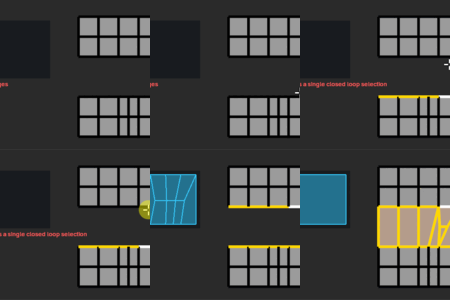
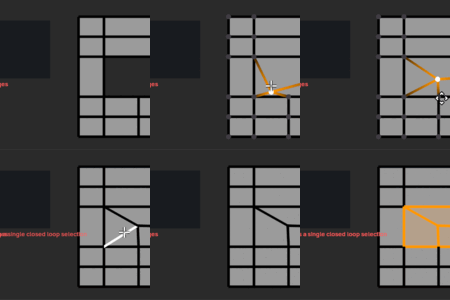
EDGEWEAVER DOCS
// USER MANUAL v1.0
01 // INSTALLATION
- Open Blender and go to Edit > Preferences.
- Select the Add-ons tab.
- Click the Install... button at the top right.
- Select the downloaded
EdgeWeaver.zipfile. - Check the box in the list to enable the add-on.
02 // HOTKEYS & ACCESS
Default Hotkey
SHIFT + F
*Works in Edit Mode
Alternative Access
- > Right Click Menu (Context Menu)
- > Ctrl + E (Edge Menu)
- > N-Panel > EdgeWeaver Tab
03 // LIVE PREVIEW
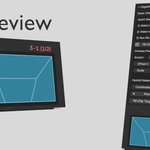
EdgeWeaver features a GPU Preview system that allows you to see the result before applying the operation.
HOW TO USE?
After selecting two edge groups, start the operation from the menu or panel. Before confirming (Left Click or Enter), move your mouse to watch the bridge being built live.
- Green lines represent the new edges to be created.
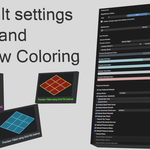
- If there is a twist in the result, you can instantly update it by changing settings in the panel.
04 // F.A.Q.
Q: Will there be more topology patterns and features in the future?
A: Absolutely. EdgeWeaver is currently in its V1 stage. We have a comprehensive roadmap that includes advanced loop deflection, curvature-aware bridging, and AI-assisted topology solving. The pace and scope of these updates are directly fueled by community support and feedback.
Q: Does it support N-Gons?
A: EdgeWeaver is optimized for Quad-based workflows to ensure subdivision-ready topology. However, it includes fallback algorithms that can process N-Gons by attempting to reduce them to Quads. For the best results, we recommend working with clean edge selections.
Q: My bridge looks twisted. How do I fix it?
A: This is a common topological ambiguity. You don't need to undo. Simply look at the Redo Panel (bottom left) or the N-Panel while the operation is active. Toggle the 'Flip Target' or adjust the 'Shift' value to untwist the connection instantly.
Q: Can I change the default hotkey?
A: Yes. While
Shift+F is the default, you can remap this to any key combination that fits your workflow directly from the Add-on Preferences menu in Blender.
$13.90
Have questions about this product?
Login to message
| Sales | 10+ |
| Dev Fund Contributor | |
| Published | 8 months ago |
| Blender Version | 3.3 - 5.0 |
| Extension Type | N/A |
| Render Engine Used | Cycles |
| License | GPL |
Discover more products like this
addon bridge quads topology Patching optimization Workflow efficiency modeling mesh tool retopology