Egger Material Library
 Karel Schwarz


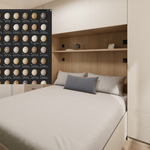
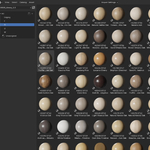
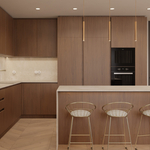
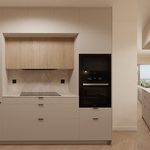
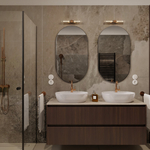
This product is delivered as a Blender Asset Library.
Installation
- Extract the downloaded ZIP file to a location of your choice.
- Open Blender.
- Go to Edit → Preferences → File Paths → Asset Libraries.
- Click the "+" button and select the extracted library folder.
- Save your preferences.
The material library will now appear in Blender's Asset Browser and is ready to use in all your projects.
Usage
Open the Asset Browser, select the EGGER Material Library, and drag the desired material into your scene or assign it directly to your objects.
All materials are organized using the original EGGER décor names and codes, making it easy to find the correct finish for your interior design, furniture, or architectural visualization projects.
$12
Have questions about this product?
Login to message
| Dev Fund Contributor | |
| Published | 3 months ago |
| Blender Version | 5.1 - 5.2 |
| Render Engine Used | Cycles |
| Misc Data | Textured |
| License | Royalty Free |

Discover more products like this
blender materials materials wood egger furniture architecture Interior Design asset library kitchen design material library laminate cabinetry