 energy.jp
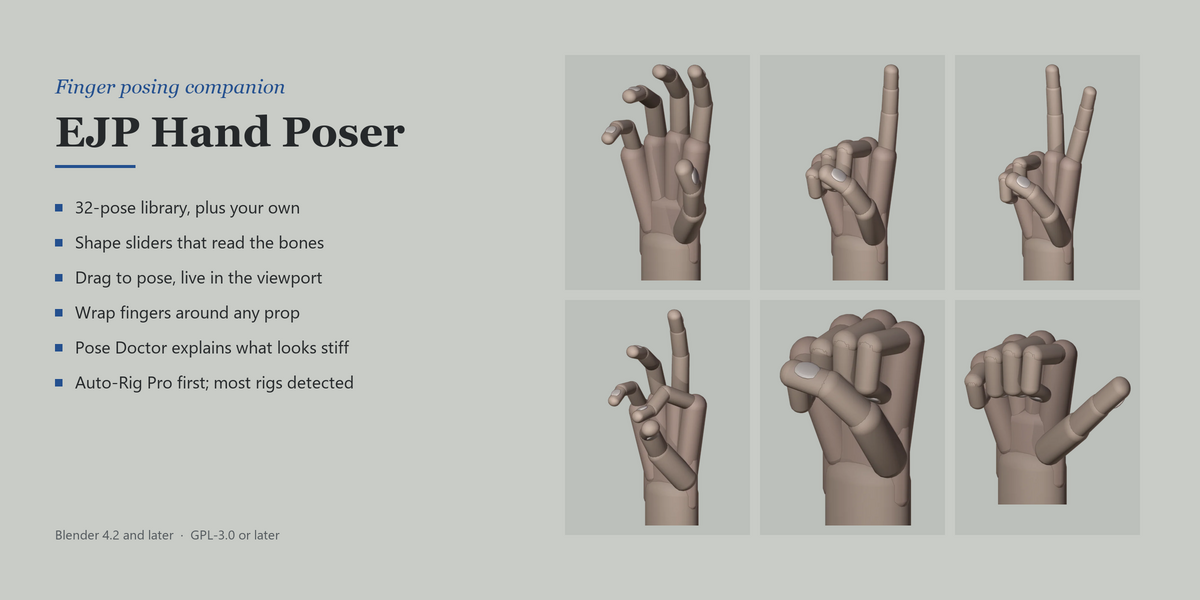
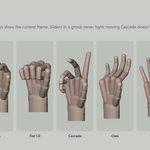
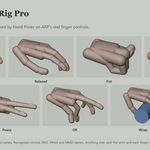
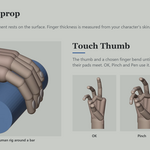
Hand posing is the slow part of posing a character. EJP Hand Poser makes it the fast part.
Start from a pose in the library, shape it with sliders that think in fingers instead of bone rotations, and let the Pose Doctor point out what still looks stiff. Everything lives in the 3D Viewport sidebar, in its own Hand tab.
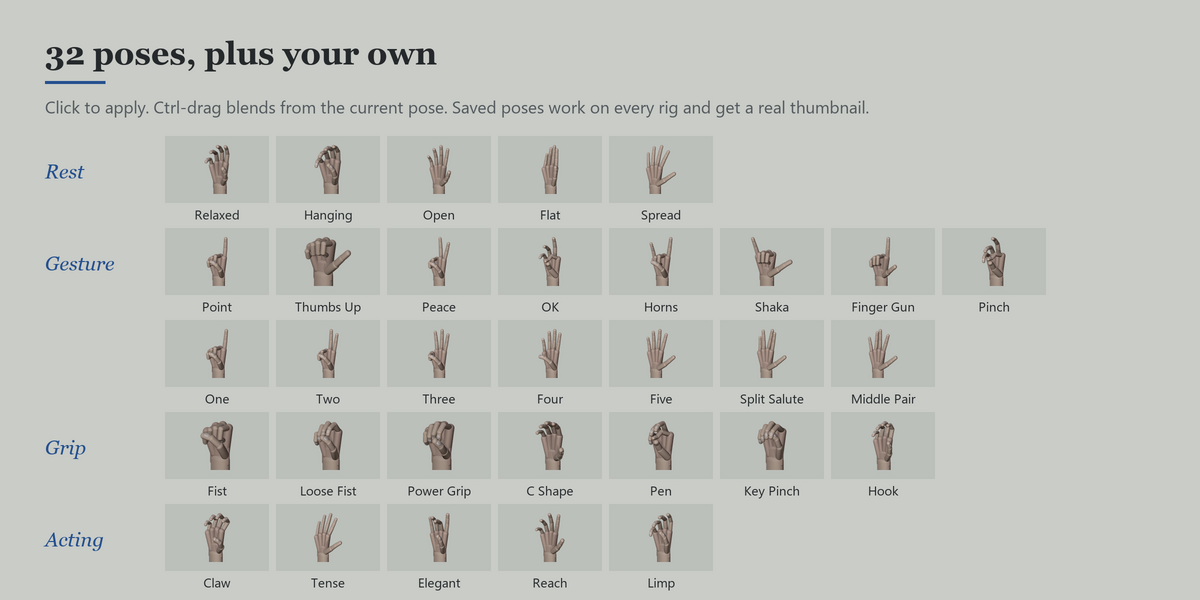
Pose library: 32 poses, plus your own
Four groups: Rest (Relaxed, Hanging, Open, Flat, Spread), Gesture (Point, Thumbs Up, Peace, OK, Horns, Shaka, Finger Gun, counting One to Five, Split Salute, Middle Pair, Pinch), Grip (Fist, Loose Fist, Power Grip, C Shape, Pen, Key Pinch, Hook) and Acting (Claw, Tense, Elegant, Reach, Limp).
- Click to apply. Ctrl-click and drag to blend from the current pose, up to 125%.
- Shift-click poses both hands, Alt-click the other hand.
- Poses are stored as anatomy, not bone rotations. A pose saved on one character fits another, and a left-hand pose lands mirrored on the right.
- Save your own poses. They work in every .blend and on every rig, and get a real thumbnail rendered in the background.
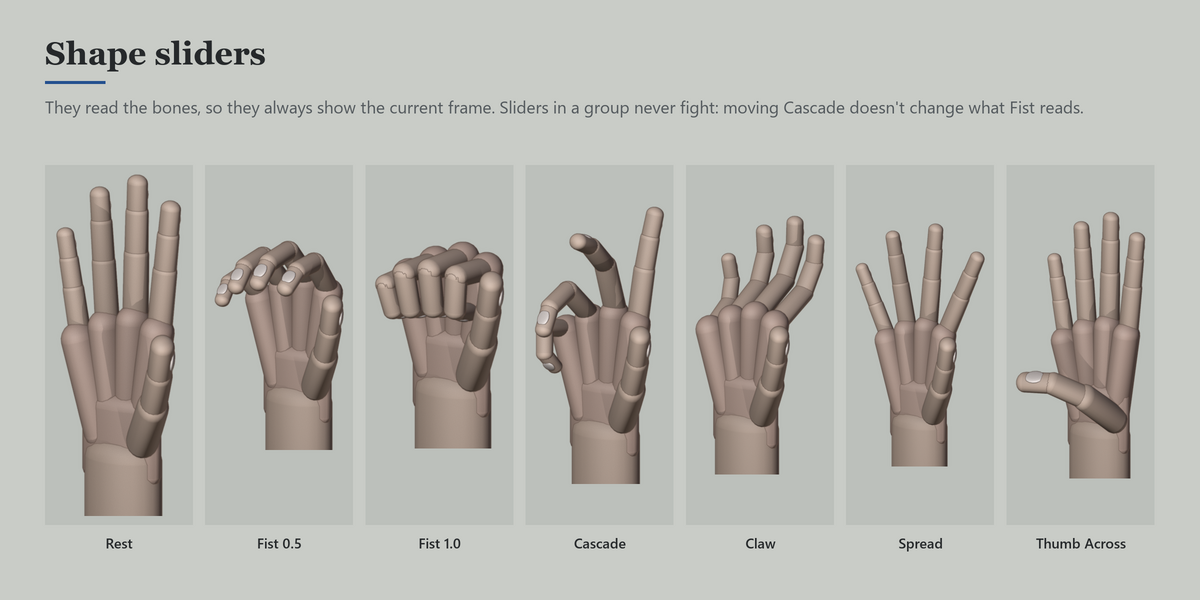
Shape sliders
They read the bones, so they always show the current frame, keyed or not.
- Fist: all four fingers curl together, each joint in natural proportion.
- Cascade: each finger toward the pinky curls a little more. The quickest fix for robot hands.
- Claw: bends the fingertips with the knuckles back, or the other way around.
- Spread, Lean and Cup (arches the palm).
- Thumb: Curl, Across, Out and Oppose (rolls the pad to face the fingertips).
Sliders in a group don't fight: moving Cascade never changes what Fist reads. A Fingers panel has every finger and every joint.
Drag to Pose
Press Shift+Alt+F in Pose Mode and move the mouse. The hand poses live in the viewport as you drag: left and right curl, up and down spread, the wheel adds cascade. Number keys toggle fingers, C switches to claw. Shift+Alt+H opens a pie menu with eight common poses.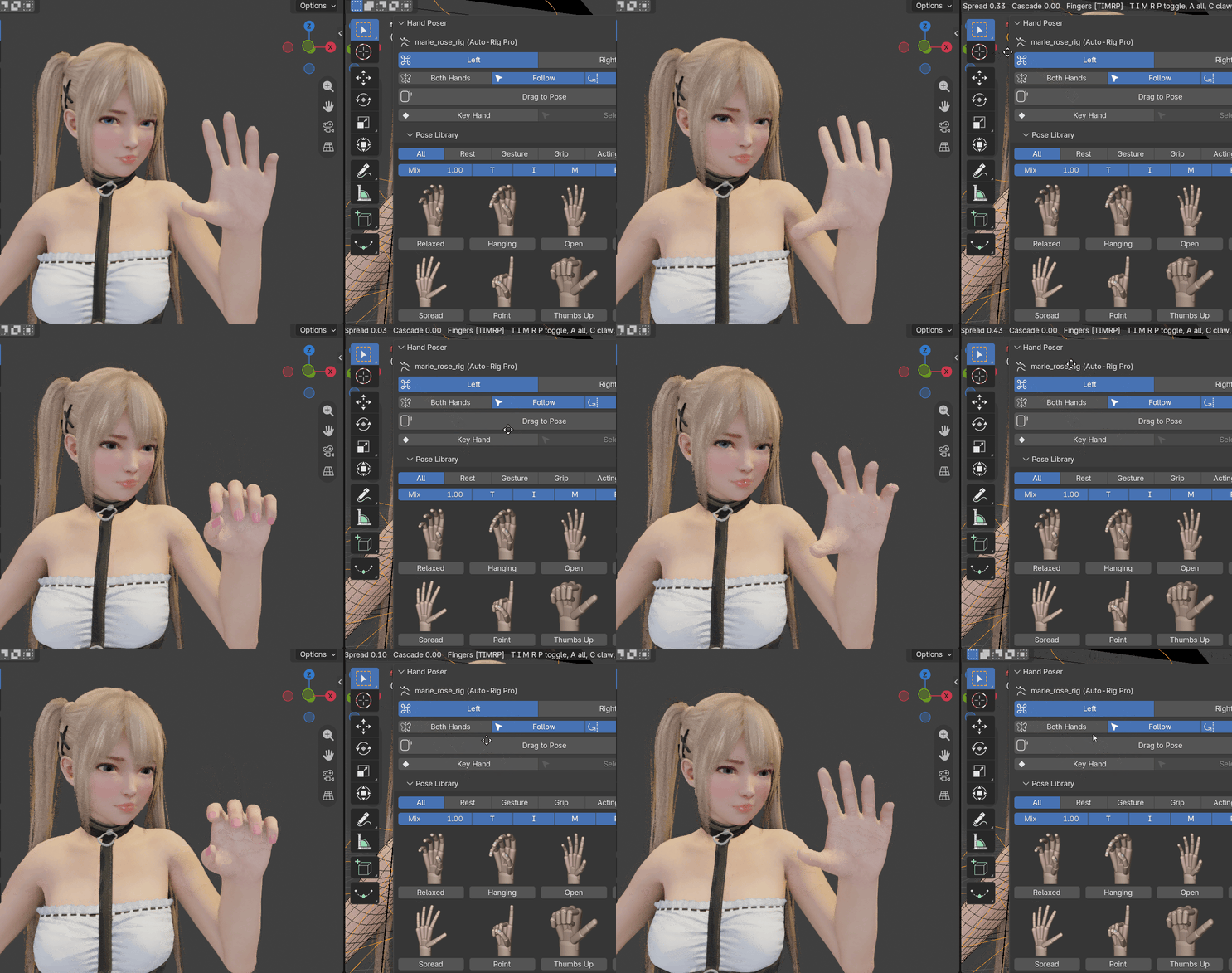
Wrap around a prop, Touch Thumb
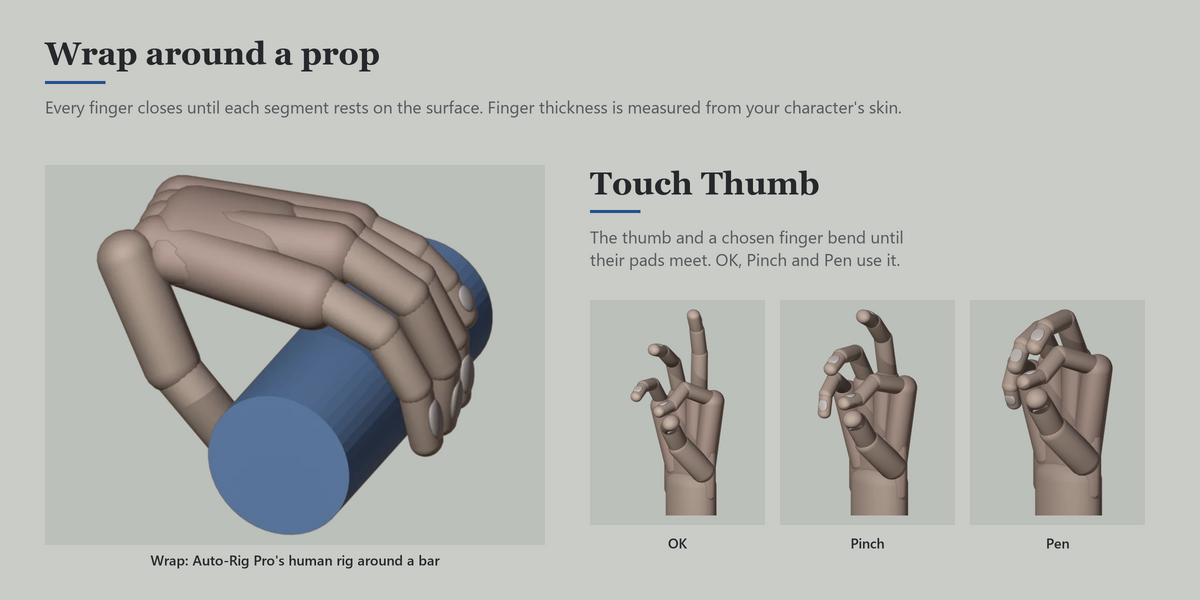
Pick a prop and click. Every finger closes until each segment rests on the surface, with finger thickness measured from your character's skin. Move Hand seats the palm on the prop first (on an IK arm), with a natural grip angle. Touch Thumb bends the thumb and a finger until their pads meet: the OK, Pinch and Pen poses finish with it, so they fit your character's proportions.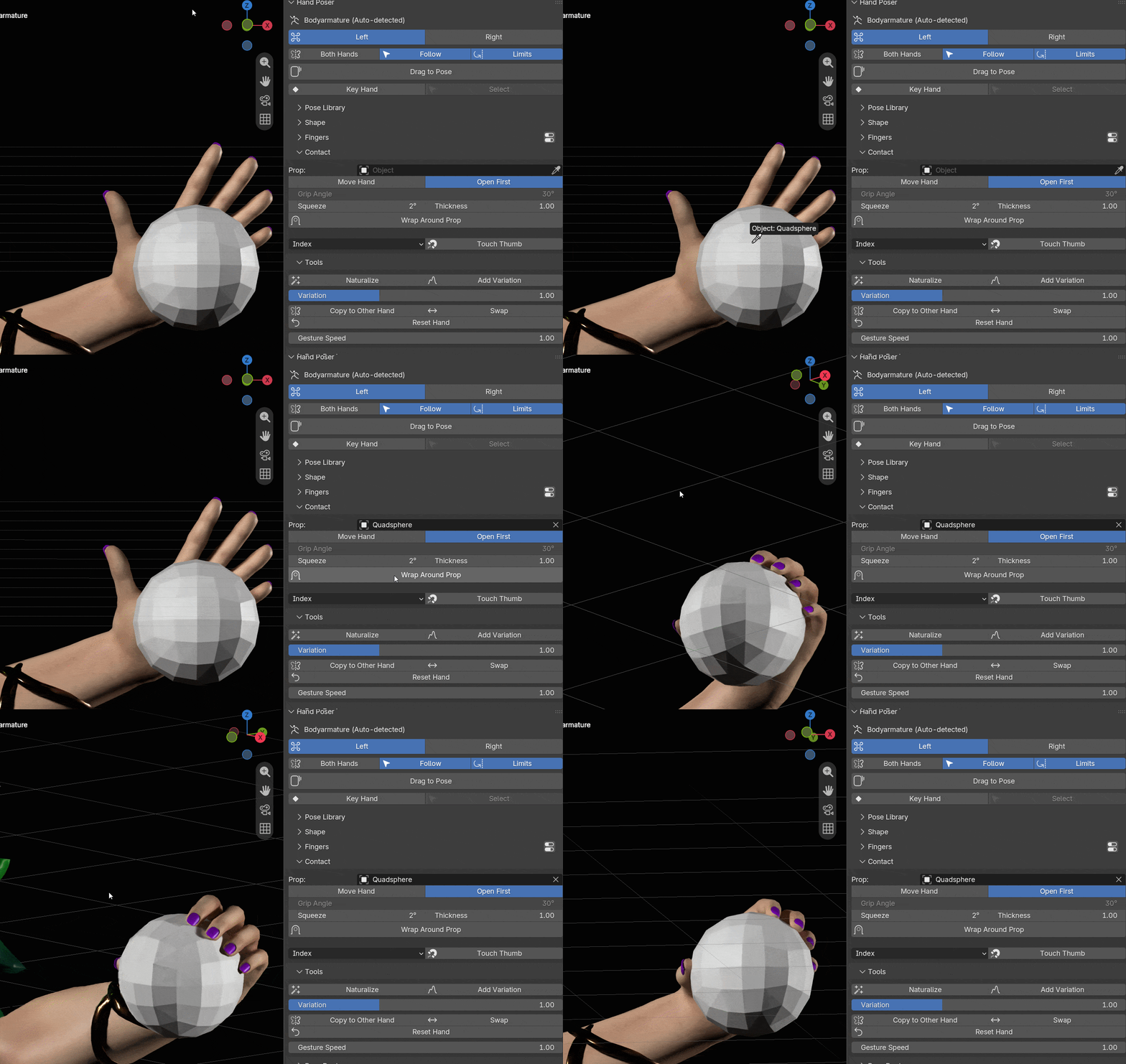
Pose Doctor
Checks the hand and explains what looks stiff, in plain words: fingers curling in lockstep, fingers held parallel, a dead-flat hand, a fist with no cup, a fingertip bending on its own, a thumb lying flat in the palm, joints past their natural range, two hands posed as twins. Every finding has a Fix button; Naturalize applies them all.
Built for Auto-Rig Pro, ready for other rigs
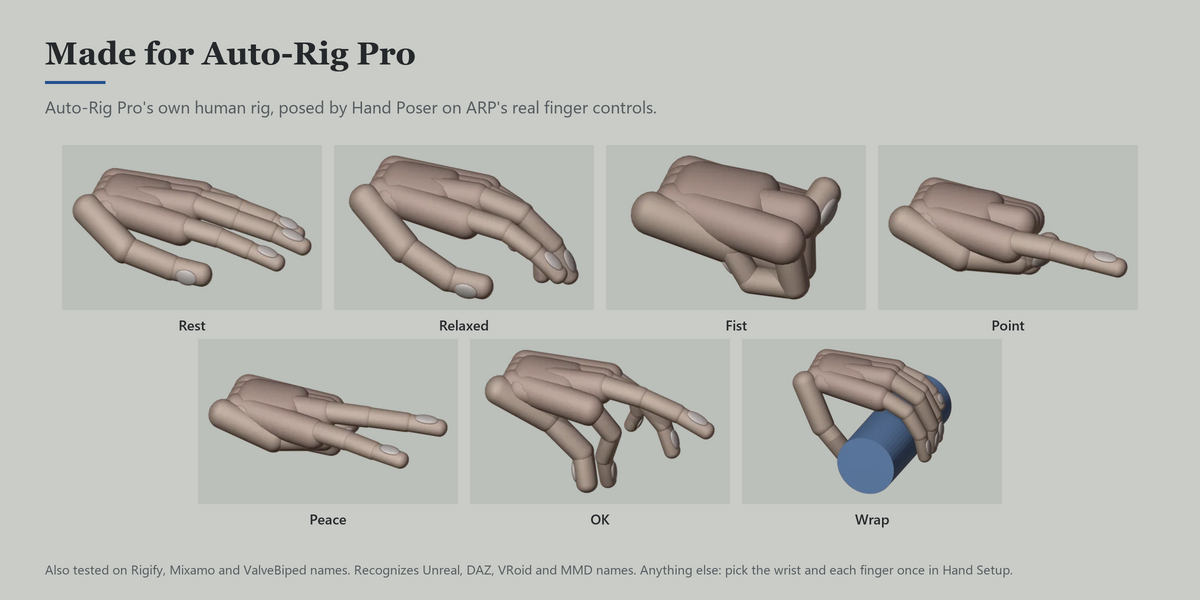
On Auto-Rig Pro, Hand Poser drives the FK finger controls on the axis ARP bends them on, so a pure curl is a single curve in the Graph Editor. ARP's own bend-all and grasp controls keep working on top, and the panel warns you if finger IK is hiding your changes. Tested with Auto-Rig Pro 3.73 and 3.79.
Also tested on Rigify rigs and Mixamo and ValveBiped bone names, and it recognizes Unreal, DAZ, VRoid and MMD names. For anything else, pick the wrist and each finger once in Hand Setup.
Also in the panel
Add Variation (small differences so repeated hands stop looking pasted), Copy to Other Hand and Swap, Both Hands, natural Limits (off for cartoon breaks), Key Hand, Select, and a ten-line Hand Posing Tips cheat sheet.
Add feet too
EJP Hand Poser: Feet ($5, sold separately, out soon) adds toe and foot posing to the same tab: foot presets, toe sliders, drag to pose and Plant Toes.